Using External Libraries in VBScript
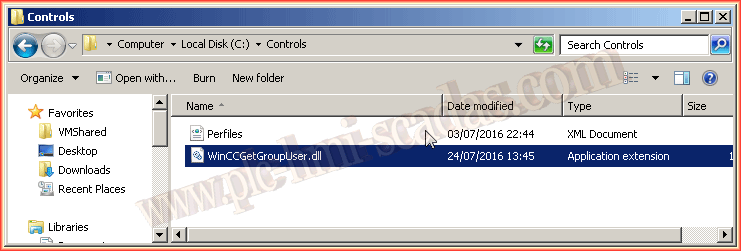
In the following article, we will assume that for some reason we have created a .Net library, and we will use its functions, procedures, etc. within our WinCC. The following library has created a function that returns the User Group to which a User belongs. Just like when we create our own .Net controls, we by default create the Controls folder in the root directory, we will follow the same philosophy and copy our library into this directory.
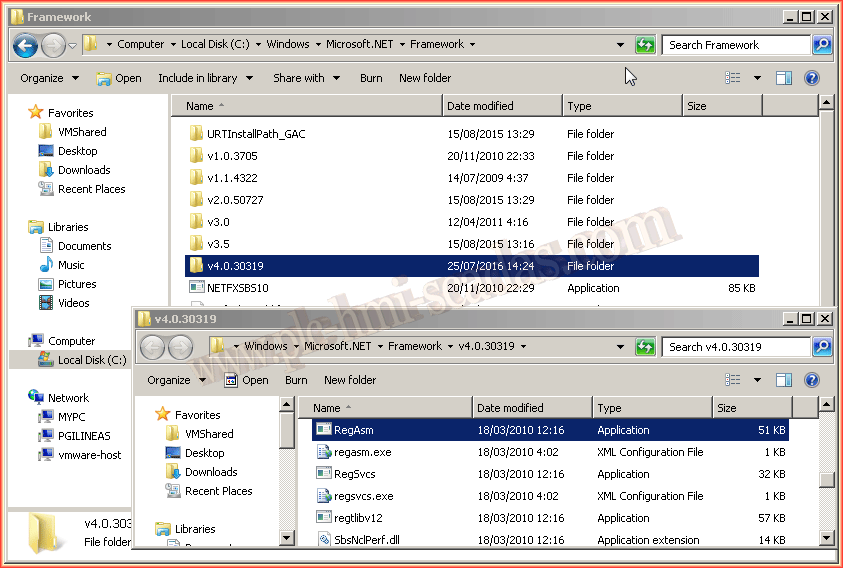
Just like when we register an ActiveX control using the Regsvr32 function, this time we will use the RegAsm function, which is installed by default when we install the .Net Framework. Depending on which version of the Framework we have installed, we will have several functions available.
Since I created the library with .Net Framework 4.5, we will use the RegAsm from the directory v4.0.30319 as shown in the image.
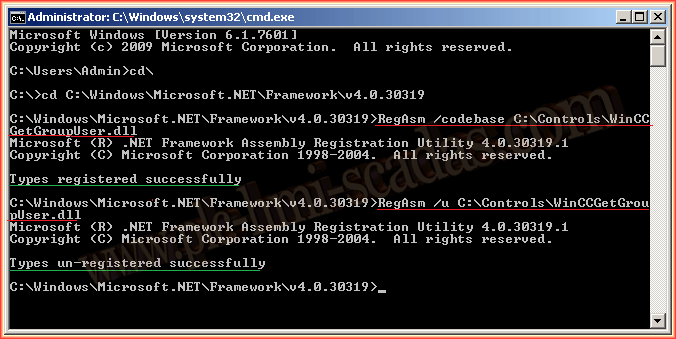
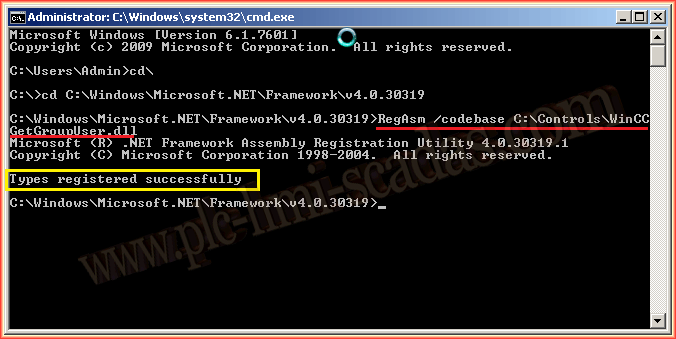
The procedure is as follows: Open a command console, navigate to the directory where the RegAsm function is located, as we have seen in the previous image, and execute the following code: RegAsm /codebase C:\Controls\Libreria.dll. If there are spaces in the path, we will enclose it in "", for example: RegAsm /codebase "C:\Controls .Net\Libreria.dll"
If everything is correct, we will see the following message: Types registered successfully, and if we look in the Windows registry and search for the name of our library, we will observe the following:
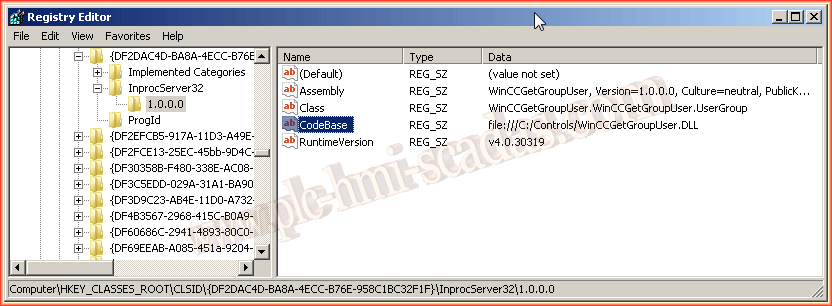
Once we have our library registered, we can start using it:
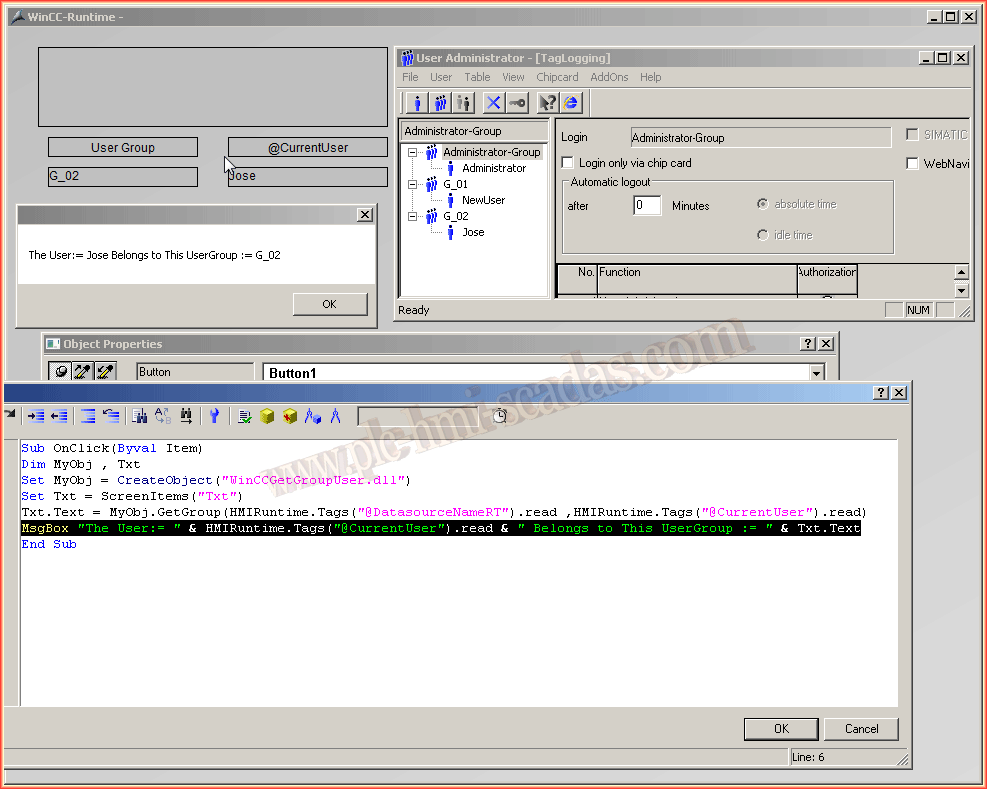
As will be seen in the next image, we create an instance of our Object with the VBSript function CreateObject(),
CreateObject("Libreria.dll")
Then, we call our Function / Procedure as we normally do.
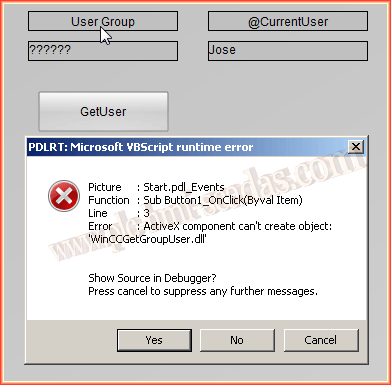
If we do not have the library registered, this will be the error we receive.
July 25, 2016