
Some of the New Features included in the release of WinCC V7.4
WinCC V7.4 can run on the following Operating Systems:
WinCC Server
Windows 10 (Pro / Enterprise, 64-bit) *)
Windows 8.1 (Pro / Enterprise 64-bit) *)
Windows 7 SP1 (Pro / Enterprise 64-bit) *)
Windows Server 2012 R2 (standard 64-bit)
Windows Server 2008 R2 SP1 (standard 64-bit)
*) WinCC Server limited to a maximum of three clients
WinCC Client
Windows 10 (Pro / Enterprise, 64-bit)
Windows 8.1 (Pro / Enterprise, 32-bit)
Windows 8.1 (Pro / Enterprise, 64-bit)
Windows 7 SP1 (Ultimate / Professional / Enterprise, 32-bit)
Windows 7 SP1 (Ultimate / Professional / Enterprise, 64-bit)
WinCC Single-User
Windows 10 (Pro / Enterprise, 64-bit)
Windows 8.1 (Pro / Enterprise, 32-bit)
Windows 8.1 (Pro / Enterprise, 64-bit)
Windows 7 SP1 (Ultimate / Professional / Enterprise, 32-bit)
Windows 7 SP1 (Ultimate / Professional / Enterprise, 64-bit)
Windows Server 2012 R2 (standard 64-bit)
Windows Server 2008 R2 SP1 (standard 64-bit)
New licensing model for WinCC/DataMonitor, WinCC/WebNavigator, and WinCC/WebUX options:
Licenses available for 1 / 3 / 10 / 30 / 100 clients in WinCC/WebNavigator and WinCC/WebUX, and for WinCC/DataMonitor 1 / 3 / 10 / 30 clients
License combination when WebNavigator and WebUX are available (Consult your Supplier)
The number of connections is increased
SIMATIC S7-1200: Up to 32 connections
SIMATIC S7-1500: Up to 128 connections
The maximum number of connections is also limited by resources, particularly CPU, RAM, and network card connections.
New connection tags facilitate the option to establish or terminate a connection.
The tag "@<ConnectionName>@ForceConnectionState" determines the state of the connection between WinCC station and S7-1200 / S7-1500.
The tag "@<ConnectionName>@ConnectionState" reports the current state of the connection.
Synchronization between the controller and WinCC tags
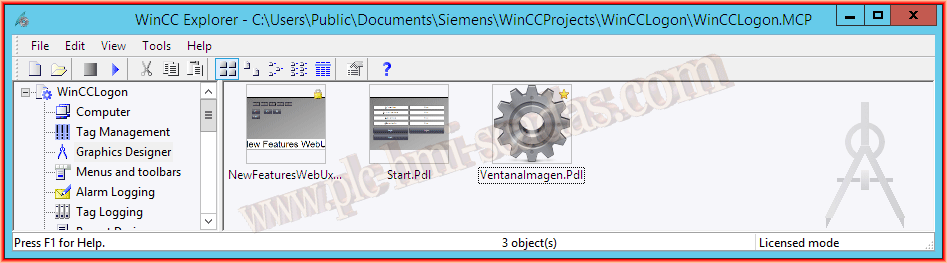
The new features for the WinCC explorer include a new icon to view the PDL in thumbnail, also noted in the upper corner when the PDL is password protected with a small lock, and if the PDL is selected as a favorite, a small star appears.
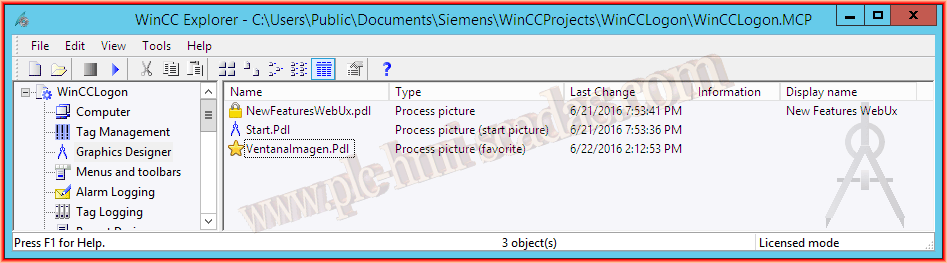
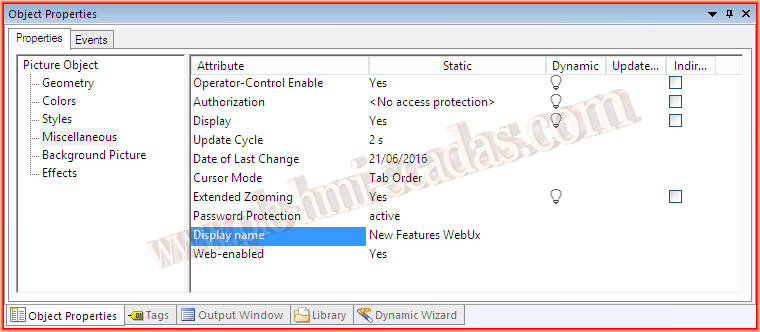
If we switch to detail view, we also see the icons and a new column "Display Name", which is a new property added to the PDLs.
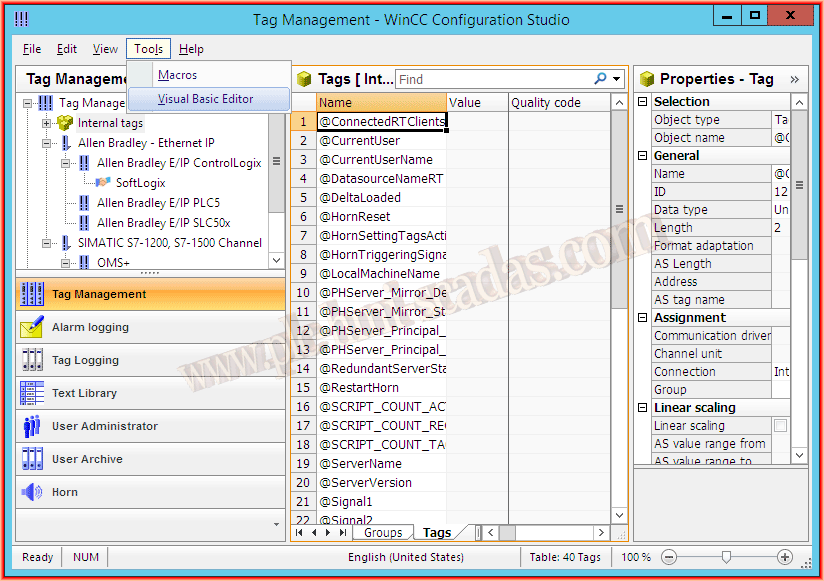
The functionality to use VBA in the editors has been added, we can now create, edit, and update tags from the VBA editor, just like in TagLogging, etc...
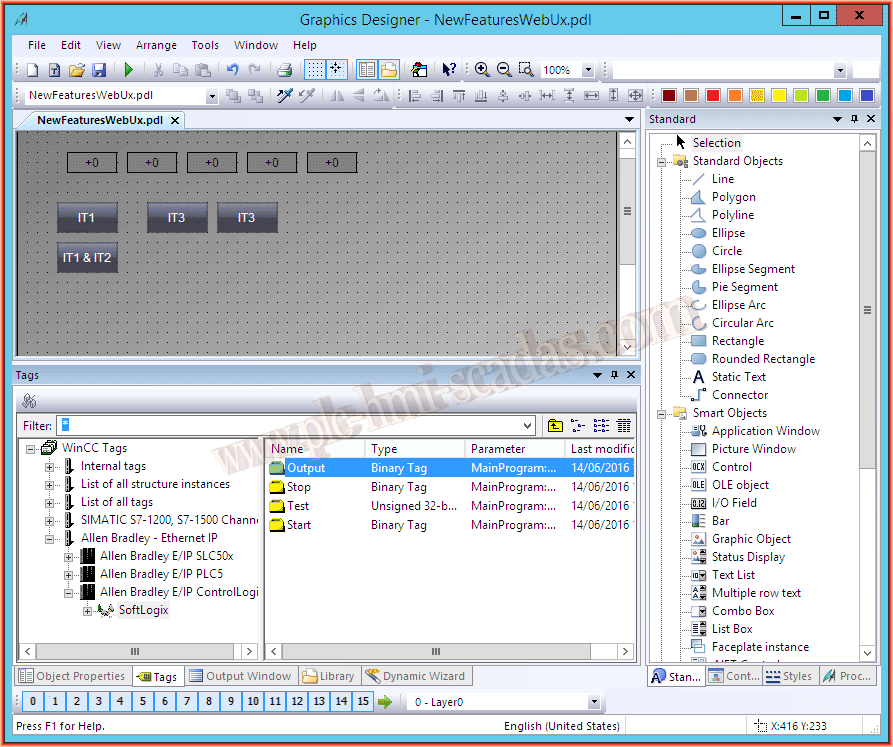
The drag-and-drop function has been incorporated. This means we can now drag variables as shown in the following image to our PDL, and an I/O field is automatically created; consult the other features for other objects.
We can also drag variables directly to TagLogging.
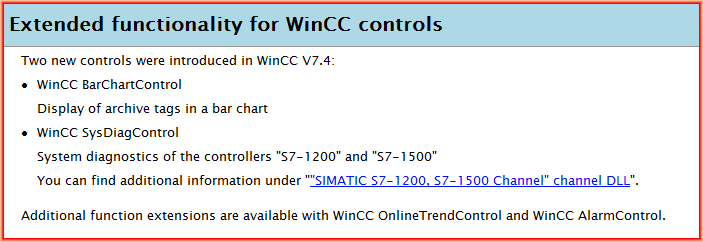
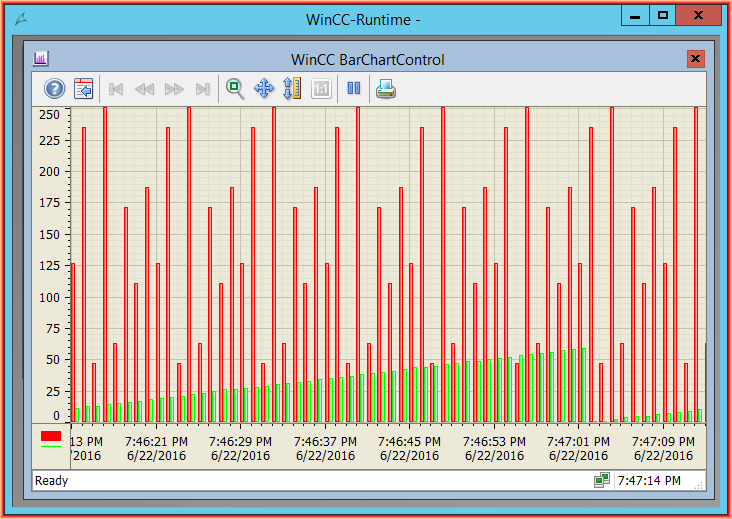
Although the specific information states that two new controls have been introduced, it should be noted that only one new control has been introduced and another improved, since the WinCC SysDiagControl has been carried over from version 7.2.
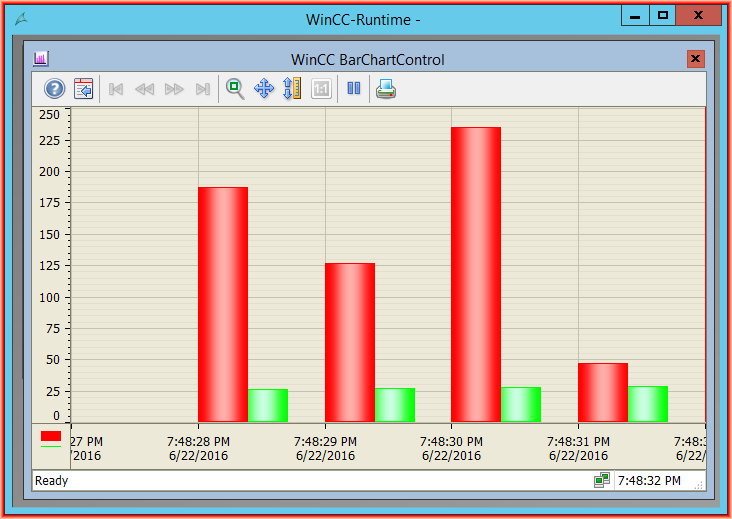
Personally, I find the new BarChartControl very appropriate.
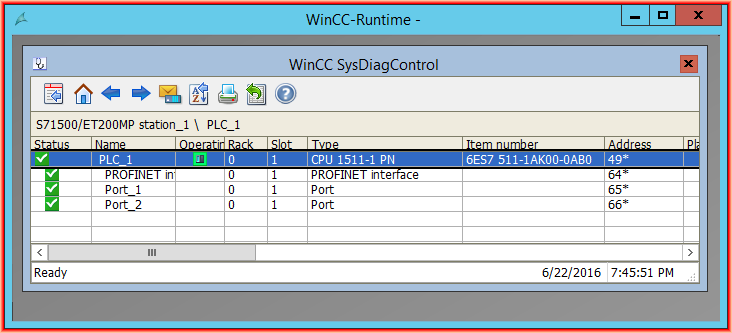
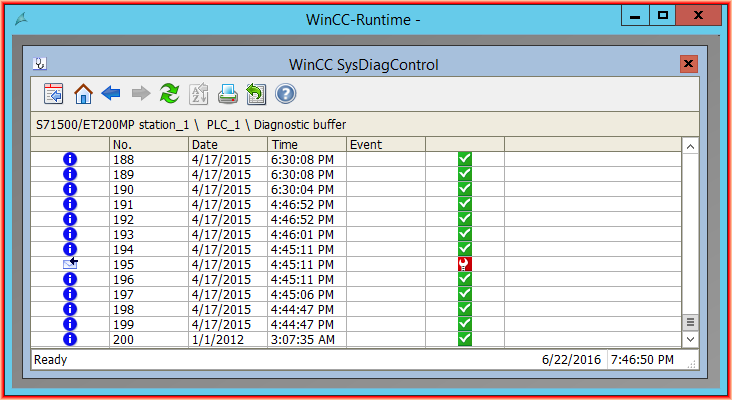
Here we can see the WinCC SysDiagControl and all the information this control provides about the connections.
The new BarChartControl
For both WinCC options, Internet Explorer V10 (32-bit) is released.
From my point of view, there have been significant and very good changes here!!! Among the new features, we will highlight some of them as follows:
Touch operations on process images and WinCC Controls
User management via SIMATIC Logon
Object properties dynamic with:
Trigger
Tag connection
Direct connection
Dynamics dialog (When the image is saved, this code is converted to VBScript)
VBS actions
Supported Smart Objects:
Application window (for the script diagnostics)
Bar
The "Operator message" object property is supported for all objects.
The "Operator Activities Report" object property is supported for an I/O field.
Supported WinCC ActiveX Controls:
WinCC Alarm Web Control
WinCC OnlineTable Web Control
WinCC OnlineTrend Web Control
WinCC FunctionTrend Web Control
WinCC Ruler Web Control
WinCC Slider Control
WinCC Digital/Analog Clock Control
WinCC Gauge Control
WebBrowser Control
Finally, it is worth mentioning that Siemens has a demo project available to check the operation of WebNavigator and WebUX at the following link, and I hope they update it for version 7.4
June 23, 2016