
WinCC - GetTagRaw / SetTagRaw in VBScript
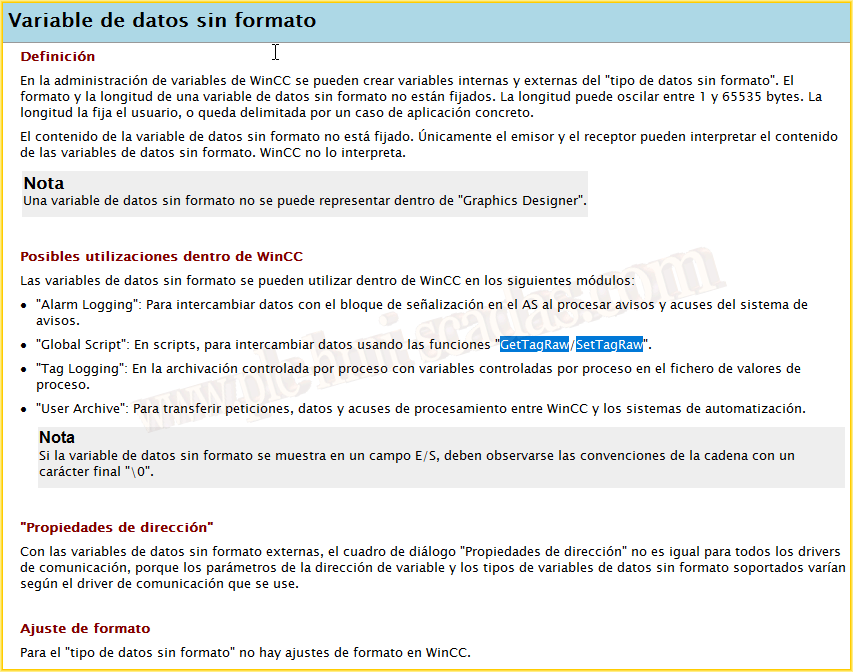
First of all, a little literature... Raw data variable, this type of data, to reiterate for the Driver 1200-1500 with WinCC version 7.3 was not available, starting from version v7.4 it is available for PLC 1200/1500.
If we read the documentation for this type of data, we see that we need the GetTagRaw / SetTagRaw functions in the Global Script, we should also add the GetTagRawWait / SetTagRawWait functions.
But we are going to see how we can use these functions in VBScript, which theoretically has no available function stated in the documentation.
Let's go for the example... If you want to see an example of GetTagRaw, look here.
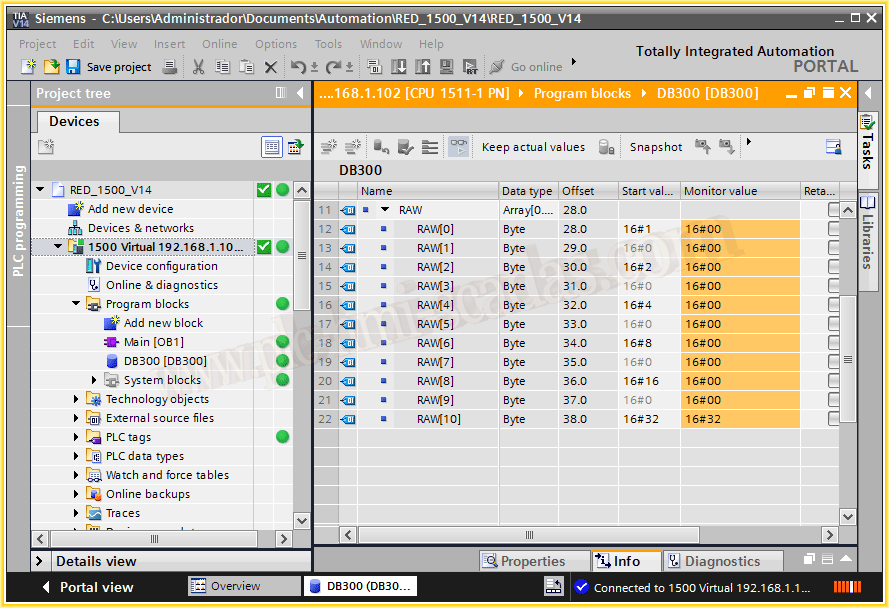
We have an Array of Bytes, in this case of 10 elements, which is a Barcode, as can be seen it is in DB300 and the first element is the address DBB28.
Now let's go to WinCC, and we are going to create a new variable, as can be observed it is of the raw data type.
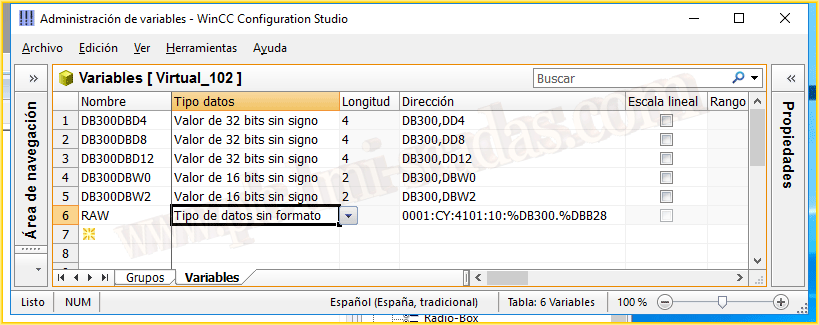
And in the address we specify, DB number (300) address of the first element, as we have seen 28 and subsequently the length of Bytes that our variable consists of, in my example it is 10 Bytes.
With this we have already configured our variable.

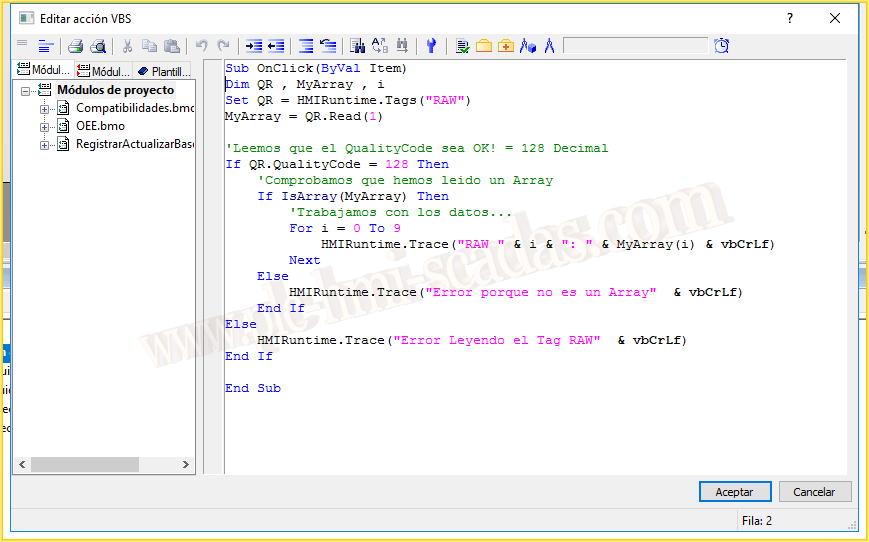
Now let's see how we can READ this variable with VBScript:
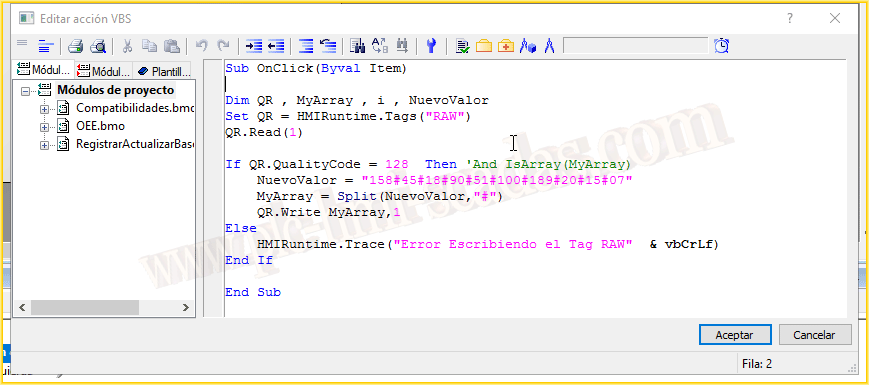
1.- We create the internal variables.
2.- We create an instance of our variable [Set QR = HMIRuntime.Tags("VariableName")]
3.- We are going to perform a Synchronous Read of the variable [QR.Read(1)], to make a Synchronous read we must specify (1) and assign it to the variable MyArray.
4.- Subsequently, if we have performed a correct read, we will have a QualityCode of 128.
5.- If the read has been correct, we will check that the variable MyArray is indeed an Array with the function IsArray, if it is correct, we can manipulate the data as we wish... for the example I will display it on the screen.
To perform a WRITE we will proceed similarly, that is, we will perform a read to check that it is correct and then we will write, to create the array we use the Split function, where we will create an Array from the variable NewValue, using # as the delimiter. Here it must be adapted to the needs of the program.
Subsequently, we will perform a Synchronous Write, when performing the write the syntax is:
QR.Write VariableValue, 1
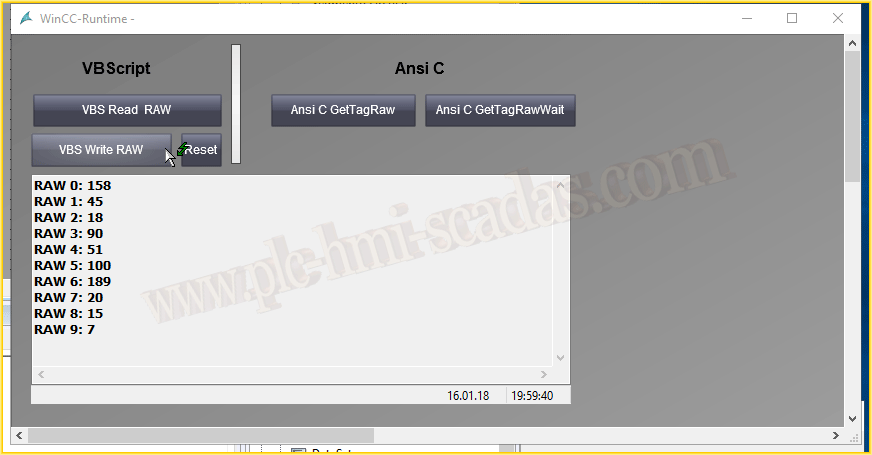
Now let's go to the Runtime and check the operation. First of all, I executed the write function, and then I executed the read and we can see that it works correctly.
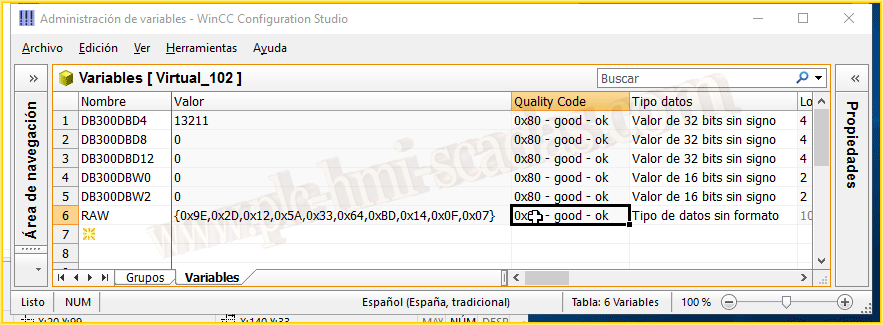
And if we check in the Variable Manager, we see that the Quality Code is correct and we can see the value perfectly.
And finally, we check in the PLC and it's perfect.

In conclusion, if we need to use the reading/writing of a raw variable in VBScript for any reason, we can do it and it works correctly, already with WinCC version v7.0 SP3 and with an S7-300 it worked perfectly and with the 1200/1500 it works perfectly. However, if it can be done in ANSI C, it should be done, as that is what the official documentation specifies.
An important note is that we must perform both the reading and writing in a Synchronous manner.
January 21, 2018
"Gratitude in silence serves no one." Gladys Bronwyn Stern