
Introduction to SCADA ZENON Supervisor (COPA-DATA)
First of all, before we start, I would like to thank Francisco Ortiz, Managing Director of COPA-DATA in Barcelona, who provided me with the software to carry out these practices and, in turn, to learn this new environment. We must continue to expand our knowledge.
The latest available version is 8.00
To begin with, it is important to highlight that when we install the software package, we can install the following:
Zenon Supervisor - Zenon Energy Edition - Zenon Pharma Edition: These packages correspond to the SCADA, and it depends on the environment where we are going to use it.
Zenon Operator: Corresponds to the Human Machine Interface HMI.
I will start with Zenon Supervisor and look at its main features:
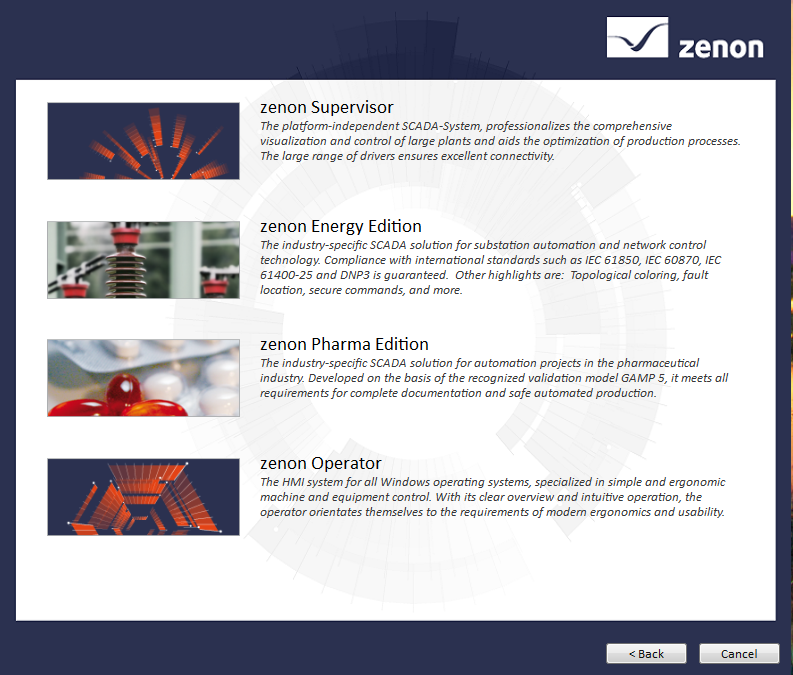
Once installed, you have a Demo period, which will serve our purpose.
By default, it comes with a demonstration project, and once opened, this is the interface.
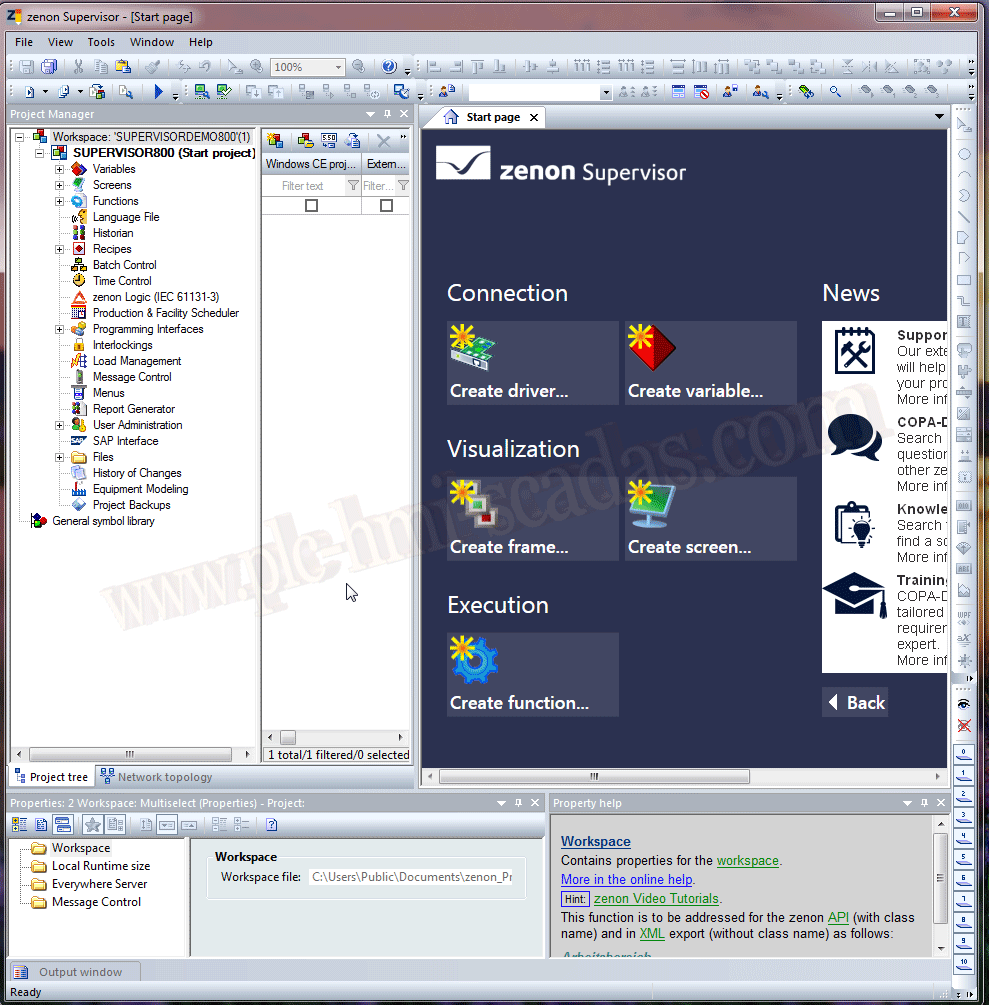
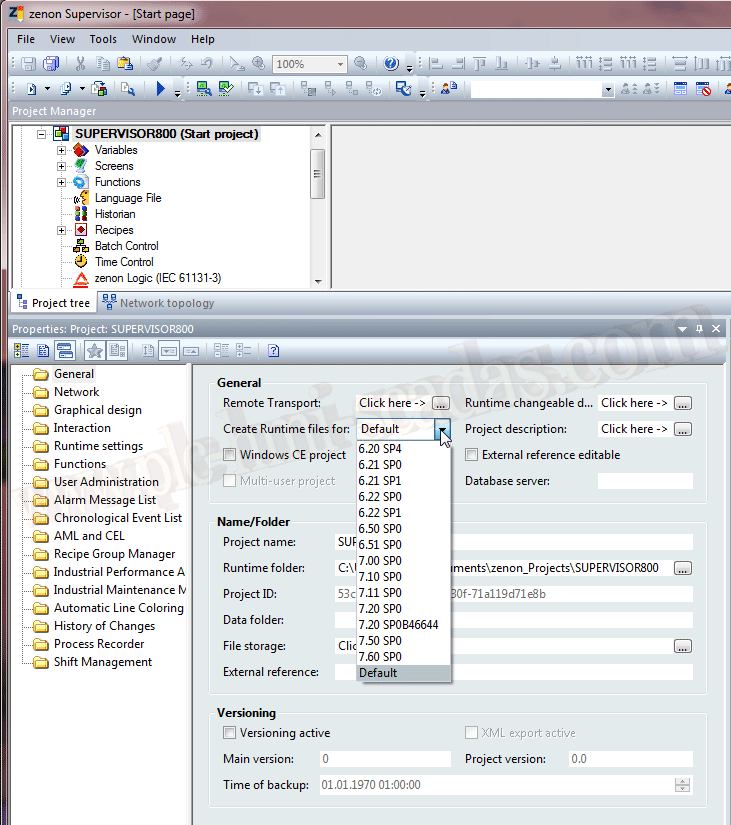
As I am new to this environment, I will highlight features that have caught my attention. One of the most important is that if we are working with the latest version and have an application with another version, we can generate the Runtime files for that version. A very special and surprising feature.
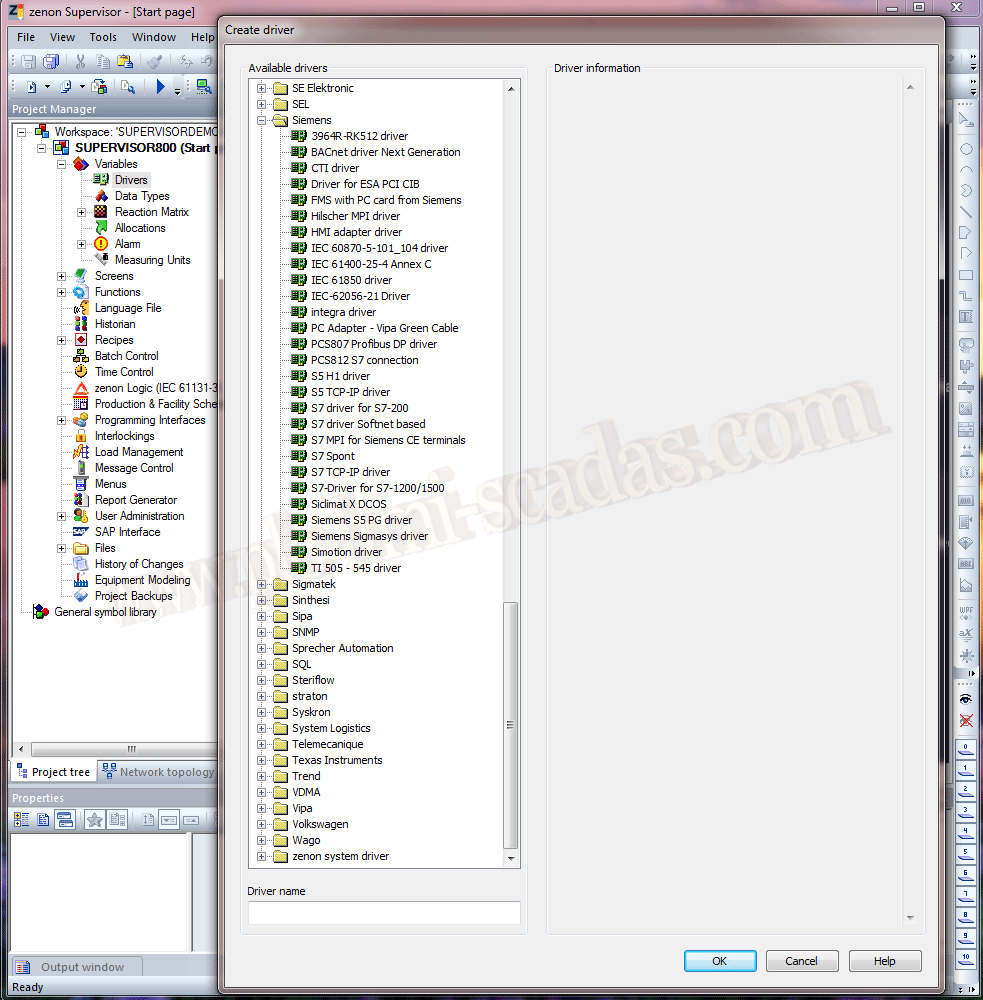
As we well know, another aspect is communication with different PLC manufacturers. By default, it already comes with a very extensive list of drivers, some of which are even unknown to me.
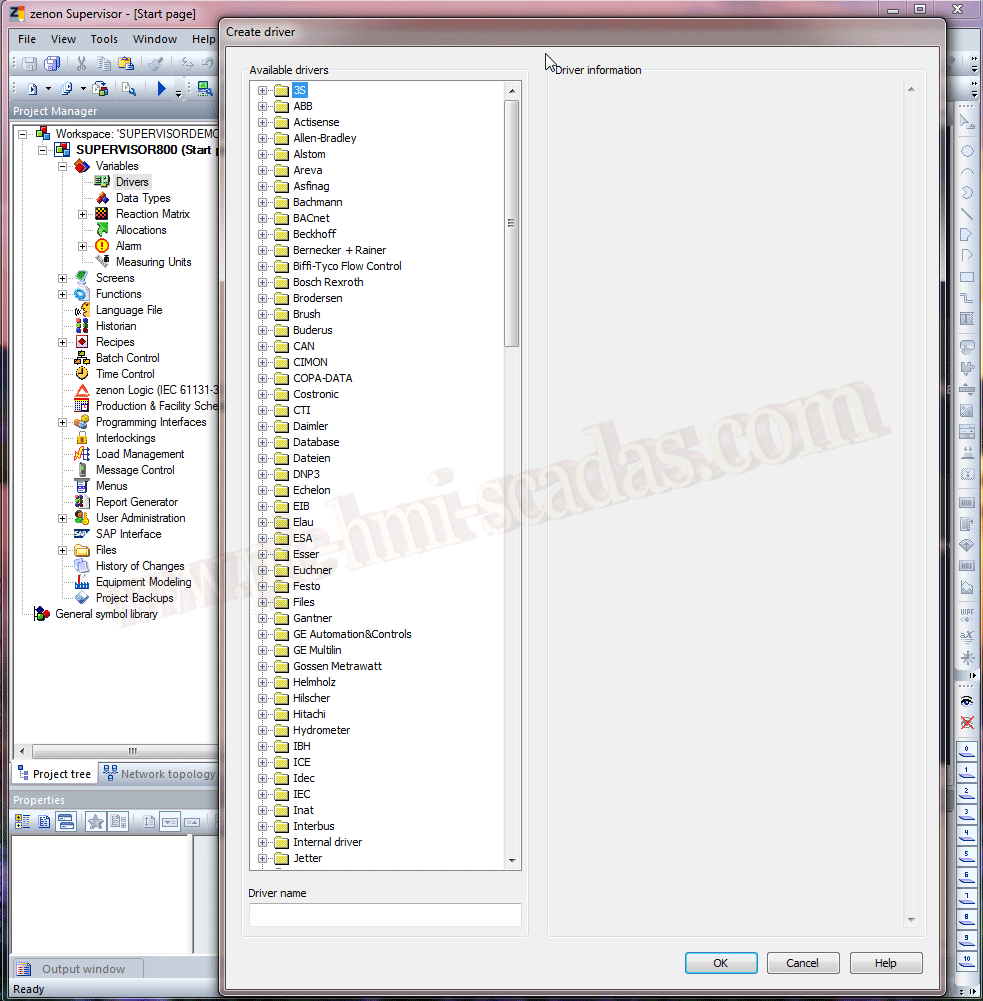
If we expand, for example, the Siemens Drivers, we have the following list.
This will be one of the future practices, to communicate with a PLC and see the configuration of the different Drivers.
By default, it also includes a SoftPLC (Zenon Logic IEC 61131) that can be perfectly integrated with our SCADA.
Out of the ordinary, we can also highlight the SAP Interface module for communication with the ERP.
This has been a small introduction that we will explore with examples later, to exploit the different features.
01-20-2019