
Continuing with the first part, we will keep drawing conclusions and seeing how it works.
We already know that the viewer is the one who registers, how it registers and now when does it register?
It registers with the system variable $HistoricalLogging. (Internally activates and deactivates)
IF $HistoricalLogging == 1 THEN
     Registramos = TRUE;
ELSE
     Registramos = FALSE;
ENDIF;
Every time we go from 1 to 0 we make a dump of all the information stored in the buffer? to write in the *.Lgh files.

If we open the *.lgh files with Notepad++, apart from the fact that it is not readable ;-) we can check how it is updated with the writing of the viewer, and you can check to stop the logging and everything explained above.
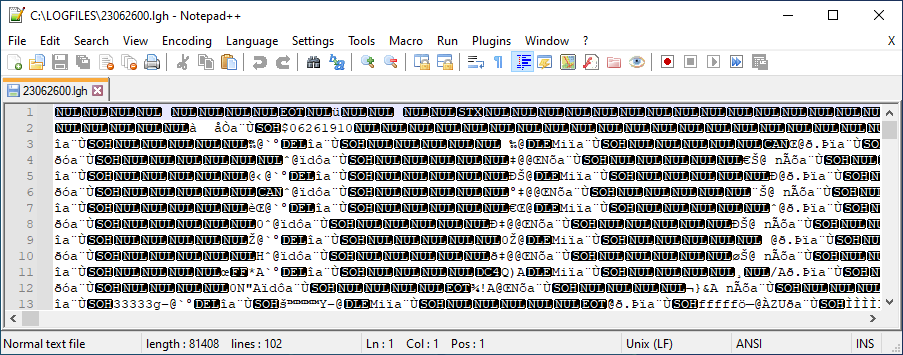

Now we are going to take a step further... we are going to corrupt the file and see how our SCADA behaves.
To corrupt the file is very easy, if we delete the first lines, that is where the information of the tags we are registering should be and it will be corrupted.
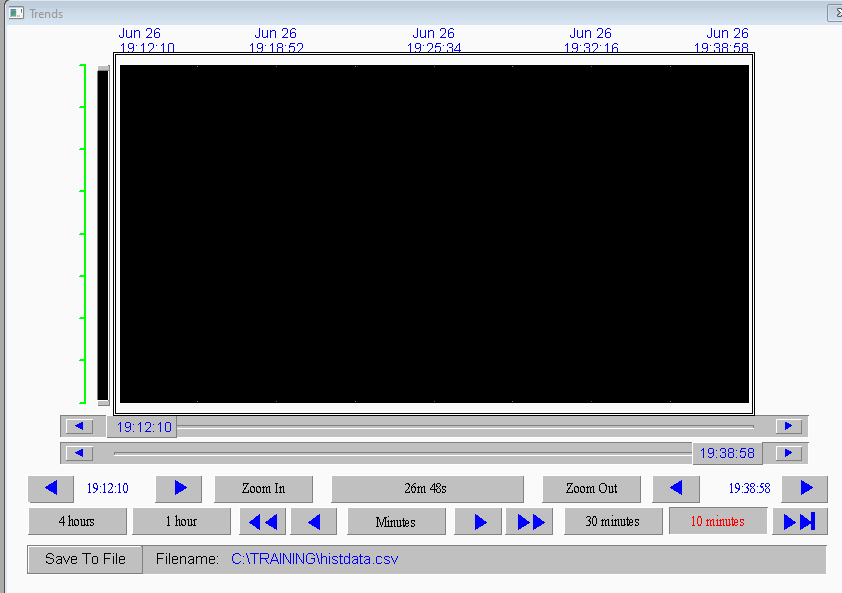
Aesthetically, in the Historical Trend Chart is where we can detect it because it will appear in black as shown in the image.
Knowing that we have corrupted it, I will set the system variable $HistoricalLogging to 0 and perfect, no problem.
When later I want to set it back to 1 to log again, it cannot be done, it remains at 0 and in the logger...

Drawing conclusions "The simplest way to analyze that our daily file *.lgh is not corrupted could be one way."
To restore the situation and make everything work correctly again, you need to delete the files of the day *.Lgh / *.idx and restart the viewer to regenerate them and activate the Historical logging.