
If you communicate your programmed PLC with TIA Portal V.19 with an HMI/SCADA, you need to activate the checkbox that allows GET/PUT communications, otherwise you won’t be able to communicate, and with this version, you will find that you need to make some adjustments.
Siemens is very aware of Cybersecurity and it is becoming more evident in their products.

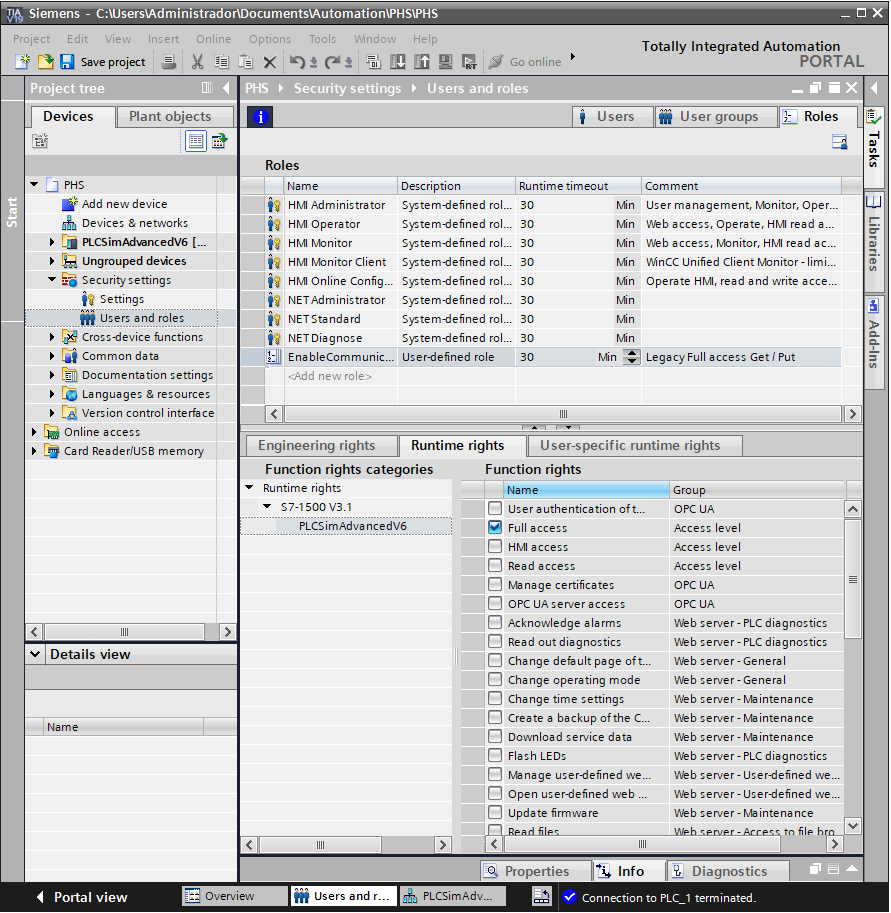
What we need to do is create a new role, where by default we will assign the permissions we are going to grant; I have configured Full access, as if it were before this update :-). Here, assign according to the needs.
Once the role is created, the next step is to assign it to the Anonymous user as seen in the following image.
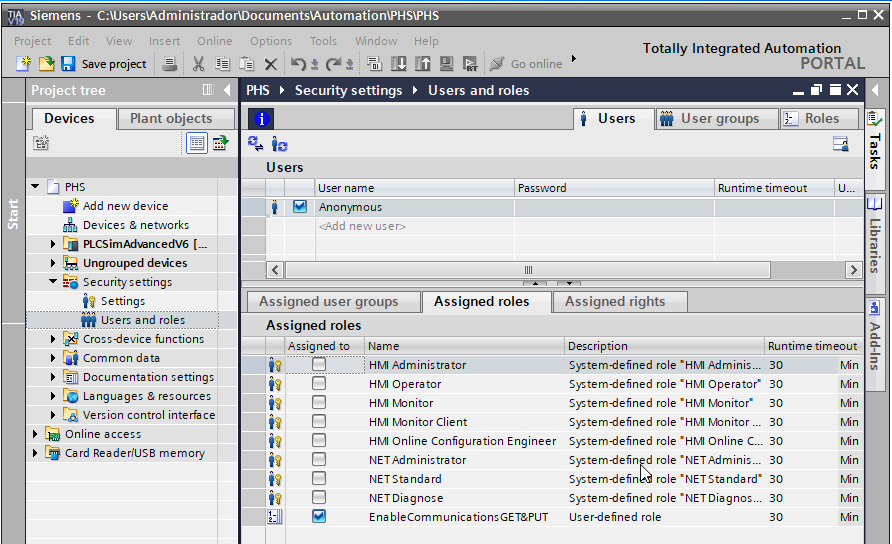
We can now check how the permissions have automatically changed to Full access.

And now we can enable the checkbox that we need.
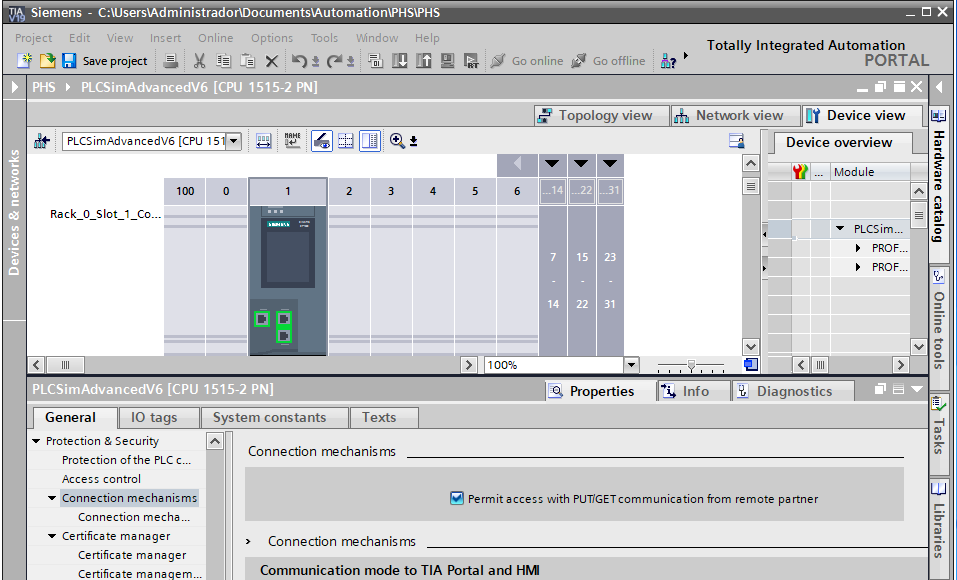
We compile our project and we can now download it to the PLC and communicate as always...

PS. For my work colleagues, don’t say later that it doesn’t communicate because it’s a SCADA problem. The problem is always with the SCADA ;-)