
We will start from the basis that we have created our project, and the first thing we will do is configure our PLC and the tags we want to access.
Intouch provides two CDs with a wide variety of drivers to communicate with different PLCs. If our S7-2xx had an Ethernet communication module CP-243, we could use the driver provided by DASIDirect DAServer, but since we are going to use the PPI cable, we will use the KEPServer OPC Server as an intermediary between the SCADA and the PLC (Here you can see its configuration)
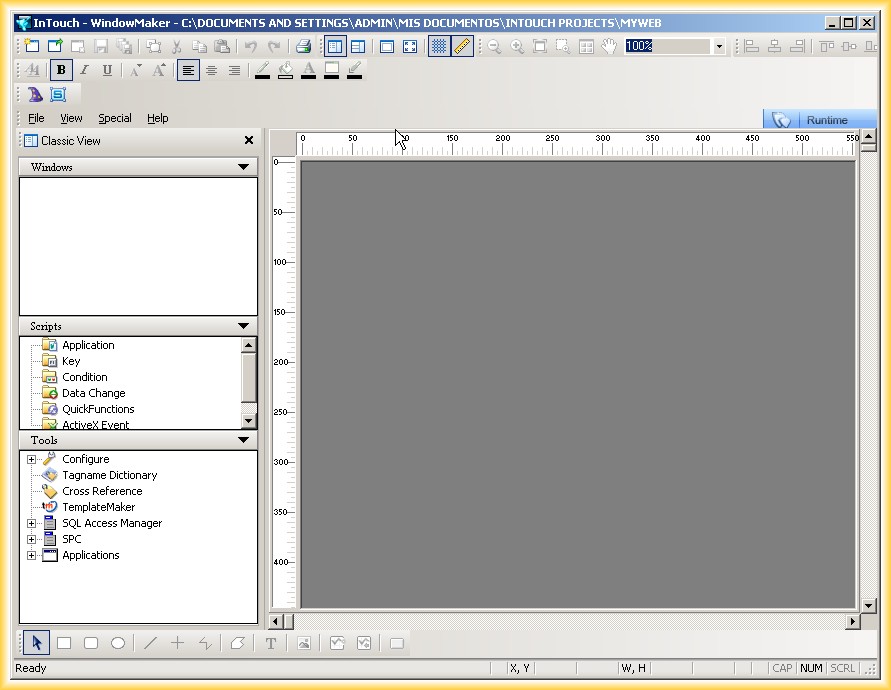
We start Intouch and this is its interface
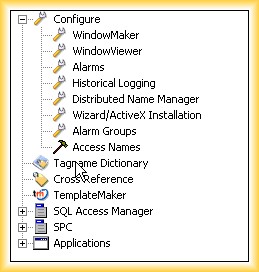
1.- For the configuration of an Access Name, we can access either through the Special menu -> Access Name or in the graphical environment Tools -> Configure -> Access Name
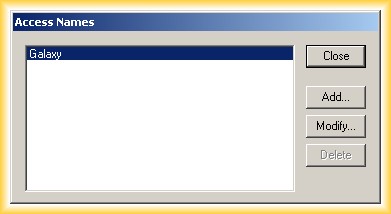
2.- When selecting it, the following screen appears, the name Galaxy refers to if we were working with Application Server, but since this is not the case, we click Add to add a new one:
3.- The first data we need to enter is the name we will refer to as "Access"; for our example, we have used CPU222, since we are going to communicate with that CPU.
Node Name: If our application runs on the same machine, we indicate Localhost or leave it blank
Application Name: This is the name of the application; if we do not know it, we can search for the *.exe file that runs the application
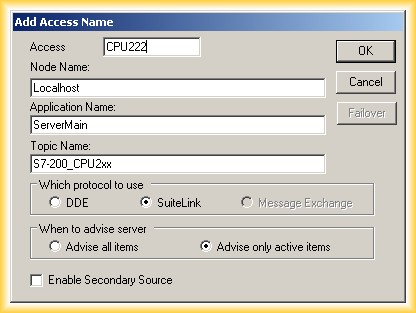
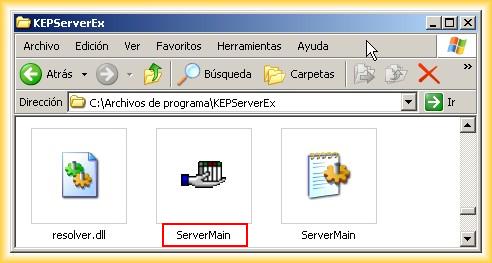
Topic Name: This depends on the application; in our case, since we are using the KepServer, we go to the configuration we have done and look for the alias Edit -> Alias Map...
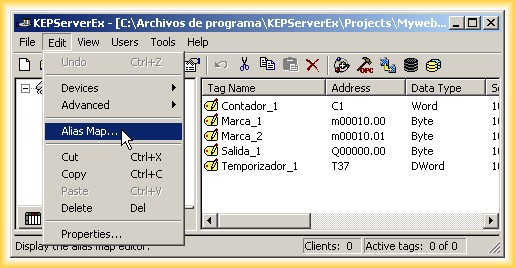
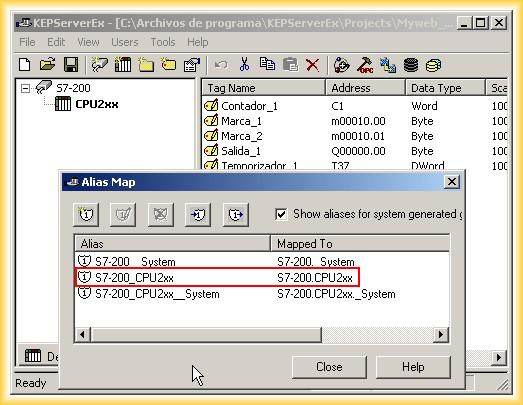
With this, we have already configured our Access Name that refers to our PLC; now we need to configure the tags we are going to access.
We go to Tools -> Tagname Dictionary
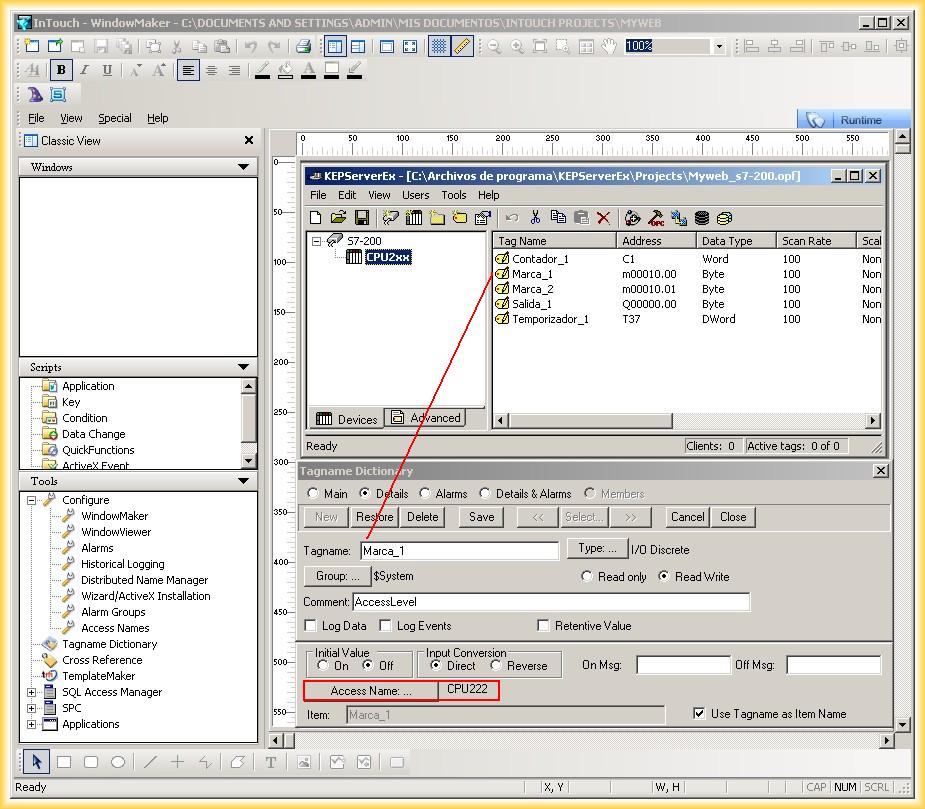
5.- We add the tags by selecting the Access Name we refer to and the Type of data, and here we can see the list with our tags
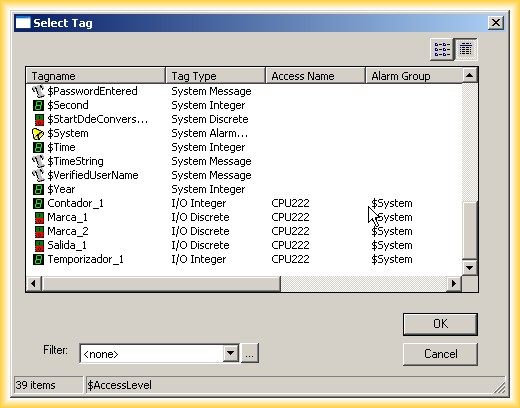
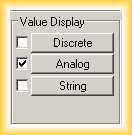
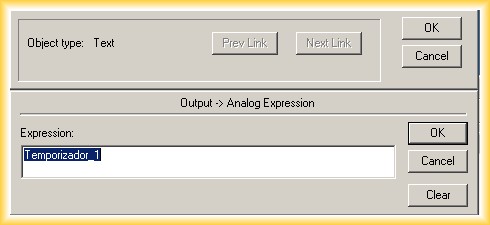
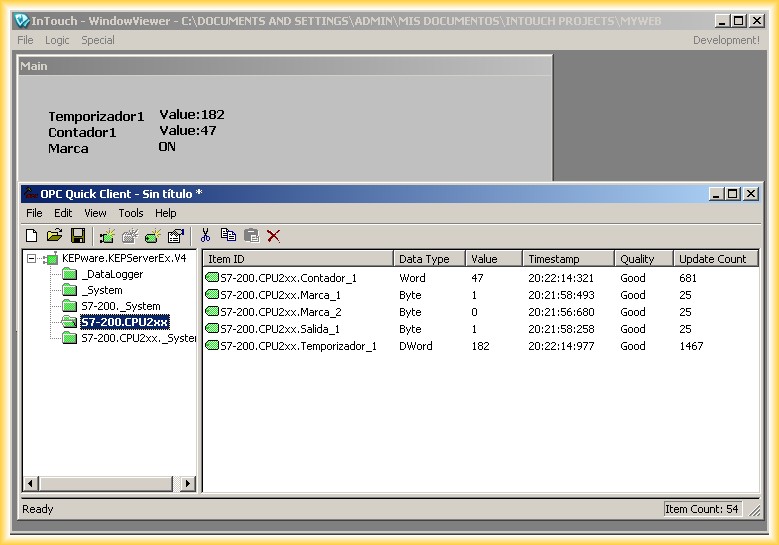
6.- To check the operation, we will create a screen and visualize the values of several tags; for this, we add some texts, double-click on the text we named Value: select Value Display and the corresponding tag
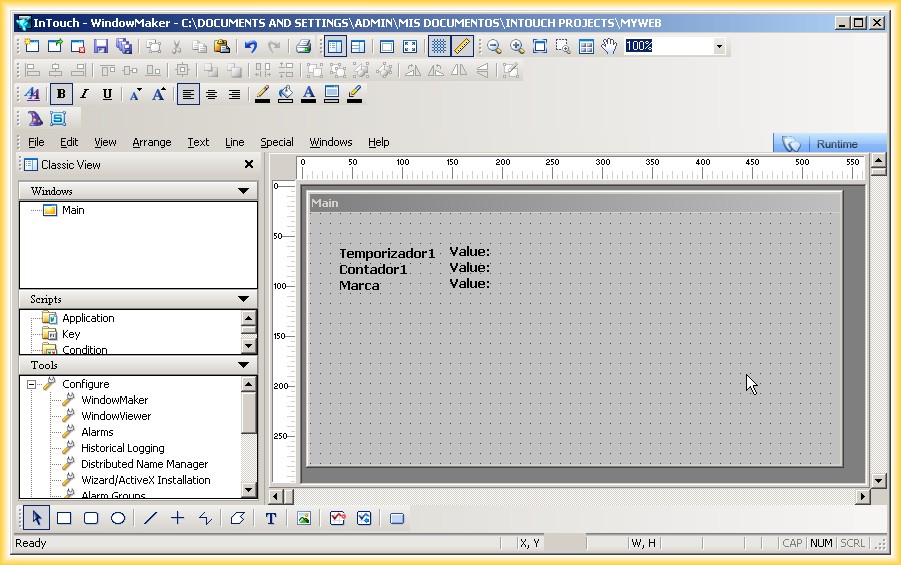
7.- We run the Runtime and can observe the operation and that the communication works correctly
July 31, 2012