
When working with WinCC, we find that there is no available driver to communicate with the S7-2xx series. Since we have the OPC driver, we will use this to access our PLC. We will take advantage of the configuration we already have set up for an OPC Server and our S7-2xx, which you can find here.
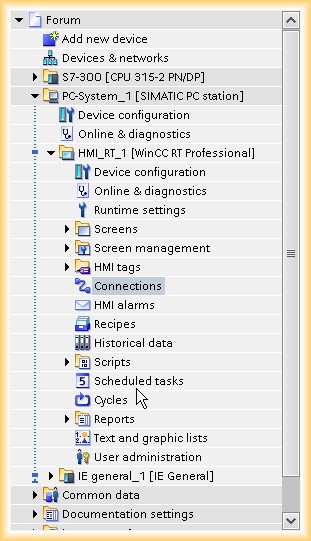
1.- We start from the basis that we already have our project created and we are going to configure a new link. For this, we go to connections and create a new one.
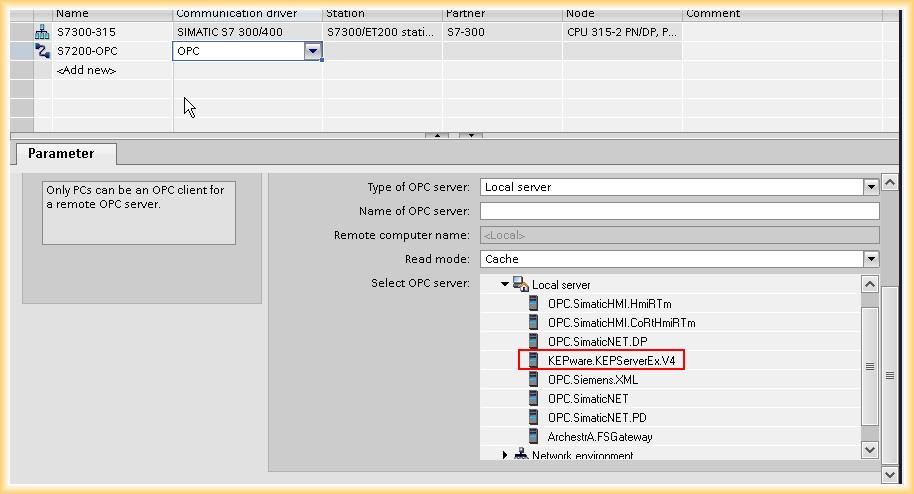
We give it a name and open the dropdown menu in the driver selection and select OPC. In the parameters, we set our OPC Server.
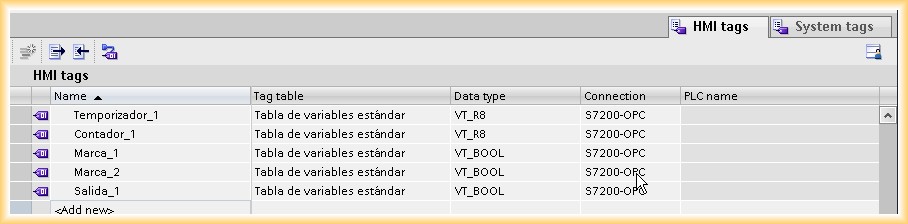
2.- Once our link is created, the next step will be to add the variables we want to access. We can create a new variable table to specify each link with its own table.
3.- Each time we create a new variable, we need to assign the data type and the address in its properties.
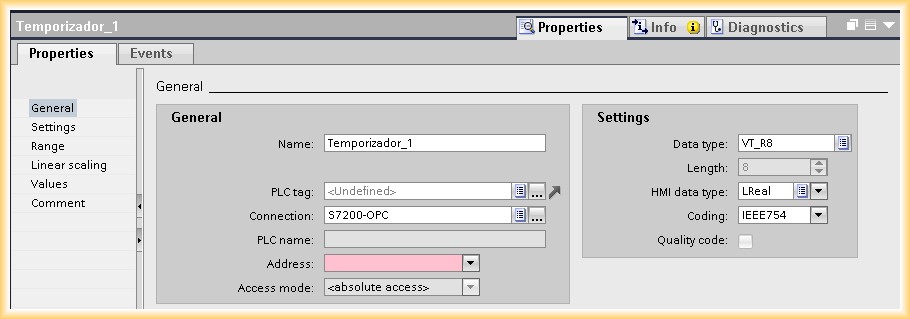
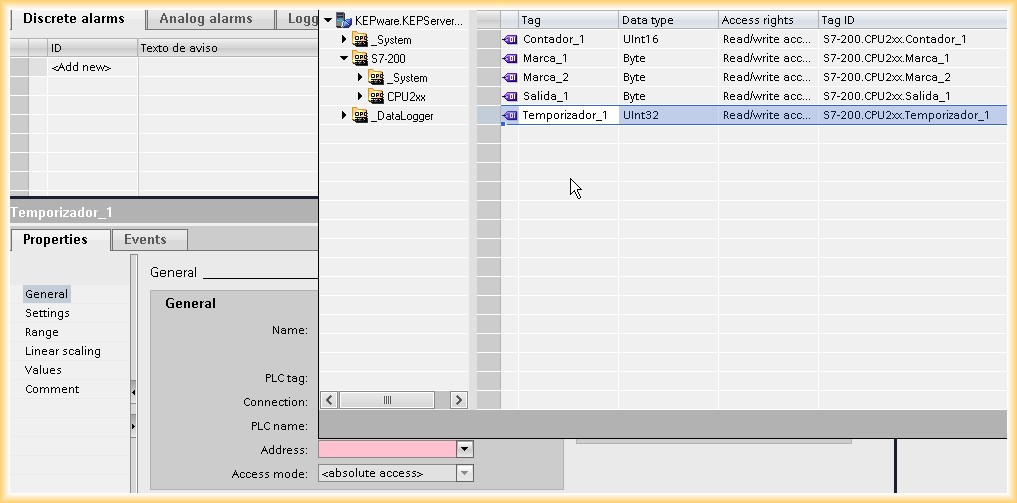
4.- We go to the address dropdown menu and a window appears as shown in the following image. Now we can access the variables we have configured in our OPC Server, assigning each created variable its corresponding address.
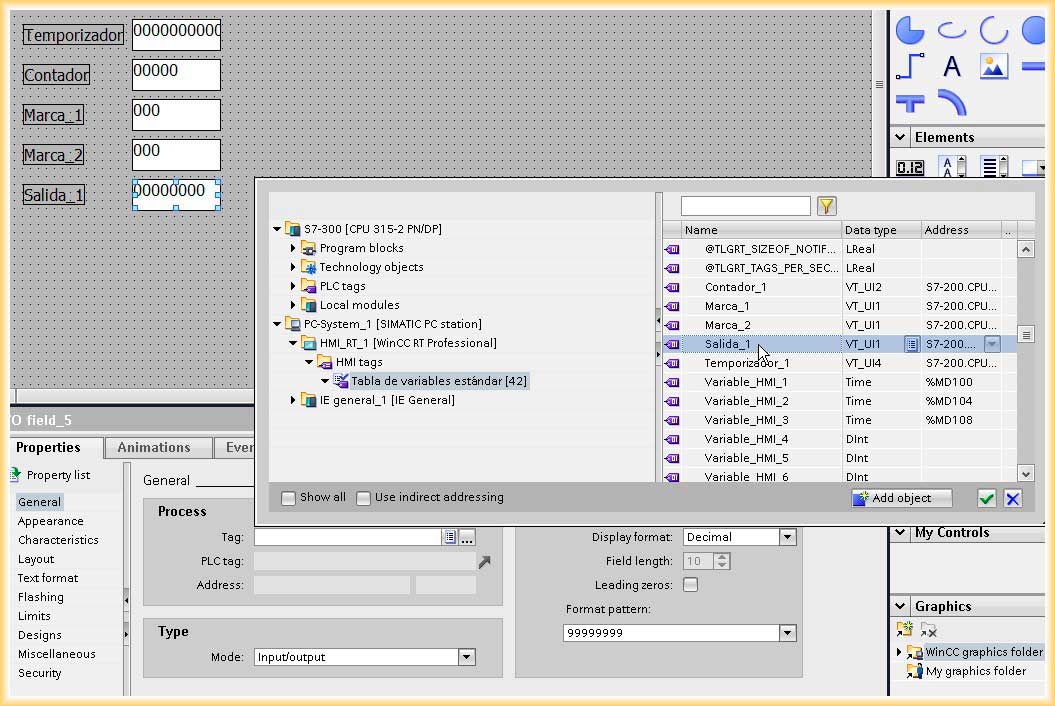
5.- To check the operation, we create some input/output fields and assign the different variables.
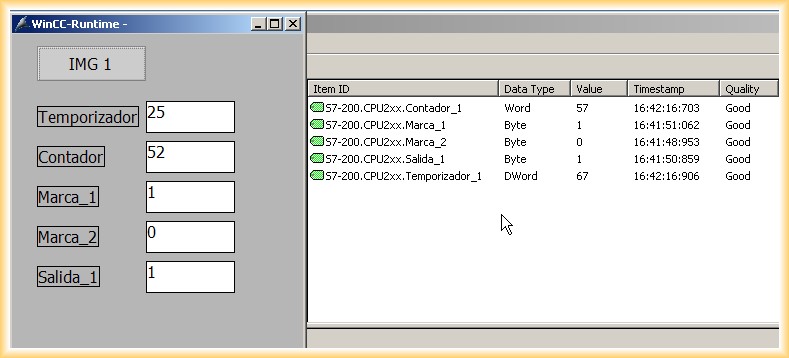
6.- Finally, we run the Simulation and check the operation. The communication is good!
July 29, 2012