
OPC TwinCAT Server Configuration
OPC TwinCAT Server Configuration
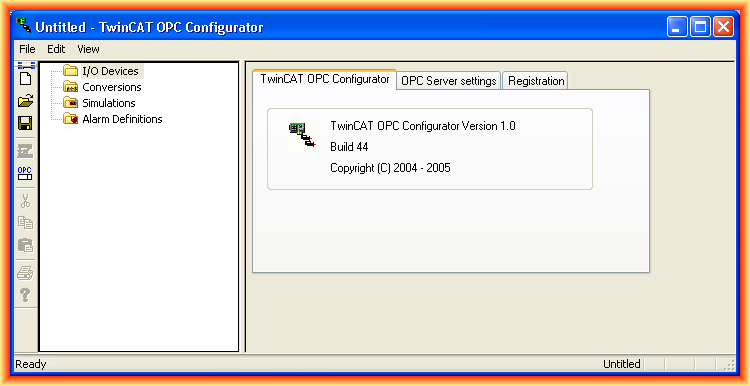
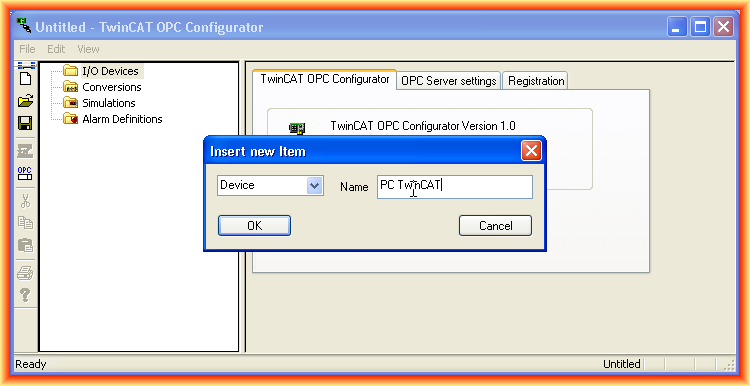
In the following practice, we will see how easy it has been to configure the TwinCAT OPC Server based on the project we created in the previous practice. The first thing we do is run the program that displays the following interface and create a new device in the I/O Device directory, assigning the name we are interested in as we usually do.
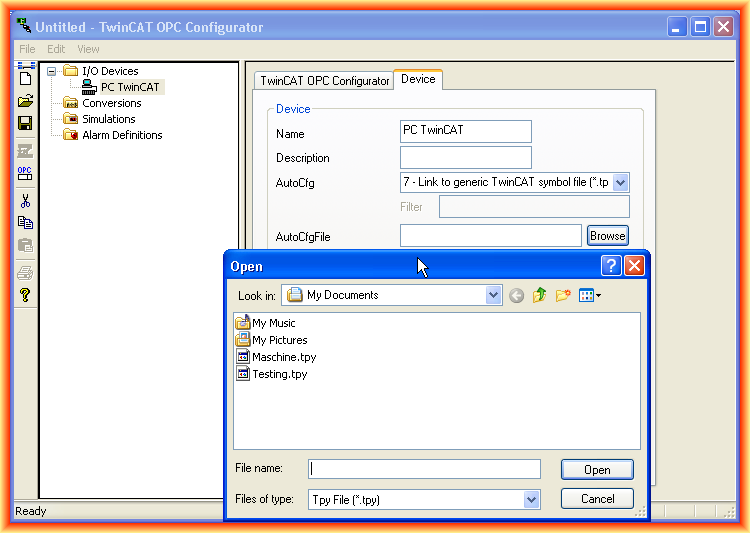
There are several options for AutoConfiguring; we select option number 7 as it refers to using the file generated in our project.
Next, in AutoCfgFile, we click on the Browser and select our file.
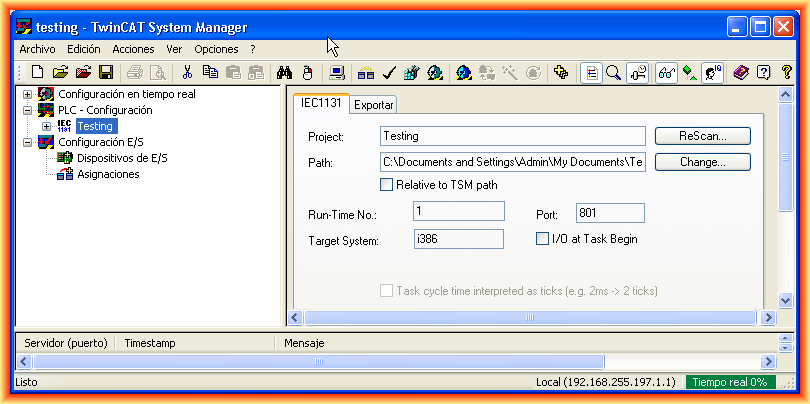
For the following parameters we need, we will obtain them from our project; we will obtain the Port and the address as can be observed.
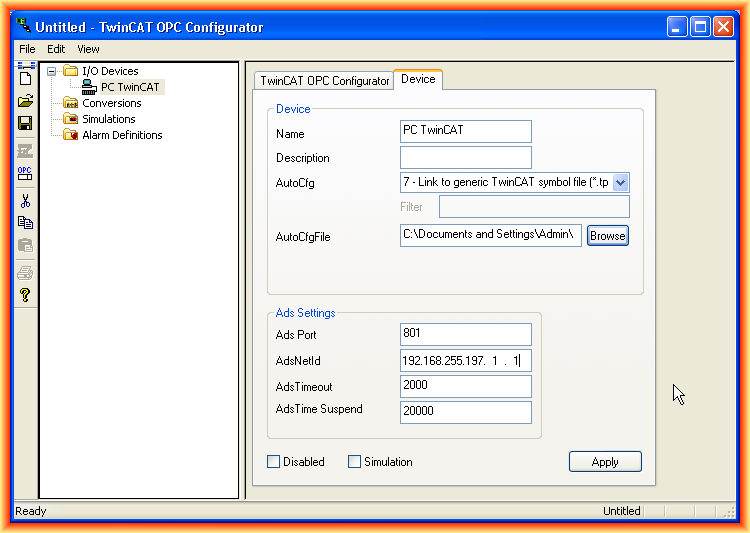
With these simple steps, we have configured the OPC Server; we just need to save and generate our XML file and activate the server, for this we save.
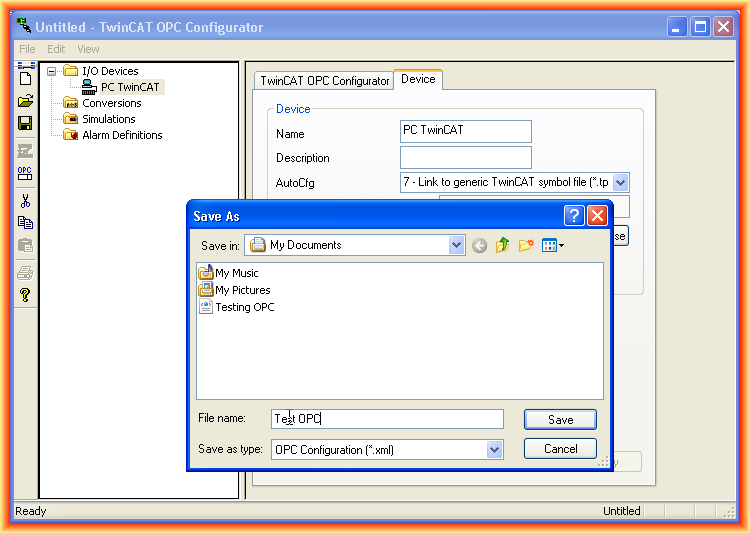
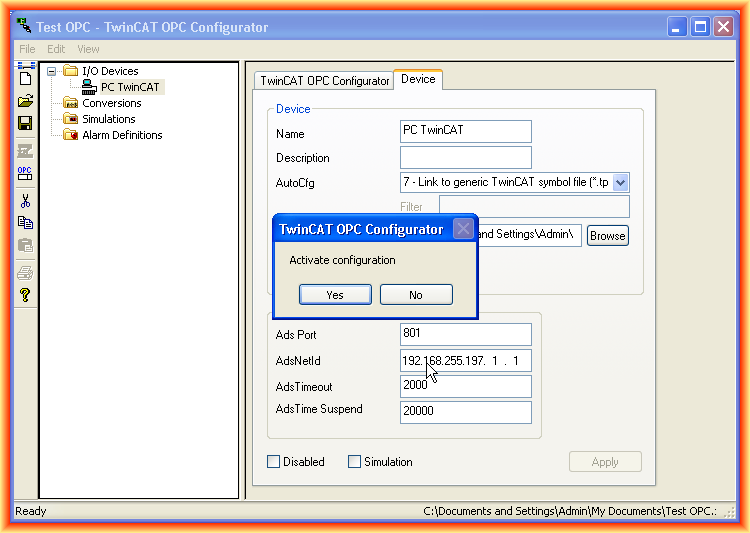
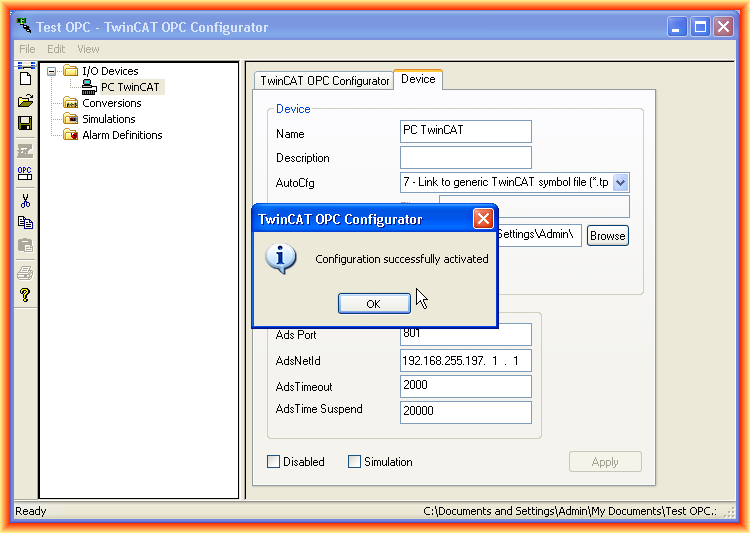
When saving, the following pop-up window appears to activate our configuration, and it shows us the following message indicating that it has been done successfully.
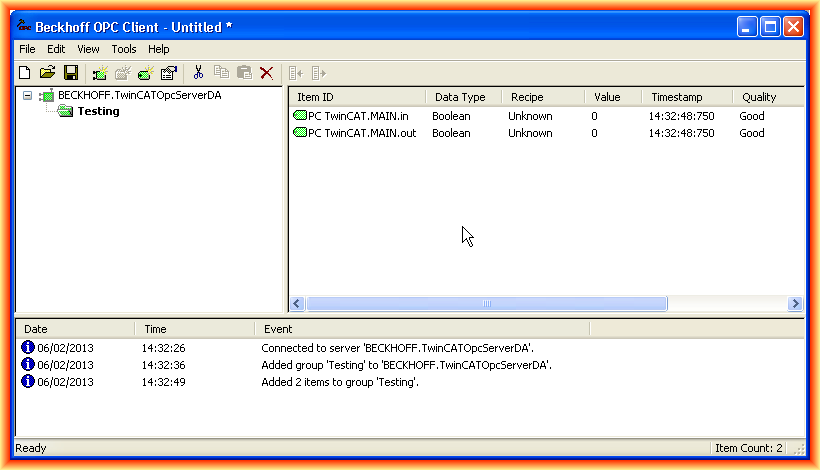
To check that it works correctly, we can use the OPC Client and verify that everything is correct, and as can be seen, it works perfectly.
February 7, 2013