
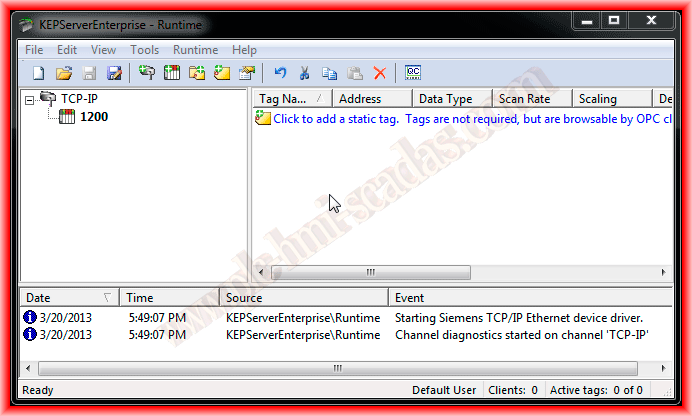
As we have already mentioned, to connect a PLC from another manufacturer to a Panel View Plus, we can use an OPC for this purpose. On this occasion, we will use KEPServer to create a link with an S7-1200. I will be using version 5.3 where the driver for the 1200 is already available.

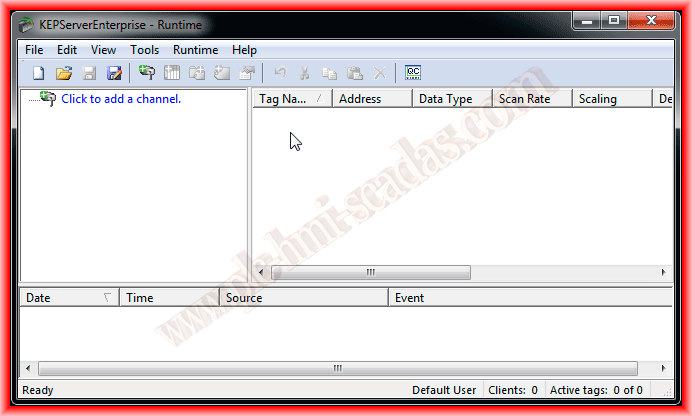
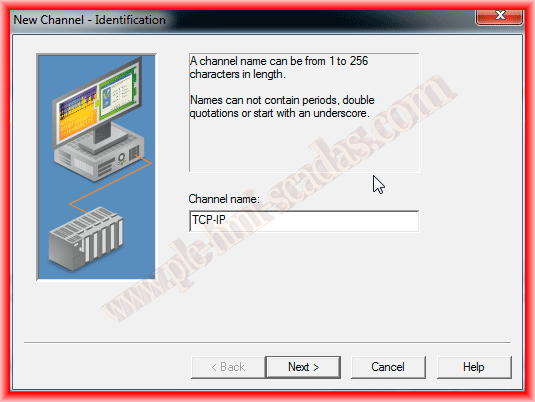
We have already configured an S7-200 and an Omron, so the procedure is the same. First, we add a new channel, and once the channel is created, we add the devices. Following the wizard, it is easy to configure; we give the name we are interested in for the channel, in this case, TCP-IP.
The next thing we need to do is select the driver for the type of PLC we are going to configure. We will use the Siemens TCP/IP and assign the network card of our PC. I am using a virtual machine and assigning my card with its corresponding configured IP address, which should be in the same range as the PLC's address.


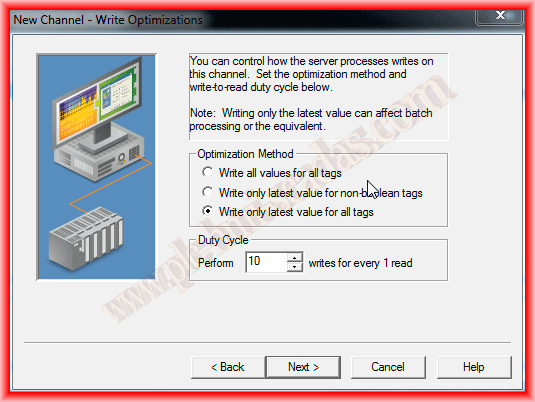
To finish configuring the channel, we leave the default setting to write the last values for all tags and we can finish the wizard for the channel.

The next thing we are going to do is configure a new device, assigning the name we are interested in and selecting the model.


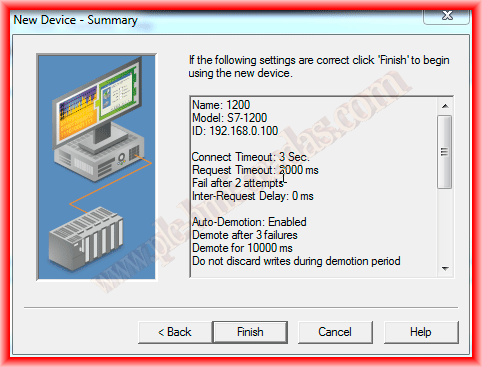
When configuring a device via Ethernet, the device ID is the IP address we have assigned to our PLC and must be unique across the network. The next values can be left as default or assigned according to needs.

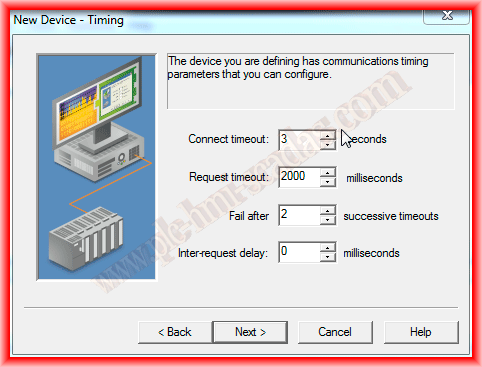
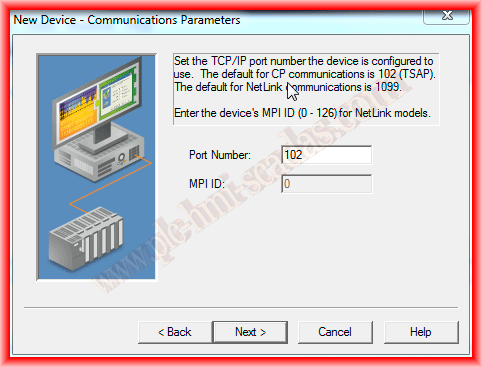
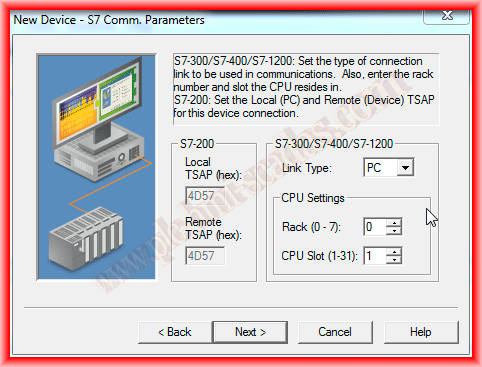
By default, the port for TCP/IP communications is 102, which comes preset. In the next screen, we configure the type of link with the PLC, whether it is from PC/PG/OP, and the slot number of the PLC. The default rack is 0.
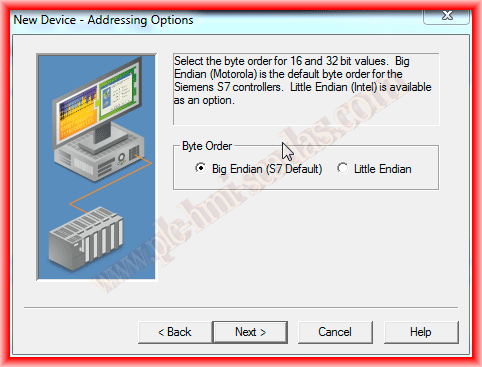
The last step before finishing the configuration of our device is the byte order of the most significant byte within a word or double word, which corresponds to 16 and 32 bits. By default, the radio button for Big Endian for S7 is already selected, so we have completed.
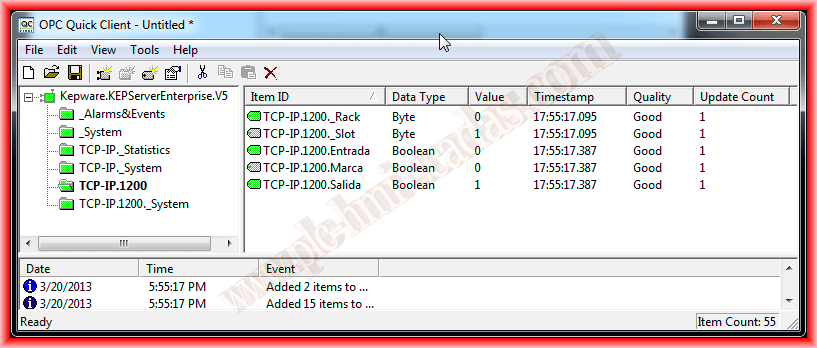
We just need to create the tags we are interested in visualizing on our HMI and that's it. But before that, to test the functionality, we add some tags and run the OPC Client.

Here we can already see that the configuration is correct and the quality is good, which means we consider the configuration successful, and we will now be able to access the tags from Factory Talk View ME/SE.
March 17, 2013