
Read Clock TIA Portal 1200 "RD_SYS_T"
We have already seen how to read and write the time in a S7-200 PLC, in this case we will see it with its successor 1200, but the goal is to periodically execute an action at a specific time, for this we will use the function to read the system date and time.
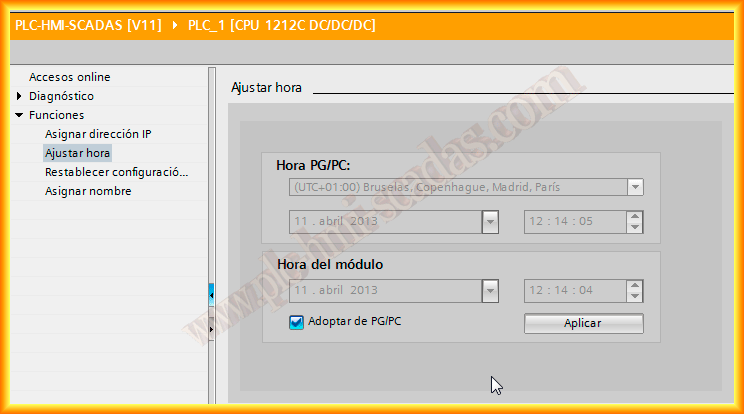
The first thing we will do once we are online with the PLC is to set the time in the PLC, this option was not available in all 200 models, however here it is possible, if we observe in online and diagnostics -> Functions -> Set Time, by default it is set to 01-1-1970, since I am going to synchronize it with the PC/PG, we select the controlBox and press apply, with this we already have the PLC clock adjusted.

Once the first step is completed, we will create a new FB, where the input parameters will be the start time and minutes as well as the end time and minutes, since it will be a daily action, we do not need to know the day, if necessary the code would need to be adapted.
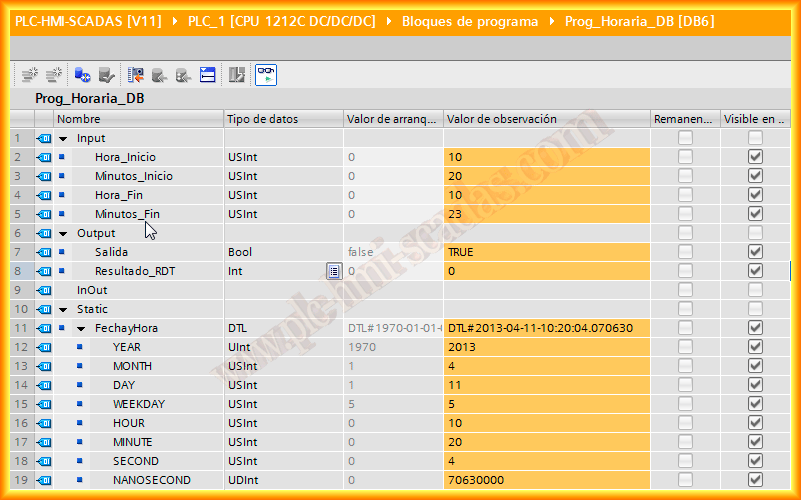
As an output parameter we have Output, to be redundant, and Result_RDT, this variable is the result of having executed the function RD_SYS_T, as will be seen later.
As static variables, we declare one of type DTL that does the job of knowing year, month, day, hour, minutes, seconds.
In this case we have temporary variables, whose function will be to convert hours to minutes and in turn add the corresponding minutes, this will facilitate making comparisons, since we will only use that variable to know if we are within the range (time) that interests us.

The code is as follows, where an observation made by a colleague has been taken into account, what happens if the power goes out before execution and returns after 5 minutes when the start time has already passed, well in the second ELSIF of the code this option is contemplated and in case it happens, it would automatically activate if applicable.
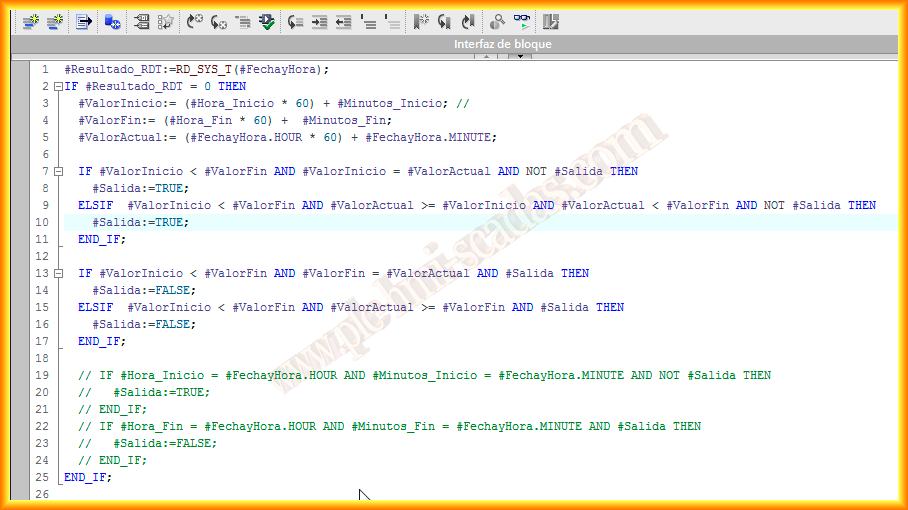
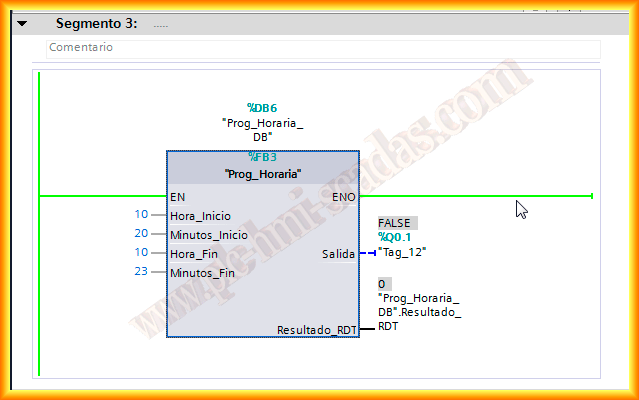
Once the function is compiled we can now insert it into our FC, OB, etc... and this is how it would look, and given of course that the hours and minutes will be introduced in their range, that is 00:00-23:59.
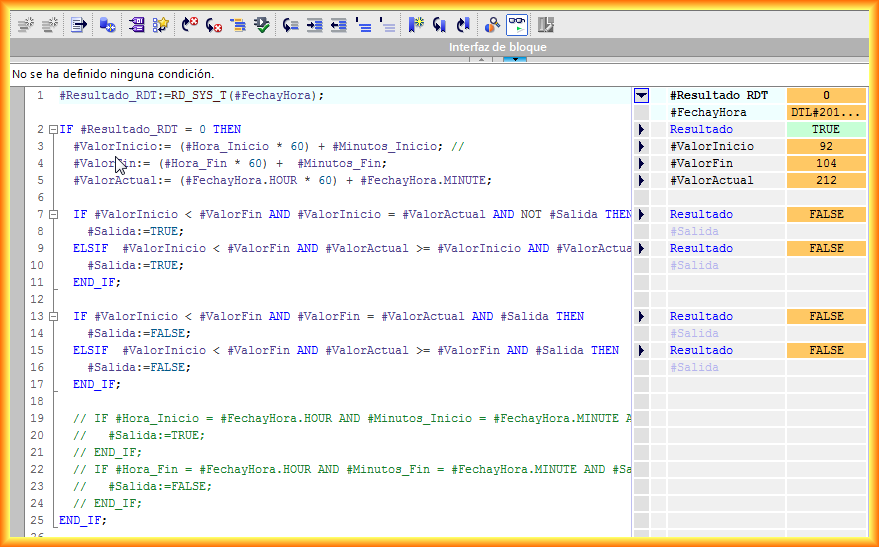
Once executed online we can observe the FB and the values obtained from the different functions.
At the same time, we can also observe the DB associated with the instance FB.
April 8, 2013