
The following practice is about making the most of VB Script in WinCC V.7 to address the new requirements for modifying an already implemented recipe system.
The modification is as follows:
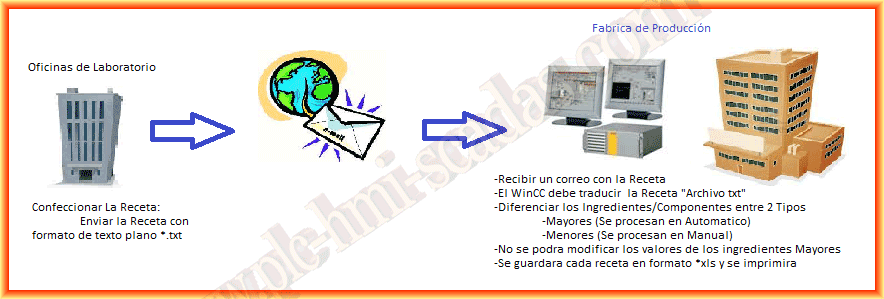
An example of a recipe produced by the program "RECIPES" would be the following image. Now, if we analyze it, we can observe that the recipe has a code and its name on the first line, followed by the ingredients referenced with their code followed by the weight.

According to the instructions, our program must be able to differentiate between major and minor ingredients/components. The difference is as follows: the major ones are those that are directly introduced into our SCADA system and do not allow possible data manipulation; they are the ones whose weight will be introduced as setPoint in the different hoppers. Currently, there are 9 hoppers for major ingredients.
The minor ingredients are those that will be dosed manually, so of the 20 ingredients that our recipe consists of, we need to differentiate them. How are we going to do this? I have created a database in SQL Server 2005, a prerequisite for the installation of WinCC, which we will make use of. There is a table dedicated to the ingredients that consists of the following fields:
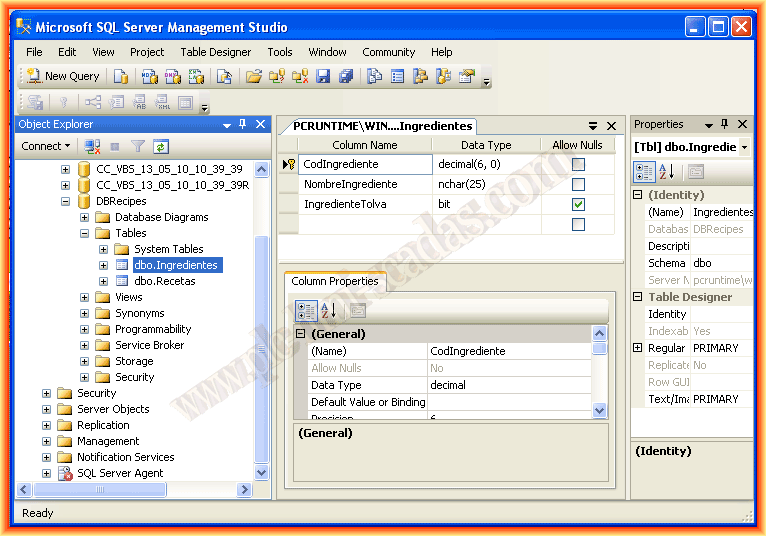
In this table, it will be a requirement to have all the ingredients, and with the IngredientHopper field, we will differentiate between major or minor ingredients.
Returning to the *.txt file, except for the first and last line, the same pattern is always followed, and what we will do later is extract the recipe code and its name from the first line, and from the others, we will extract the ingredient code and the weight. For each ingredient, we will have to make a query to the database to know if it is registered and if so, to know if it is considered a major or minor ingredient.
At the same time, since we have 20 ingredients, we will have to sort them; the first nine will be those that go directly to the hopper, and the remaining ones are the minors, but this will be in a second part to avoid extending too much in this one.
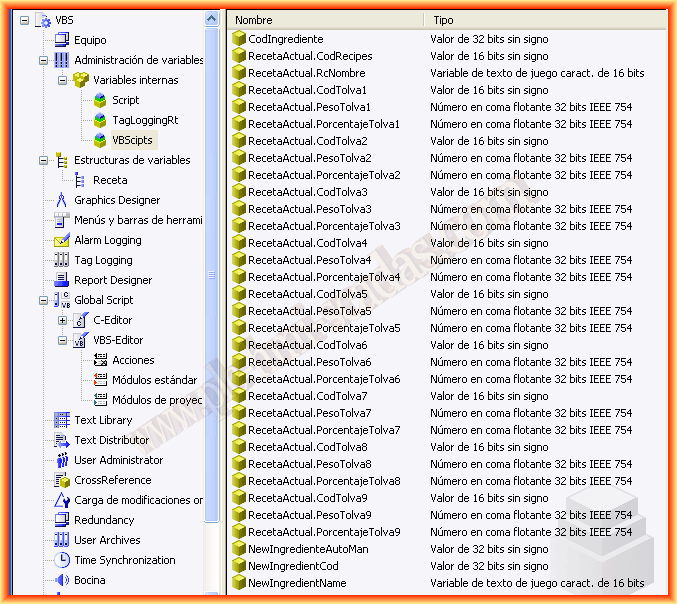
We will start to see the configuration and programming that we have done. The first thing we will look at are the variables we have created. It consists of two parts; I have created a new structure to hold the data of a hopper, such as the hopper code, the product weight, or the percentage, as well as some internal variables to register a new ingredient.
Returning to the requirements, the recipe will be transferred to the PC where WinCC is located via a removable device. This forces us to create a first function to obtain the path where the file is located and its name. I must say that doing this part in VB Script took me quite a bit of research, and I found the solution in the following blog
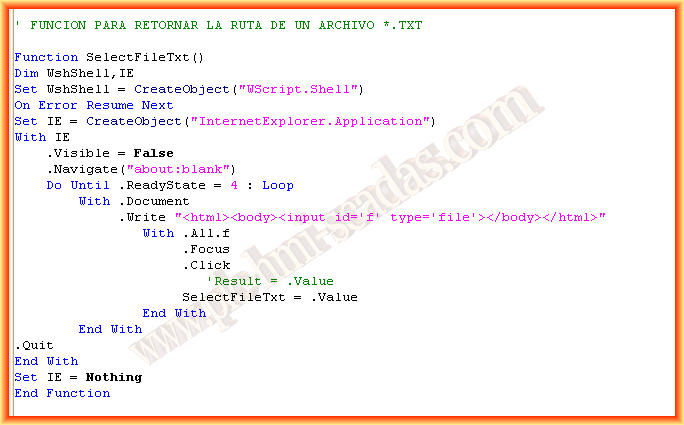
The program is structured as follows: everything that can be done in functions or procedures will be done this way, and then we will reuse these functions and procedures with their respective calls. Here is the call to the function to select the file path.
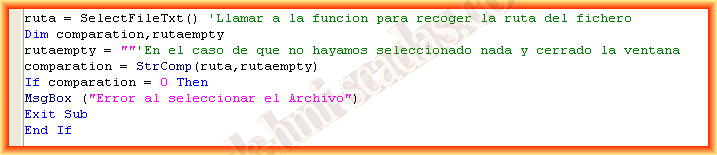
Once the file is selected, we have saved the path in the variable path. Continuing with the code, the first part is to create an instance of an Object of type FileSystemObject and open our file for reading. Once opened, what we will do is a Do Until objText.File.AtEndOfStream loop to traverse it.
Each line we read is stored in a variable, and the content of the line will be stored in an array (arrList) using the Split function. Each "," we find in our line will be the delimiter for each element of the array. The example of the first line would be as follows:
strNextLine =" ""F"",""005062"","" "",""RECETA_TEST"",""082611"""
arrList(0)=" ""F"" ; arrList(1)=""005062"" ; arrList(2)="" "" ; arrList(3)=""RECETA_TEST"" ; arrList(4)=""082611"""
The conditional If firtline = 0 is used only to obtain the data from this first line, and in the rest of the loop, I do not re-enter here since I change the state of the variable firtline to 1. This means that for the rest of the lines we will enter the else.
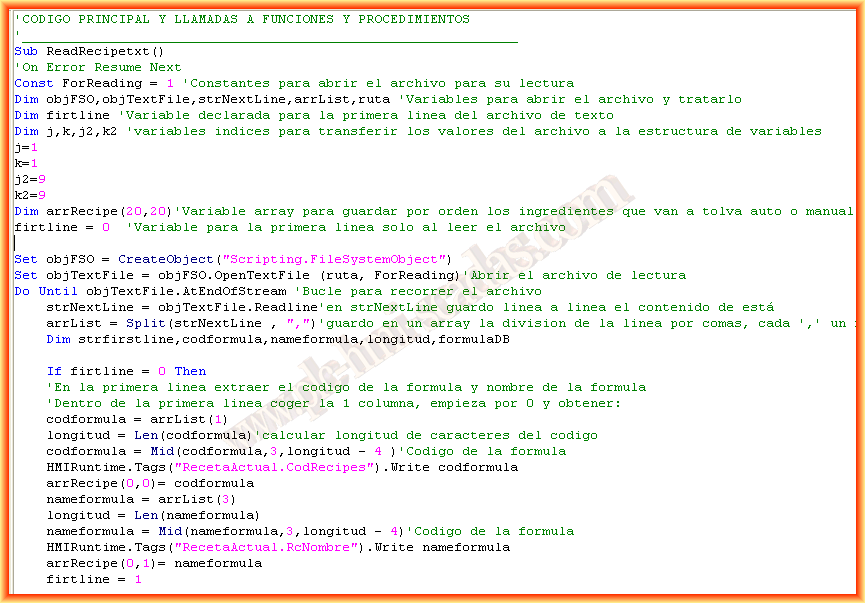
Once we have entered the else, an example of reading a line would be the following:
strNextLine =" ""I"",""000038"",""04529.500"""
arrList(0)=" ""I"" ; arrList(1)=""000038"" ; arrList(2)=""04529.500""" ;
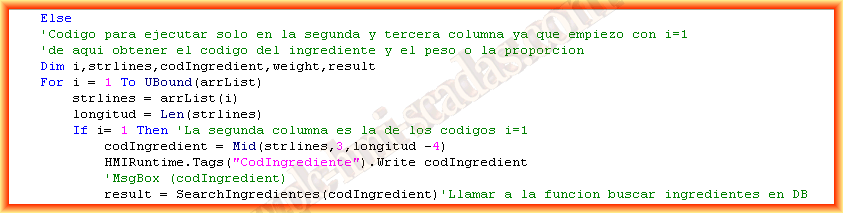
Here we will make a For loop to traverse the array starting from index 1, which would be the code of our ingredient. Since arrList only has 2 elements counting the 0 and we started from 1, we only have one other element left, hence with the following conditional if i= 1 we will read the code and with its else we will read the weight/proportion.
Here we have the call to another function SearchIngredientes(xxx). This function will check if the code is registered in the database; we will obtain its result in the variable result which we will use later.
Here is our SearchIngredientes function passing the code to search for as arguments. What can happen? It may be registered or not, but if it is not, we will give the possibility to enter it if the operator selects yes.

Now we continue with the main code and obtain the result of the function in the variable result, and we enter another conditional to cover all the possibilities that can be:
We will register it result = 6, we make an image window visible where there is a small form, and all the values we have stored in the variables are set back to 0 since the recipe cannot be loaded until the ingredient is registered, and we exit the function.
If result = 7, the user does not want to register the ingredient, and we set all the values back to 0 and exit the function. Finally, if our ingredient is indeed present, we enter the else, and in this, we need to know if the ingredient is considered major or minor to determine whether to go to the hopper or not. We have to use the OrderIngredients function, which will make another query to the database to know what type of ingredient it is. Once we obtain its result, if it is a major one, we write it in the corresponding hopper and also in an array where we need to keep all the ingredients in order for later printing; if it is minor, it is only stored in the array for printing.

The OrderIngredients function is as follows, and as a result, it will give us "True" or "False."
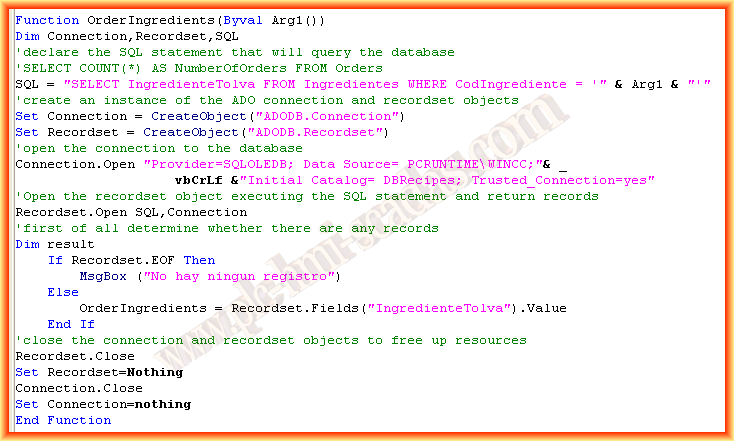
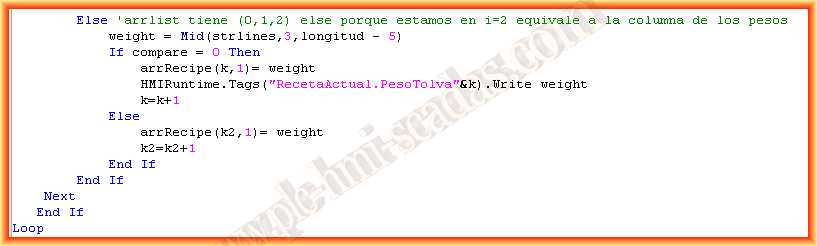
With all this so far, we have finished in the first conditional if i= 1, we have been analyzing the Ingredient Code. Now we move to the else, which corresponds to the third and last element of arrList, which is the Weight.
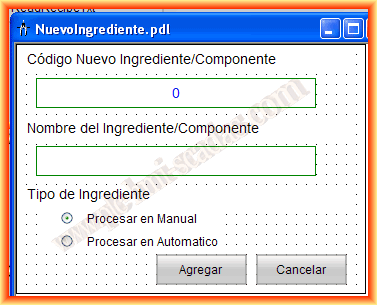
When we confirm wanting to register the new ingredient, the following image would be the form, where the input/output field for the code is only for output, and we obtain the code from the main function. An input field to enter the name of the ingredient and a radio button to know how to process it; if it is considered major, it will be automatic; otherwise, it will be manual.
In the Add button, we have the following code:
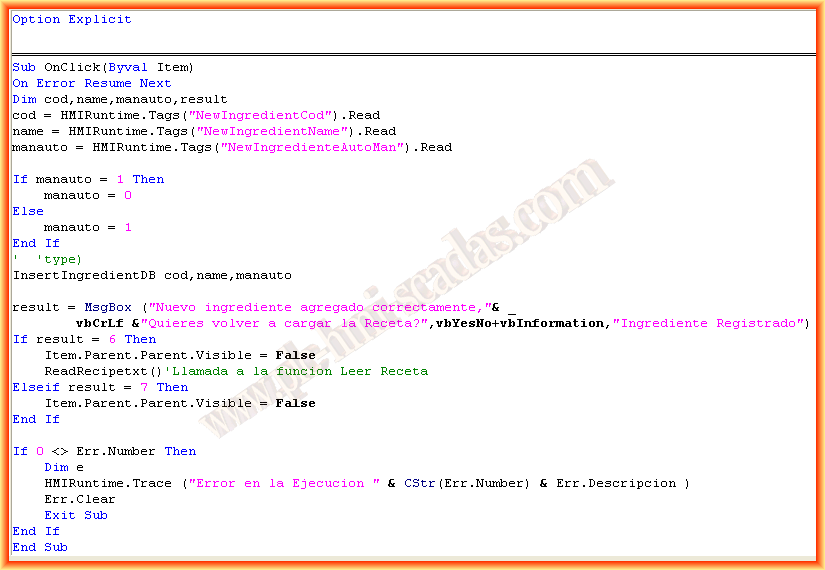
Now we will see this first part in action in a small video. We only need to save this recipe in the database for later use and be able to print it, but we will do that in the next.
May 13, 2013
If you liked it or found the information useful, share it...