
Database Scripts - Objects SQLConnection, SQLCommand, SQLDataReaders ...
In the previous practice, we configured a Symbol to display the Google Maps page by passing the Latitude and Longitude coordinates. This time, we will make some modifications to load the coordinates directly from a Database, just like the wells available. Once the well of interest is selected, its coordinates will be loaded and the corresponding page will be displayed in the WebBrowser.
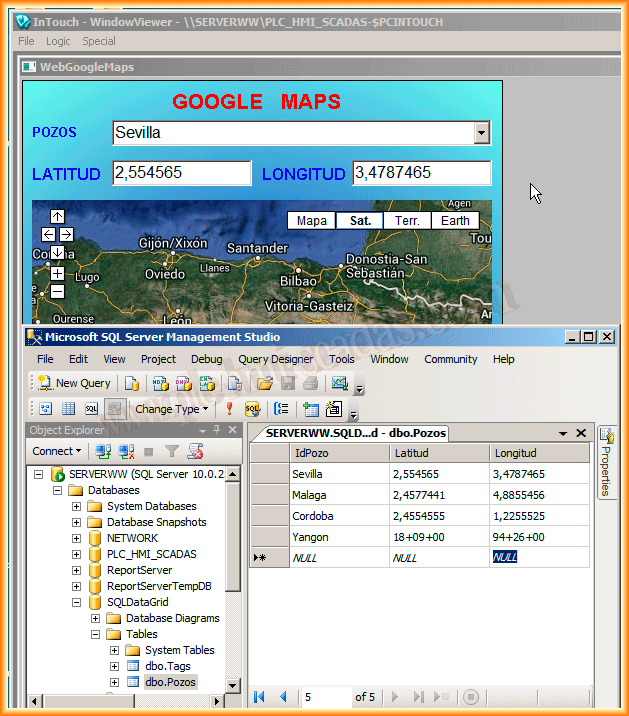
We have inserted a ComboBox to show all available Wells and TextBoxes to display their coordinates, which, as you can see, are the ones we imported.
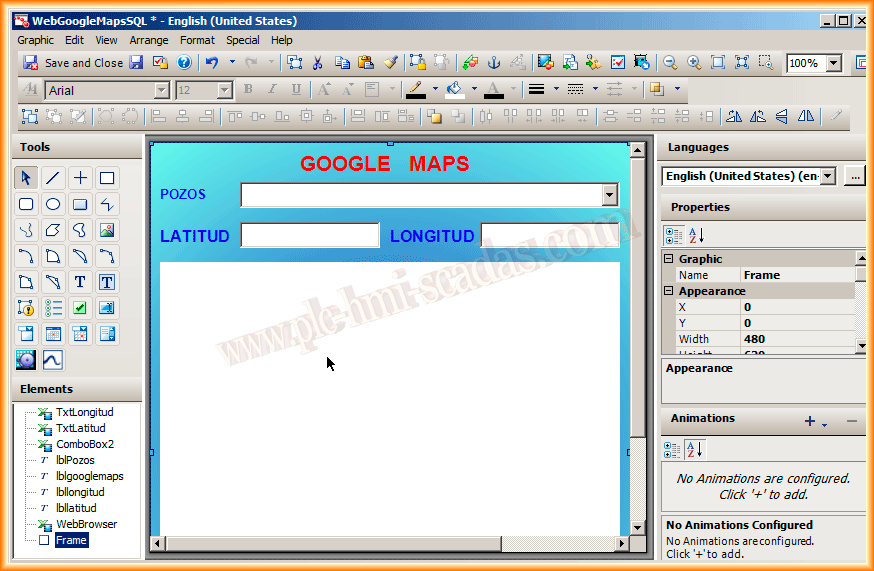
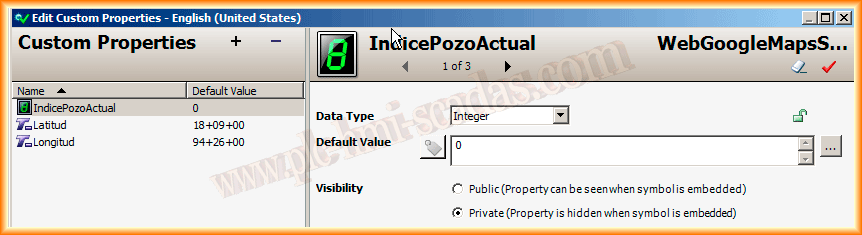
We have added a new property of type Integer and private scope, which we will use internally in our Script. This will be where we store the value of ComboBox.SelectedIndex.
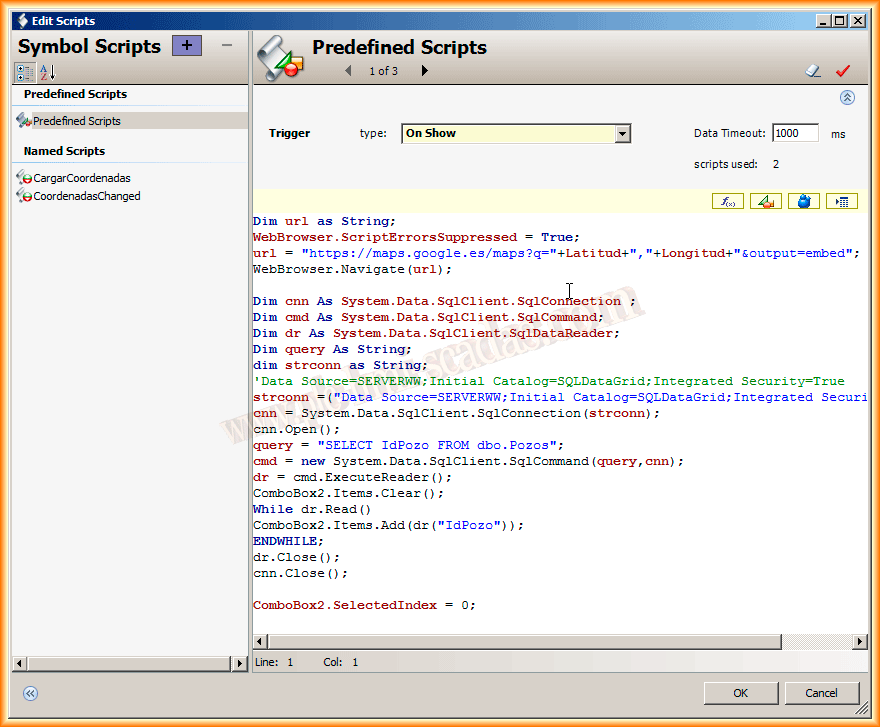
Now let's see how the Scripts look. The first one is On Show, where we will load the map of interest by default and, at the same time, a query to the Database to load all the wells into the ComboBox. The script would look like this.
For the connection string, I used Integrated Security = true, although we can pass the username and password, especially when accessing a remote Database.
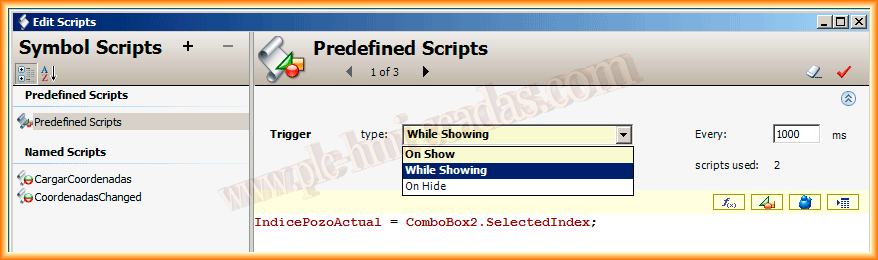
Within the predefined Scripts, while our Symbol is being displayed, we will execute the following statement each time a new element is selected in the ComboBox. We will store its index, which will help us know when to load the coordinates of the newly selected Well. We see this in the following image.
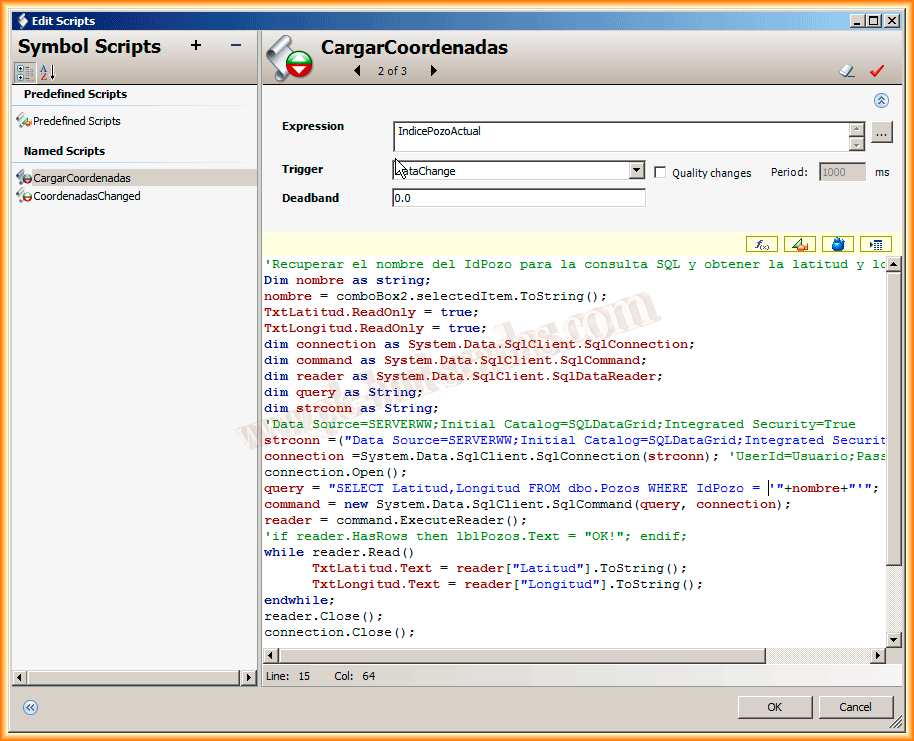
We create a new Script named LoadCoordinates, which will be executed every time the CurrentWellIndex changes, that is, every time the user selects a new element from the ComboBox. This index changes and this Script is executed. Its purpose is to query the Database to load the Coordinates into the TextBoxes.
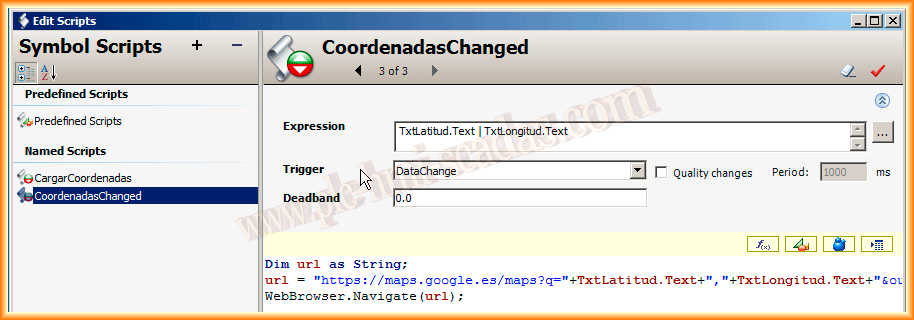
Finally, although we could have done this in the previous Script, we will do it here. Each time the text value of the TextBoxes changes, we update the WebBrowser with its coordinates.
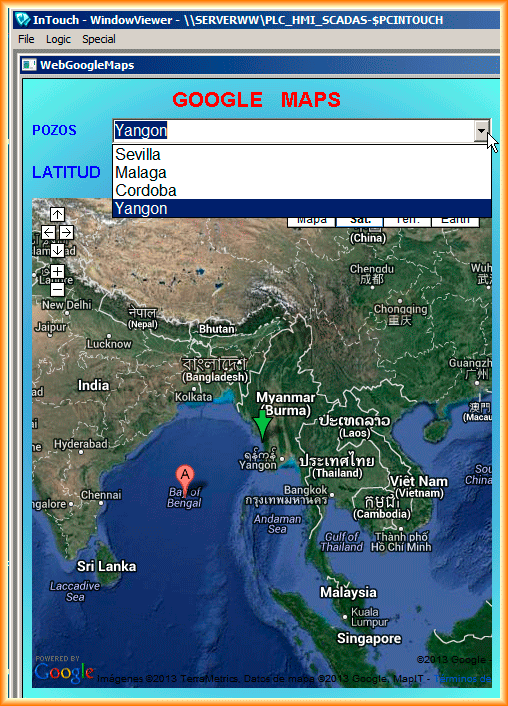
And here is our symbol in Runtime, checking its functionality.
August 14, 2013