
Download TwinCAT PLC Project
Now we are going to download our project to the PLC, the modification or change that interests us, etc...
This part is done with the TwinCAT PLC Control, which is where we develop our code for the PLC.
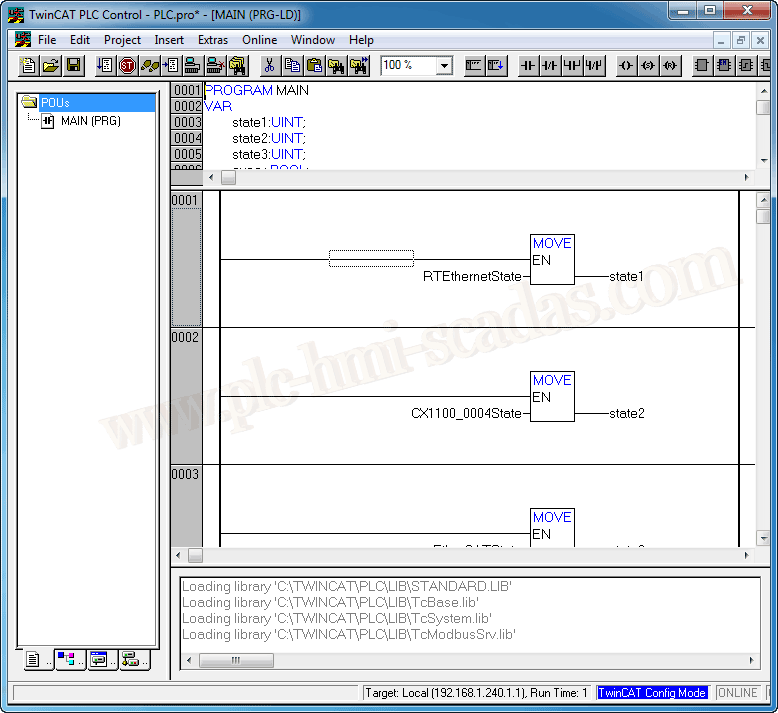
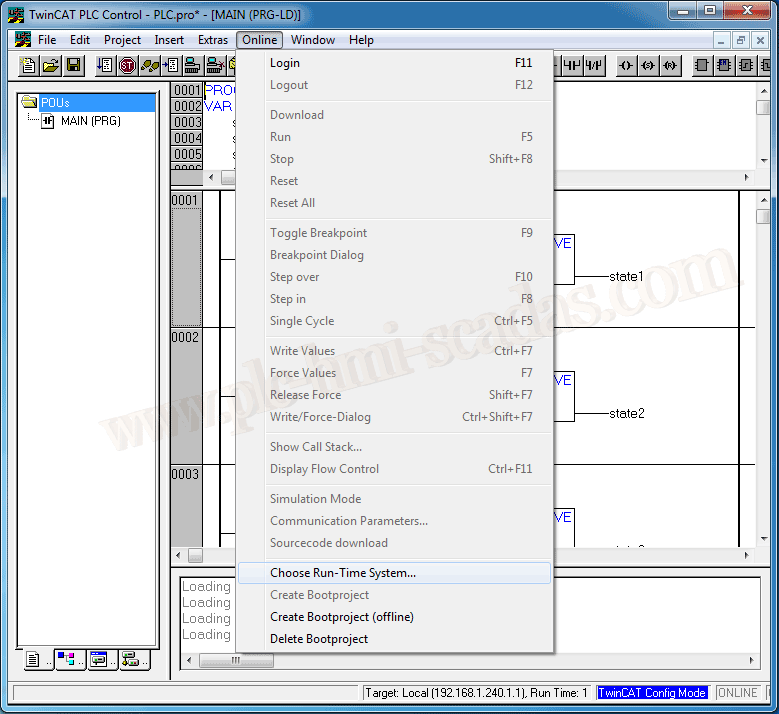
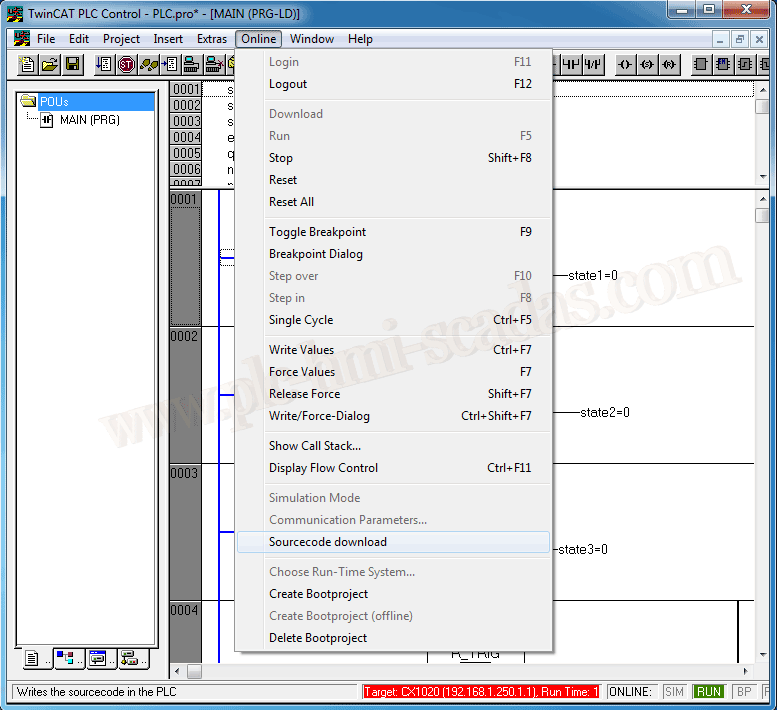
The first thing we need to do is select our PLC (Target) - Online - Choose Run-Time System.
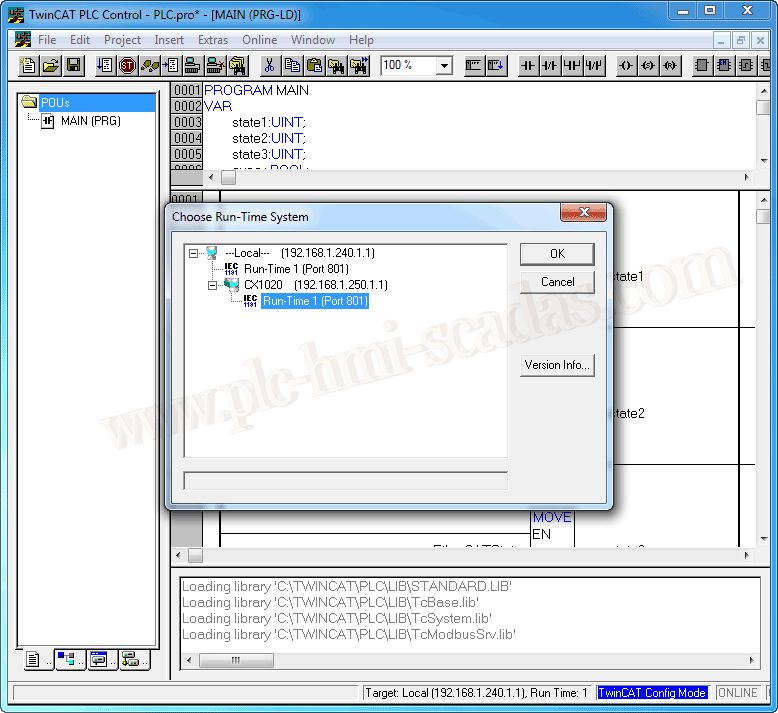
A pop-up window will appear to select it; if it does not appear, run the TwinCAT System Manager to select it, searching for it on the network. If you have any questions, consult this guide.
Once selected, it will appear at the bottom of the window, and the next step is to log in (F11).
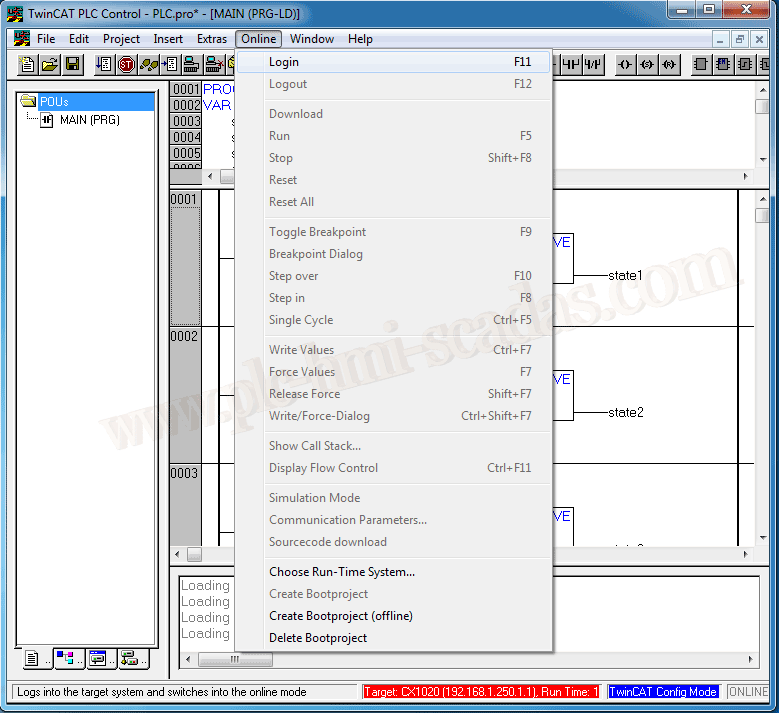
And finally, to download it, Online --> Source Download. Afterwards, we can start debugging in RUN mode.
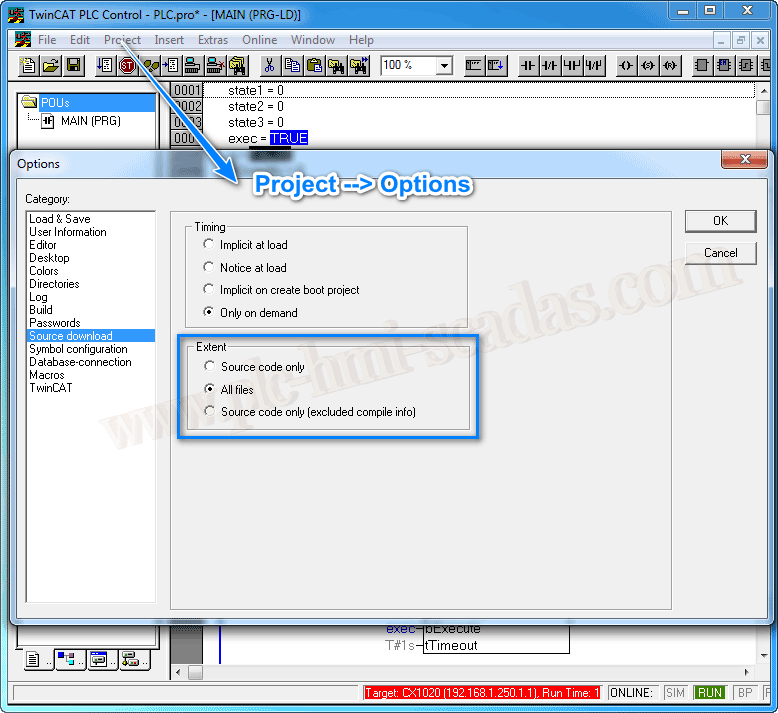
With an open project, we can modify the download options; by default, the selected option is All files.
05-16-2019