
ControlExpert PLC Simulator
Schneider has made quite a few changes in recent years, and what was known as Unity Pro up to version 13.1 has been renamed EcoStruxure ControlExpert for version 14.
We have already seen how to simulate with the PLC Simulator, but this time we are going to expand the concept because we are going to communicate the PLC Simulator with WinCC and Wonderware.
The procedure is as described in the previous link, but we will go into details about variable addressing, as we will be communicating via Modbus TCP.
We consider this to be our PLC and we have already configured the necessary cards.
The first thing we need to be clear about is the configuration of the addressing; for this, we go to the CPU configuration and in the configuration tab, this is where we set the limits as shown in the following image. If we need to change to expand, this is where we need to modify it.
If you are new to Modbus TCP, this is the main concept to understand addressing:
0x00001 - 0x00256 (%M1 - %M256) This would be the addressing for coils / outputs
4x00001 - 4x01024 (%MW1 - %MW1024) This would be the addressing for registers
1x00001 - 1x00256 (%I1 - %I256) This would be the addressing for inputs - READ ONLY
3x00001 - 3x01024 (%IW1 - %IW1024) This would be the addressing for input registers - READ ONLY
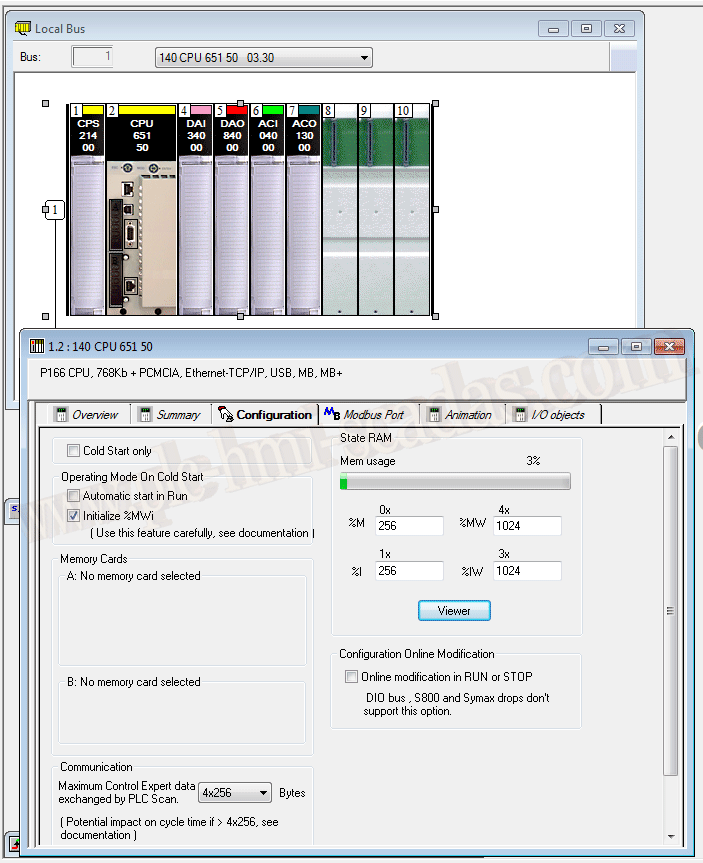
Once the above has been explained, let’s look at it in more detail:
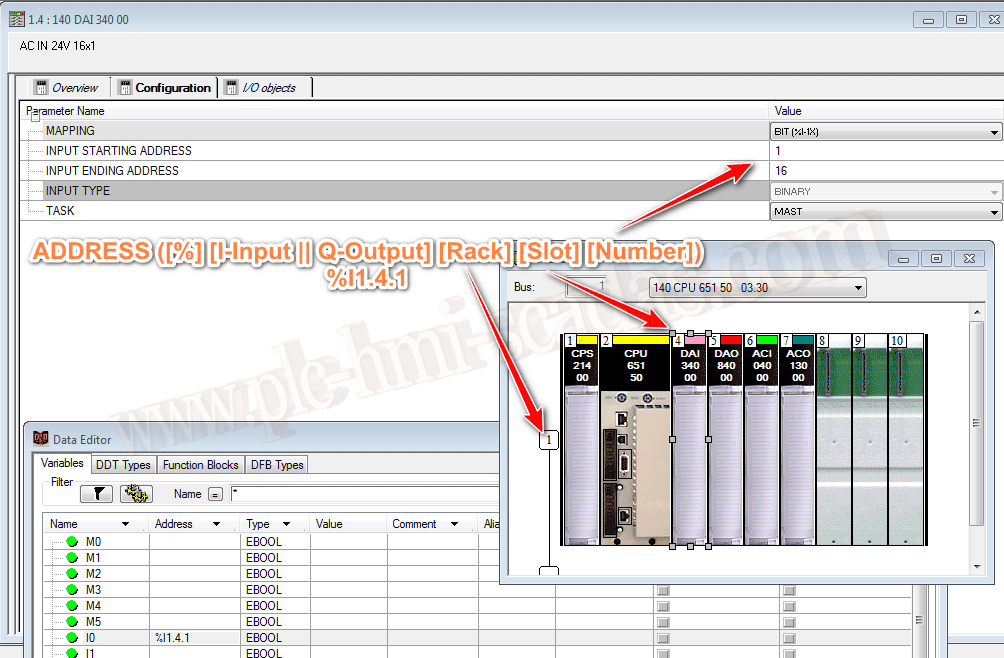
We have defined a digital input card, in its configuration it is defined to start from %I1-%I16
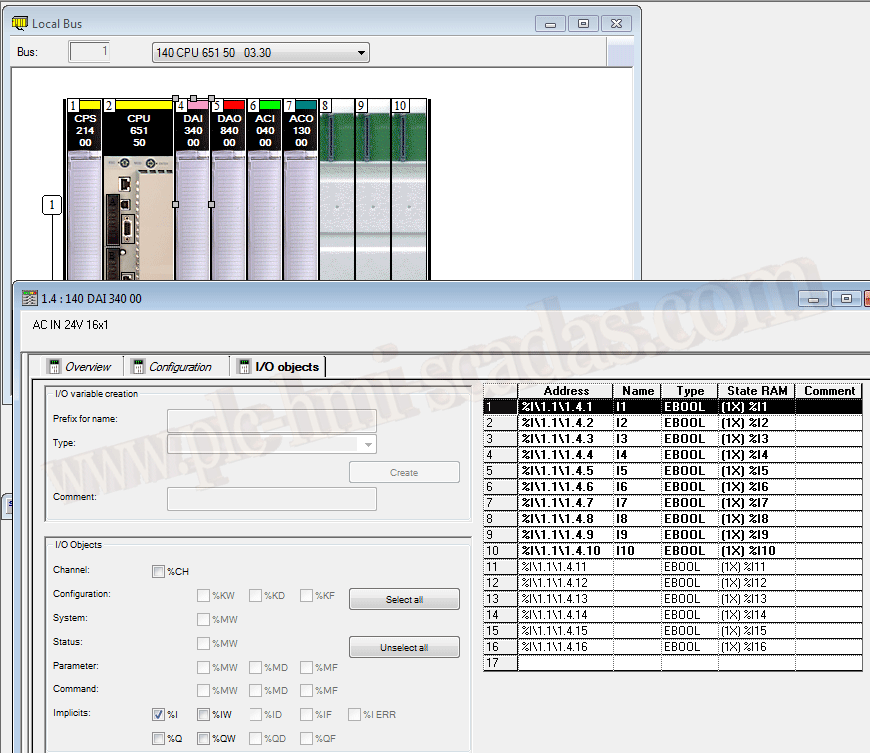
This is clearer in the following image, where we define where we want to start the addressing
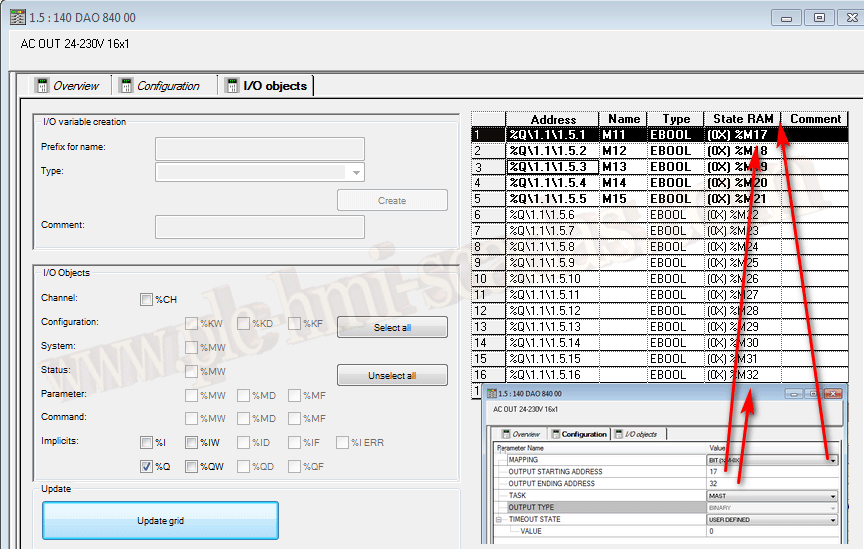
Here we have the defined variables that will help us observe the different types of data. Note, for example, that there are variables created with the addressing of their card, but that also point to the same address.
For example, the variable defined as M1 is mapped to the address %M1 and at the same time the variable defined as M11 points to Q1.5.1 which is the same address as %M1
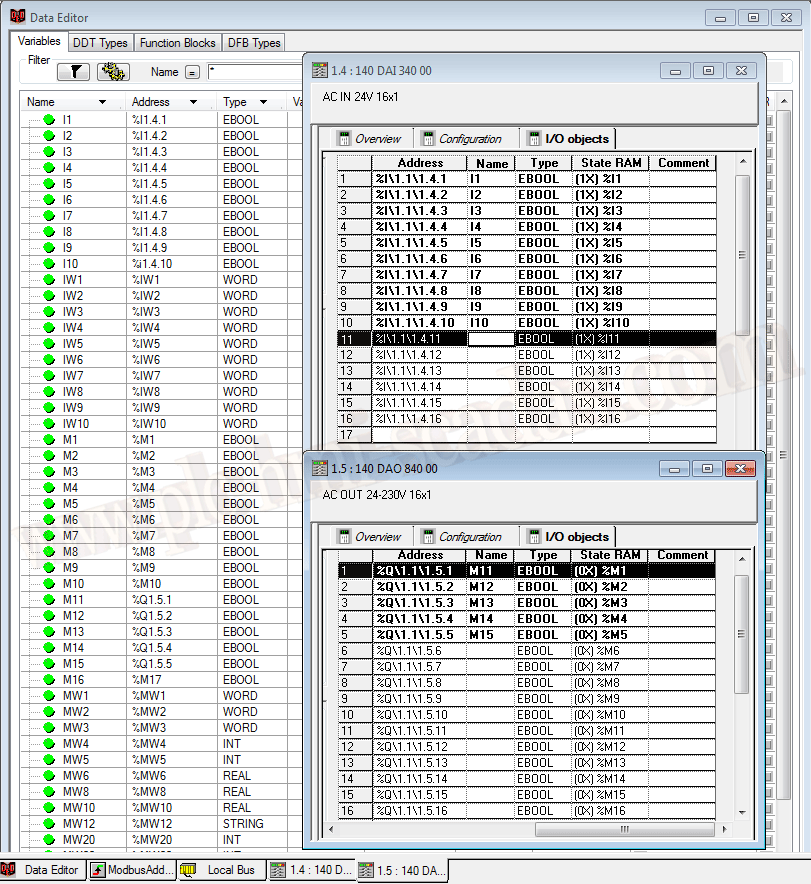
Finally, to understand the addressing, this is how it works. We will not go into details of the program here because we are only interested in the addressing and type of data, to verify in our SCADA whether it is WinCC or Wonderware with Application Server (ArchestrA)
04-21-2019