
KepServer with S7-1500
KepServer Configuration with S7-1500
Thanks to Mariano, we will be able to see a series of practices with an S7-1500 PLC.
The first one will be the communication with the KepServer OPC Server.
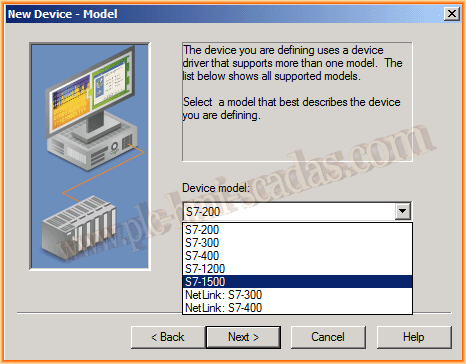
We have already seen how to configure the S7-1200, as the process is exactly the same and we will not repeat it, except that we need an updated version of KepServer that includes this PLC. I have used the latest available version 5.17, and the only problem I encountered is the reason for this practice.
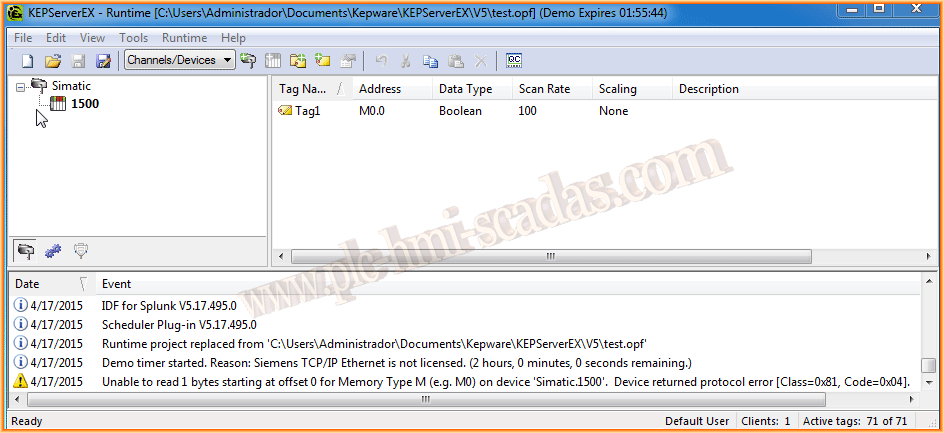
Considering that we have already completed the configuration, we are ready to test it, and as we can see, there is a warning with the message, Device returned protocol error Class=0x81, Code=0x04, so I consulted the manual for the errors and 0x81 was a failure in the address or ID of the PLC, but I pinged the PLC and it responded correctly.
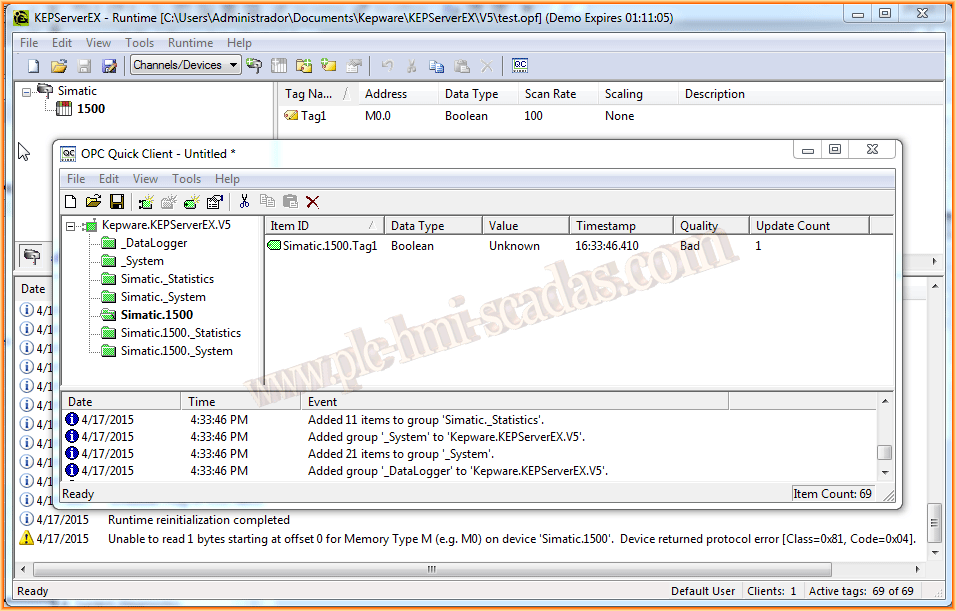
With the client, we observe that the Quality is Bad and value Unknown...
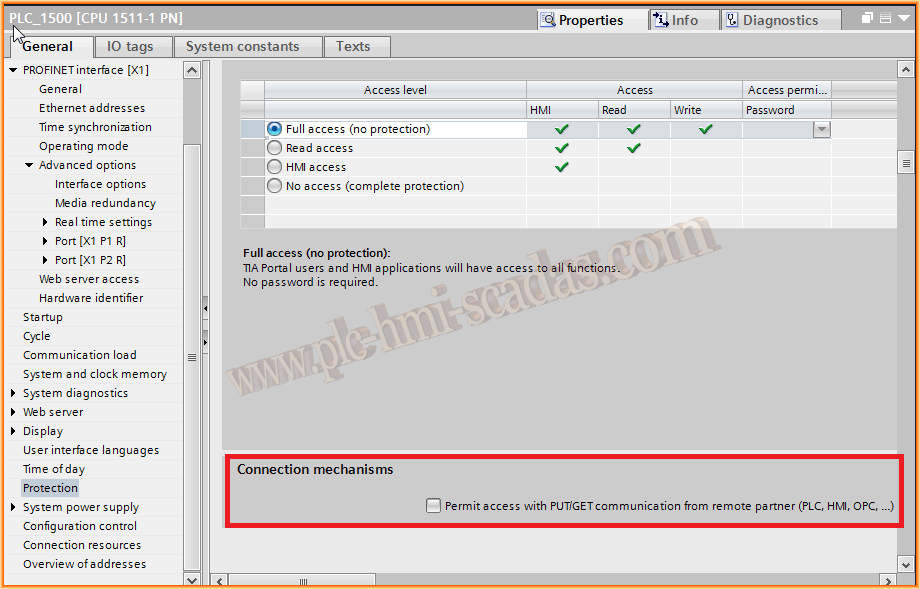
The problem is in the project loaded to the PLC, so we go to TIA Portal, and here is the important part, not only for this practice but for any communication we are interested in making with our PLC, we will see another example soon.
What we need to do is enable the checkbox to allow access to remote communications (PLC, HMI, OPC,...) as shown in the image, this is in the properties of our CPU.
Once we have made this change, we compile and load again.
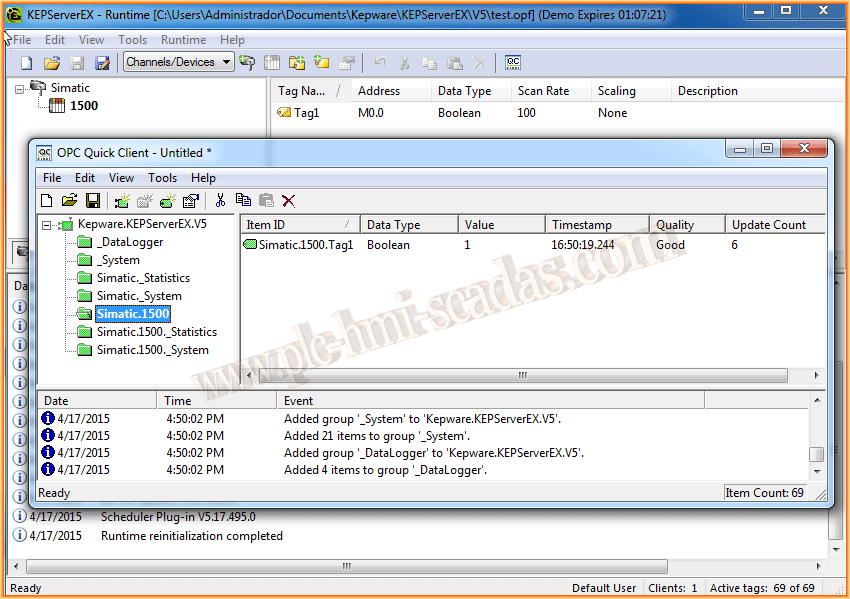
The results can be seen in the following image... We can now communicate perfectly...
April 18, 2015
If you liked it or found it useful, share it :-)