Logix5000 – Digital Alarms ALMD

When we are working together with a Logix5000 controller and Factory Talk View Site (Scada), we can maximize the performance of Digital and Analog Alarm functions, since there is a direct communication between both through RSLinx Enterprise. Let's see an example.
First of all, we insert the ALMD Digital Alarm function, which requires the creation of a variable of this type. By creating this tag, we are creating a structure, and within it we can observe the following parameters; a brief description is shown, and a complete one can be found in the manual help.
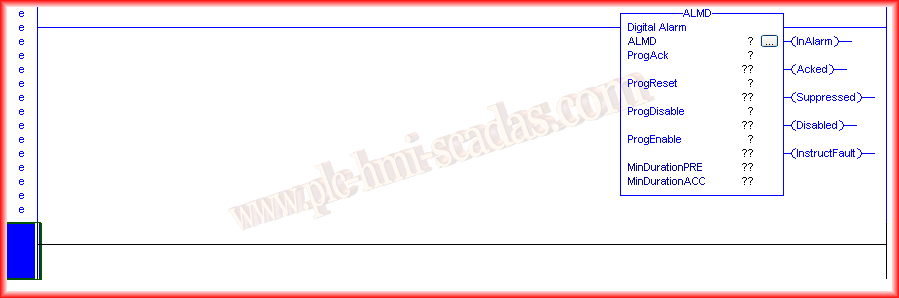
ProgAck: Boolean Input Variable to confirm acknowledgment of the Alarm if configured.
ProgReset: Boolean Input Variable to confirm the Reset of the acknowledgment of the Alarm if the Latched checkBox is configured.
ProgDisable/ProgEnable: Boolean Input Variables to activate/deactivate this Alarm, ProgEnable takes precedence over ProgDisable.
MinDurationPRE: DINT Input Variable to set the time (Milliseconds) before the Alarm is notified; by default, the time is 0.
MinDurationACC: DINT Output Variable that shows the time elapsed since the Alarm was activated; when the MinDurationPre time is reached, it will activate.
InAlarm: Boolean Output Variable that shows the state of the Alarm
Acked: Boolean Output Variable that is 1 when the AckKnowledge required checkBox has been selected.
Suppressed:
Disabled: Boolean Output Variable that is 1 when the Alarm is disabled
InstructFault: Boolean Output Variable that is 1 when there is an error in the Alarm configuration
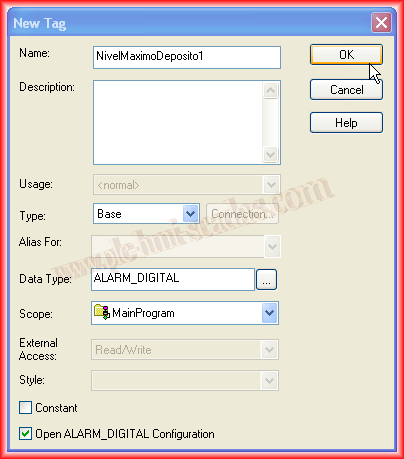
We show the creation of our Tag; its scope is local, of Program, and if we select the Open ALARM_DIGITAL Configuration checkBox, we can make the configuration we are interested in. Although it is well explained in the help, we will provide some details.
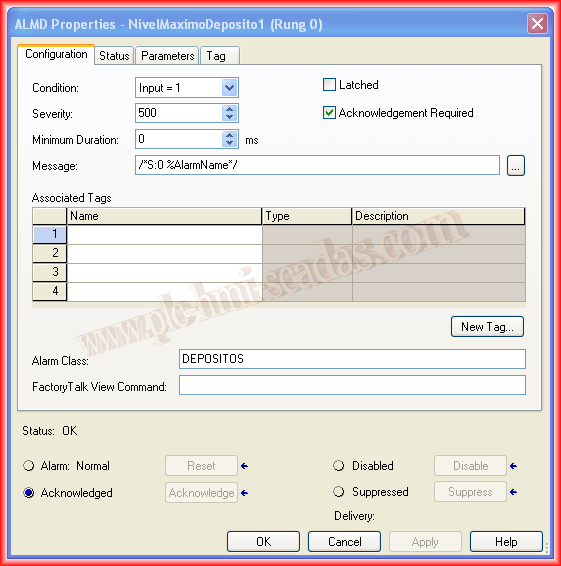
Condition: Condition under which the Alarm will be activated, True/false.
Severity: Priority of the Alarm; its value can vary between 1-1000; the higher the value, the more priority it is considered.
Minimum Duration: Time in Milliseconds that will elapse to report the Alarm.
Message: Message to Display; we have the possibility to embed the variable and the Associated tags if they have been configured.
Associated Tags: We can configure up to 4 tags associated with the alarm in question; once the alarm has occurred, a snapshot of the value is taken, which is sent to the alarm subscribers and can be embedded in the Message.
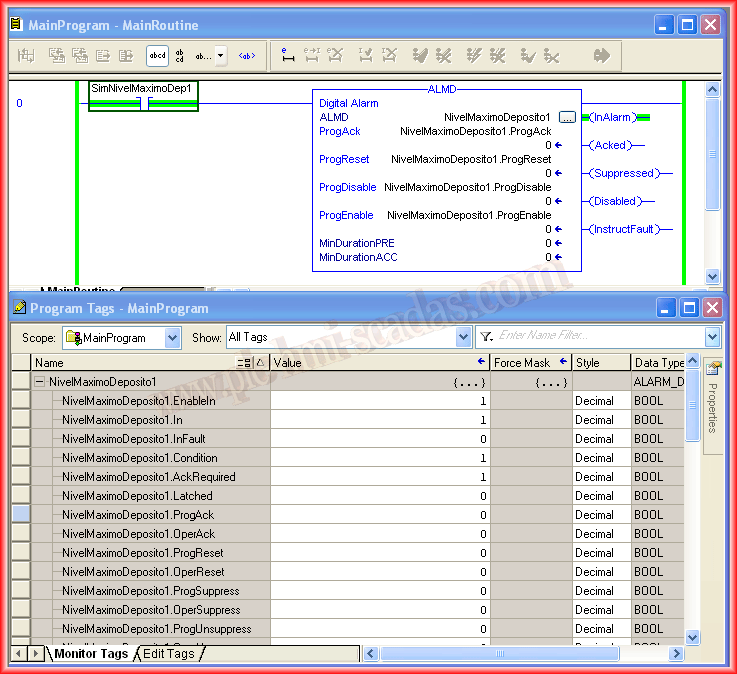
Here you could already say that we have configured our function; SimNivelMaximoDep1 would be the sensor of the tank, and when it reaches its maximum level, the Alarm will activate.
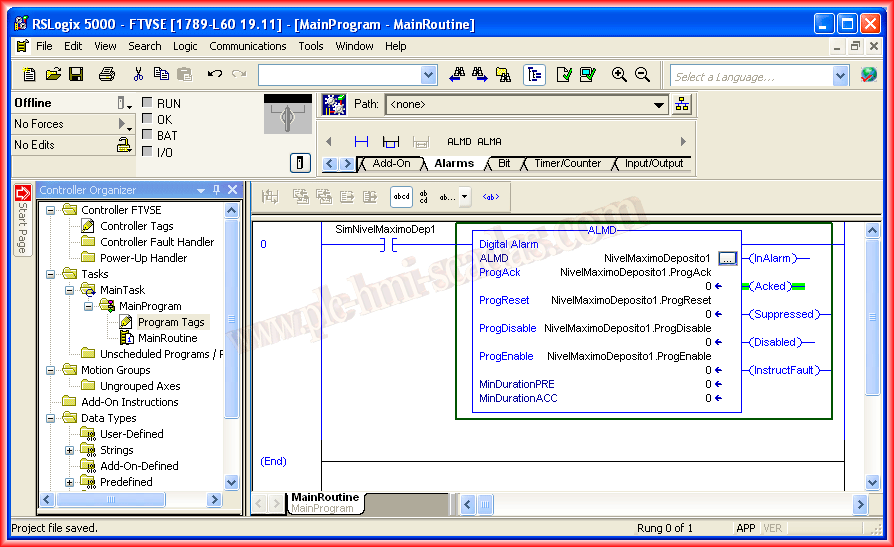
We have already uploaded our project to our controller and are Online; if we go to Program Tags and within this to Monitor Tags, we can observe and force the values we are interested in to perform tests and check the operation of the function.
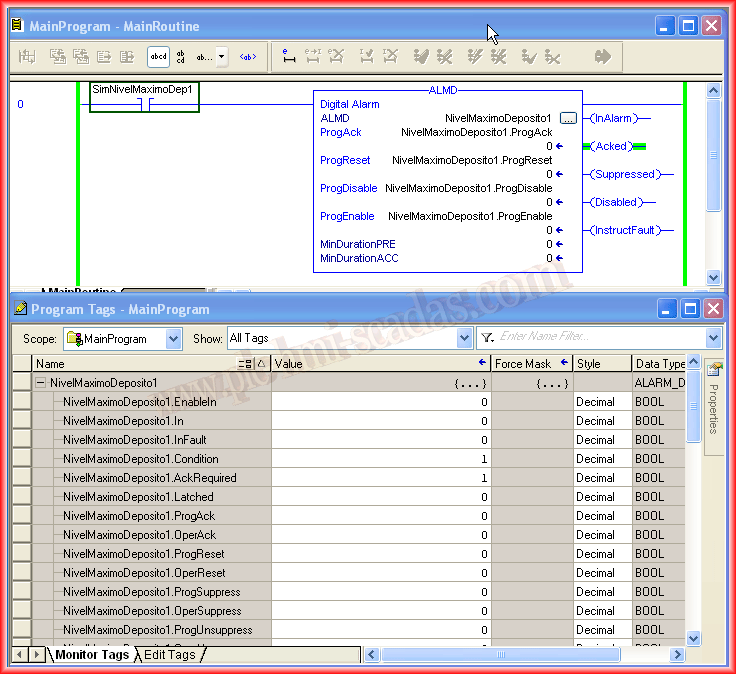
I have forced the variable of my Maximum level sensor and have the Alarm active; now it would be ideal to observe it in the Scada, so I recommend viewing the following practice to see the configuration made in Factory Talk View Site