
ODBC Configuration for Oracle Database


ODBC configuration for accessing Oracle database, Local or Remote. In this case remotely, and the first step is the installation on the machine from which we are going to connect to our database the Oracle Data Access Components (ODAC) this package will install the drivers we select in the setup wizard, remember WinCC is a 32-bit application so we are interested in that version of ODAC, for executing our scripts in VBScripts
I have already installed the package and we continue, if you have any questions, consult the installation
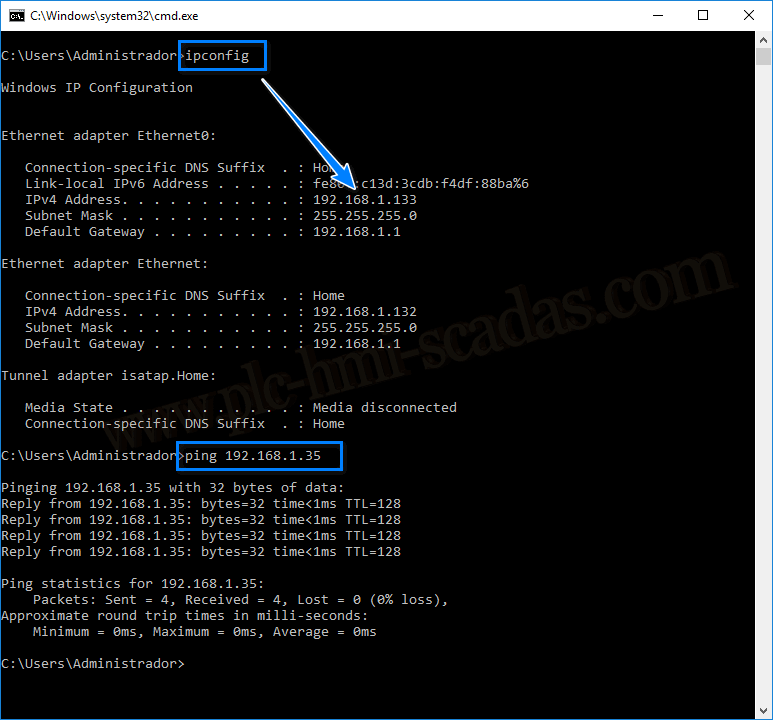
The first thing we are going to check is a PING to the Server machine where the database is located.
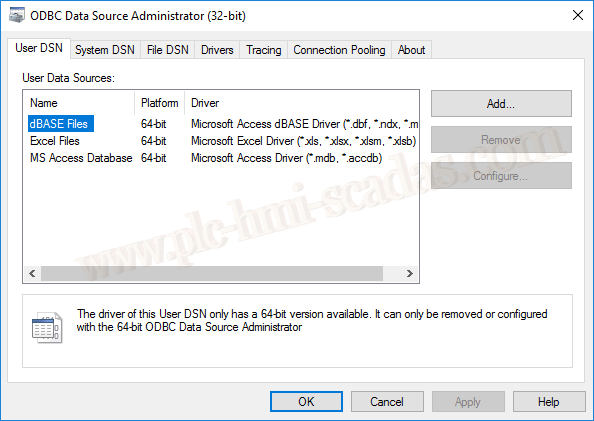
We run the ODBC Data Source Administrator, but the 32-bit executable, which has precisely been the reason for the installation in 32 bits.
Once started, we add a new User Data Source
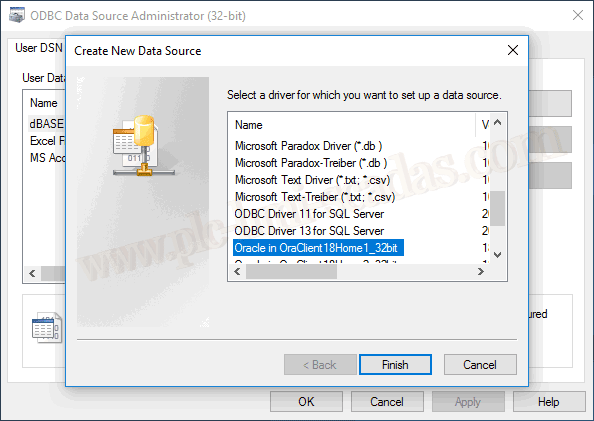
In the wizard, we select Oracle in OraClient18Home_32bit, which is the driver that has been installed after the installation.
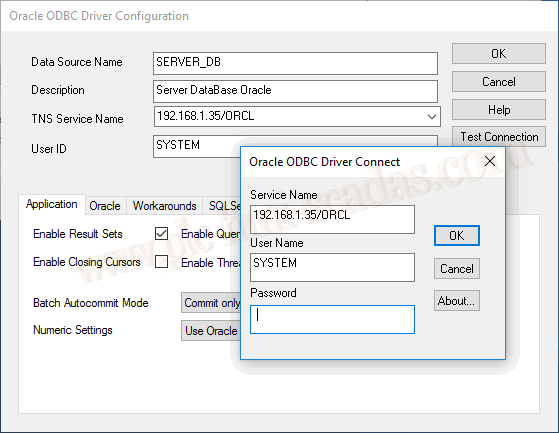
And now we move on to the configuration: We assign the name we are interested in the Data Source Name parameter, followed by a description. When we reach the TNS Service Name parameter, as we are configuring it for remote access, we specify the IP address / Followed by the Name, by default if it was not changed in the installation it is ORCL, and we are going to connect with the User SYSTEM
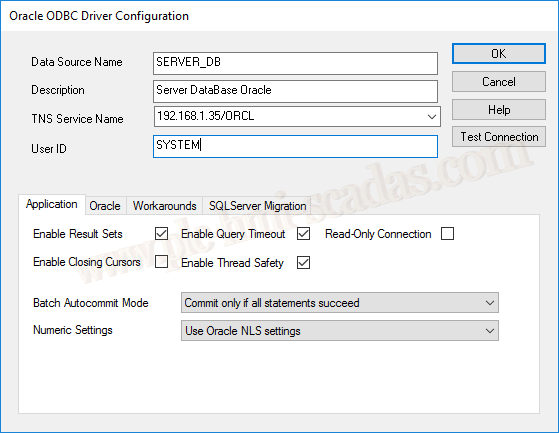
We are going to test the connection, we specify the password for the SYSTEM user
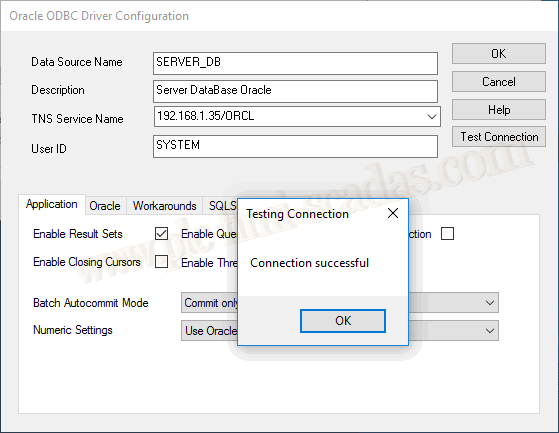
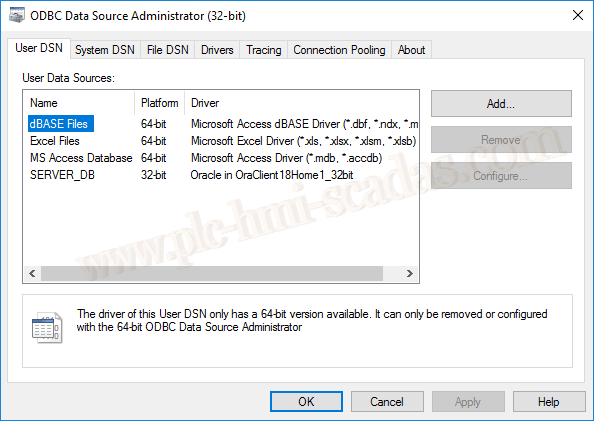
We have now configured our Data Sources and now we move on to how to use it. Note how it specifies 32-bit
26-05-2019