
RSView32 DDE Server
In the previous practice, we saw how to configure RSView as a DDE Client and Microsoft Excel as a DDE Server. This time we will see an example of how RSView32 acts as a DDE Server and Microsoft Excel as a DDE Client.
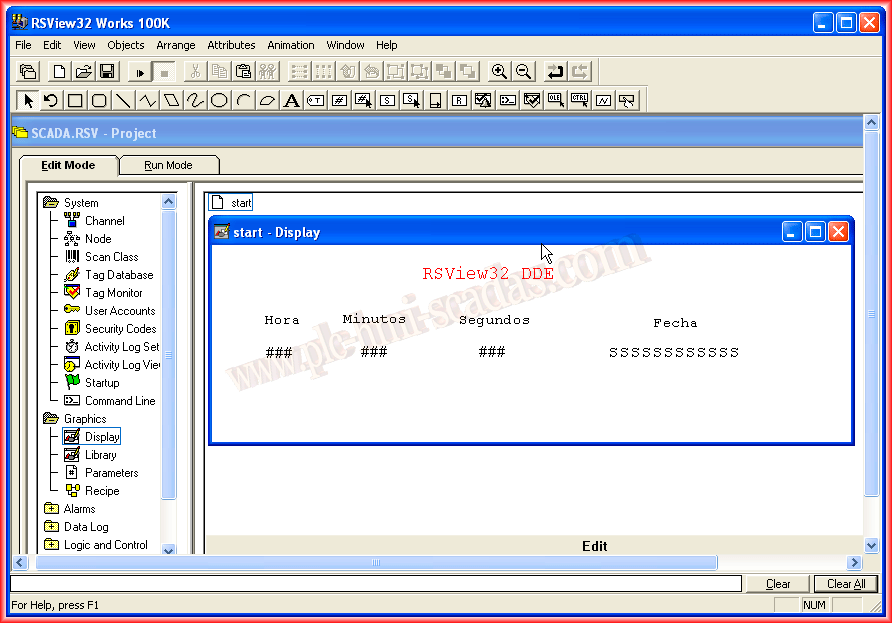
Let’s assume this is our Image (Display); we have created DisplayNumber and DisplayString objects for the Tag System/Date, each of these objects is associated with its corresponding Tag.
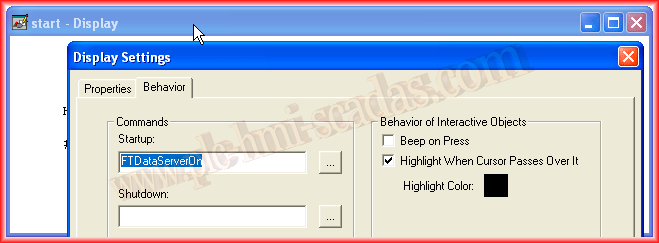
In the properties of our Image (Display), within the behavior tab, we will execute the command FTDataServerOn at Startup as observed.
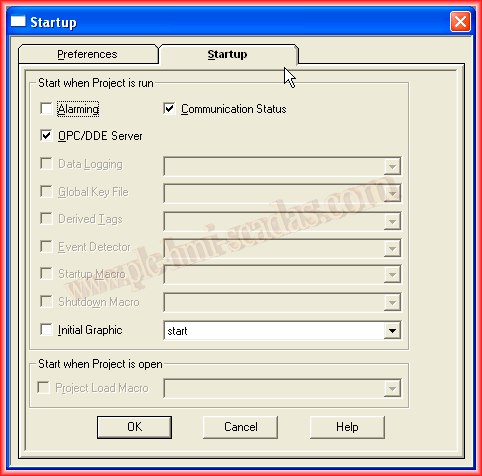
Within the Directory System -> Startup, we select the checkbox OPC/DDE Server, which is essentially the same as the command we have associated with the previous display.
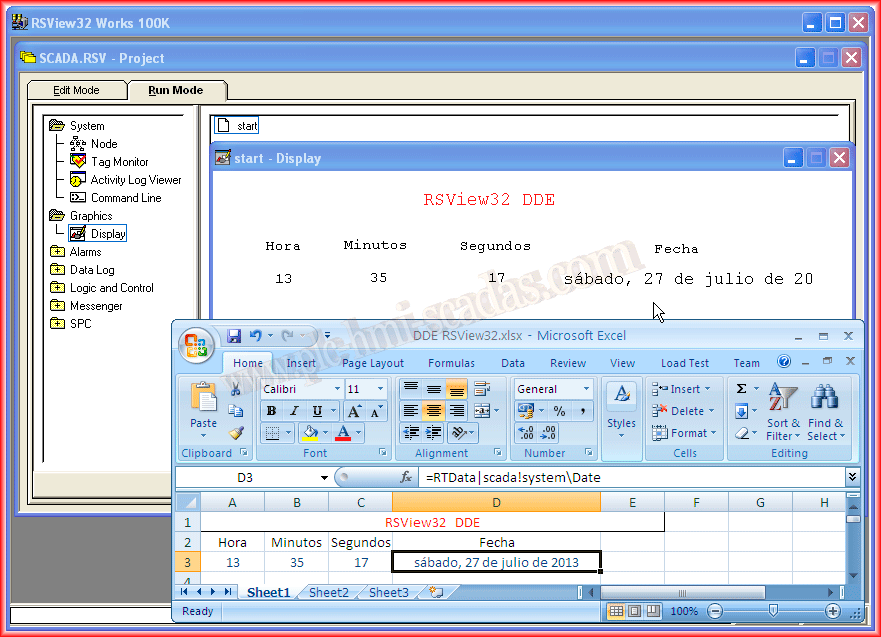
Finally, we run the project or the Display, and once it is running, we open a new Microsoft Excel Workbook. To access the tags, we execute according to the methodology Application|Topic!Item, where Application is RTData, Topic is the name of the RSView32 project without extension or path, and Item is the name of the Tag. Following these steps, we observe the operation in the following image.
July 27, 2013