
DAServer MBTCP
We already have an article on how to configure the DAServer DASMBTCP here. However, here we will provide more details to complement the information.
Some images of the configuration.
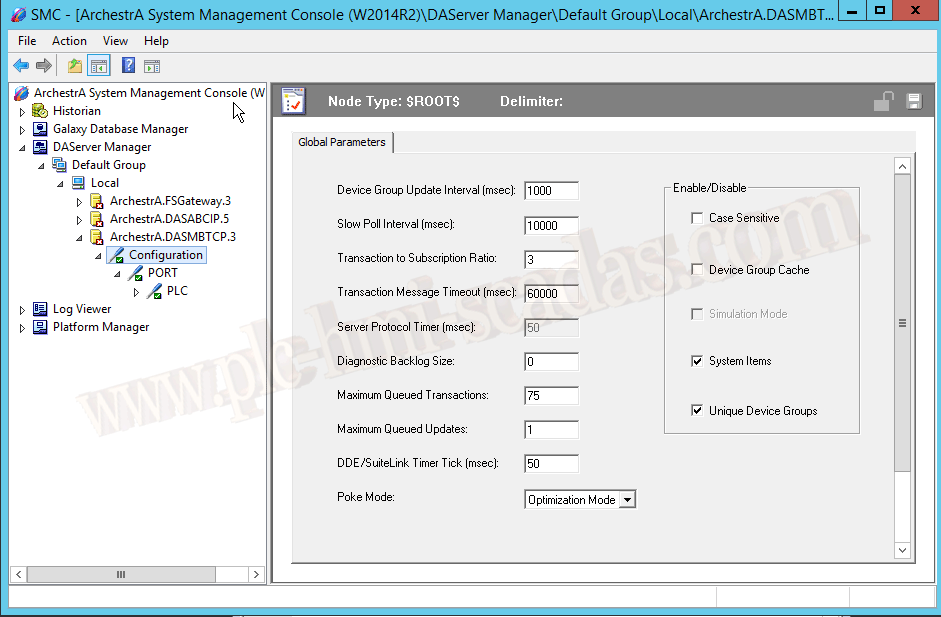

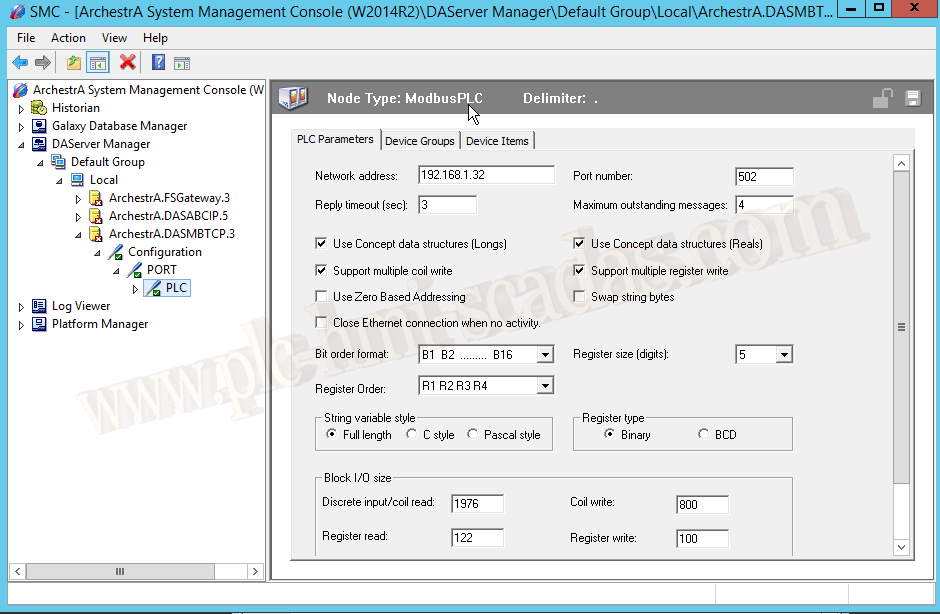
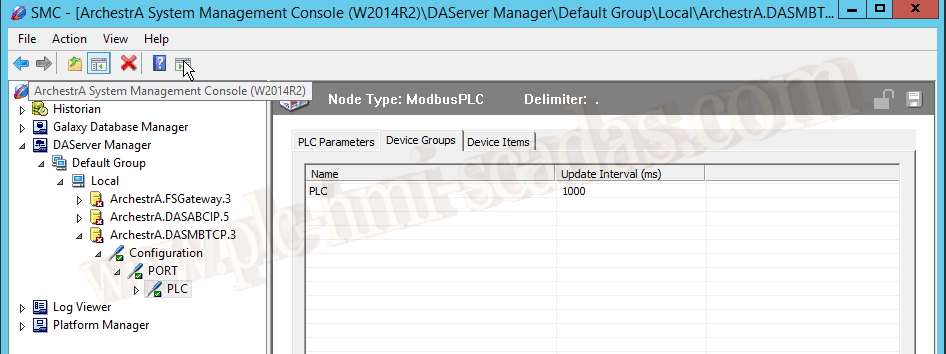
Here is where we will pause for a moment, because depending on the type of data we are interested in, we need to refer to the manual to know what type of suffix to add to the addressing.
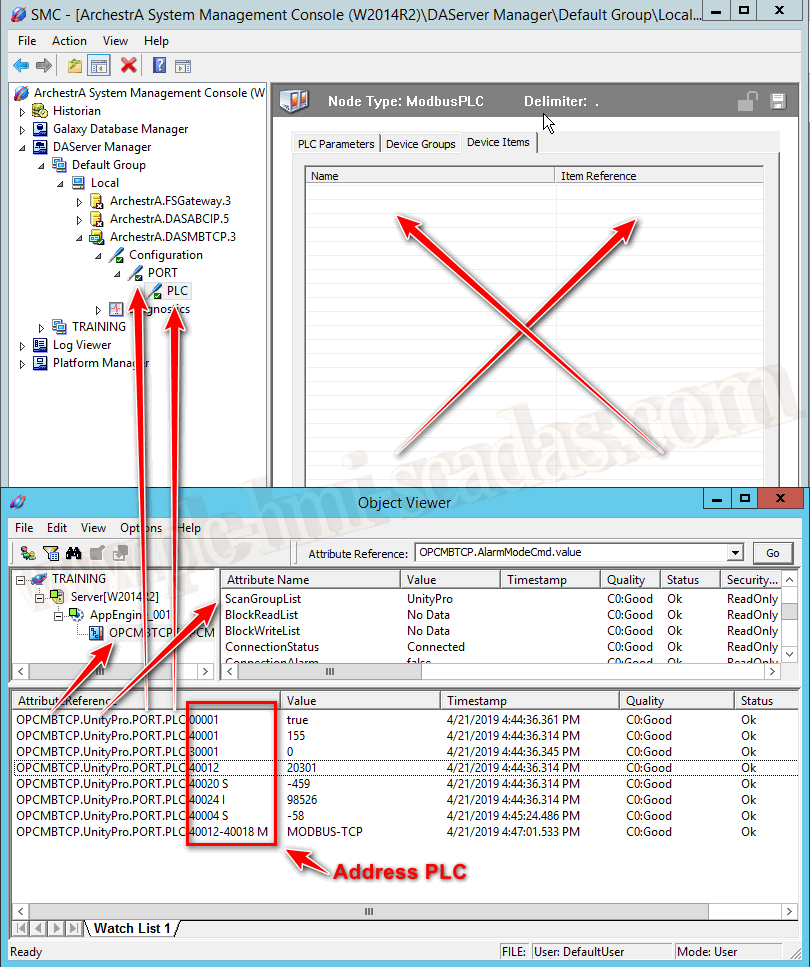
These are the variables we have in the PLC simulator; for signed variables, we need to add S, for double integers add I, and for strings, the bytes we need with M.
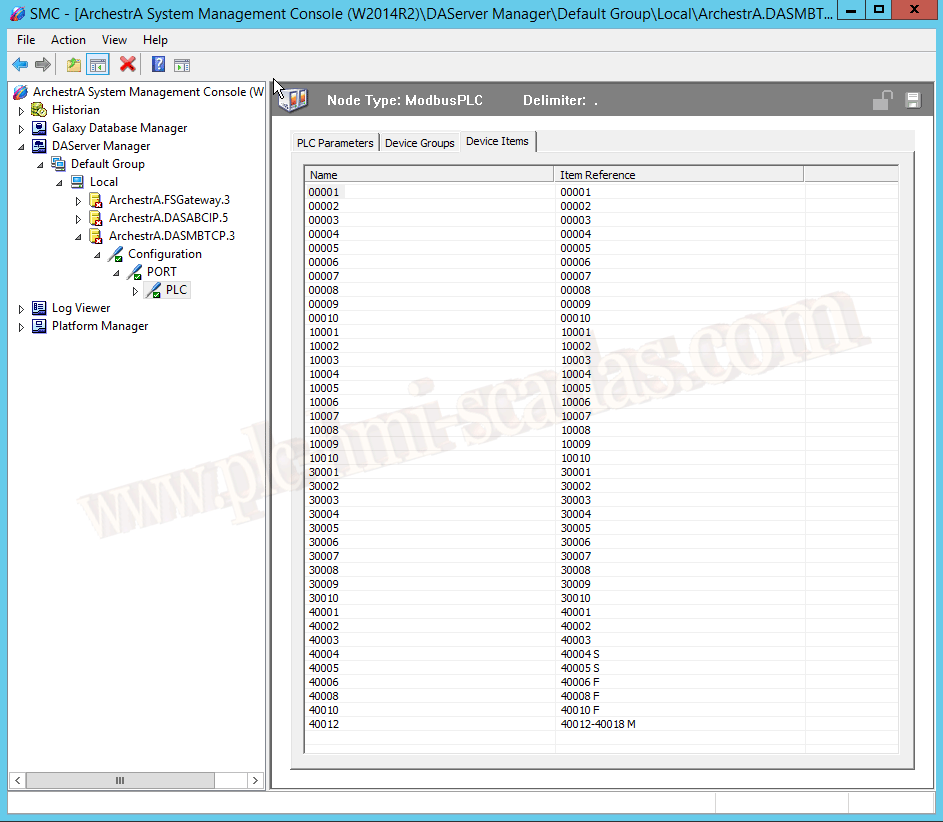
Here we see the result once the Server has started and connected with a Client.
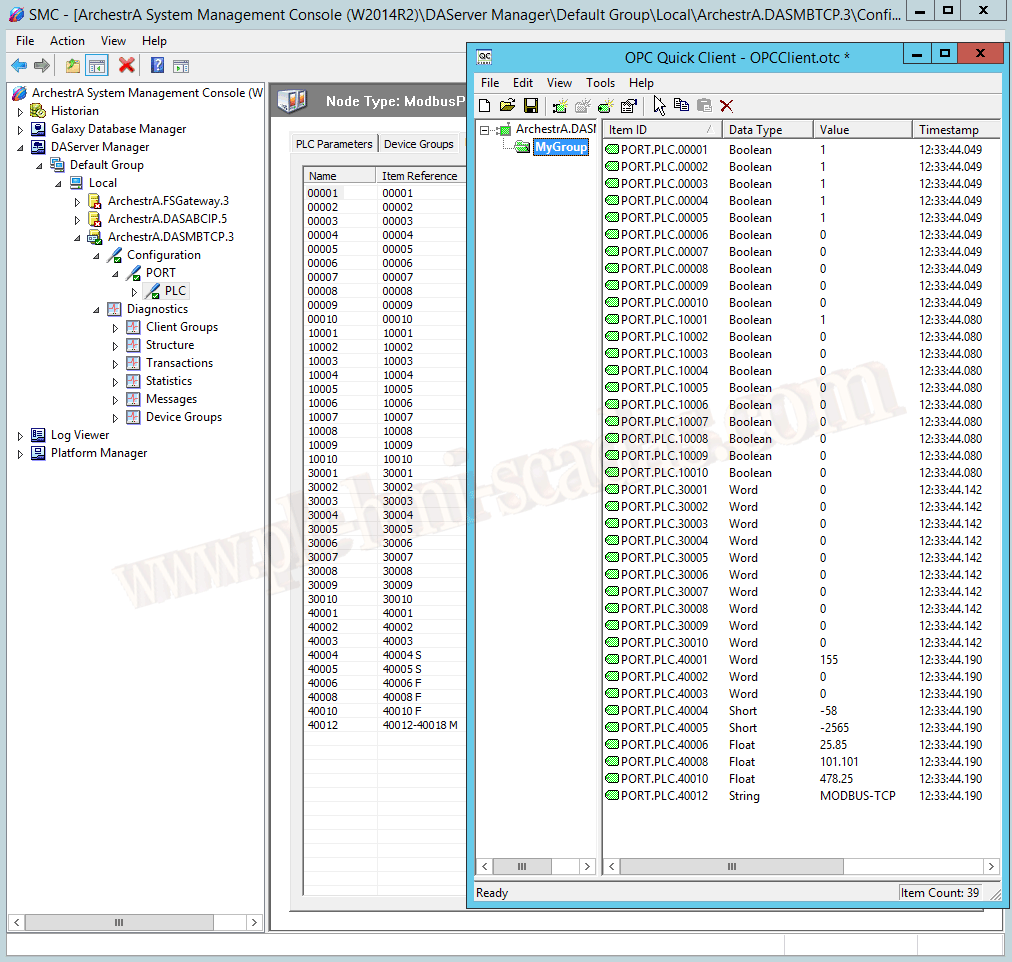
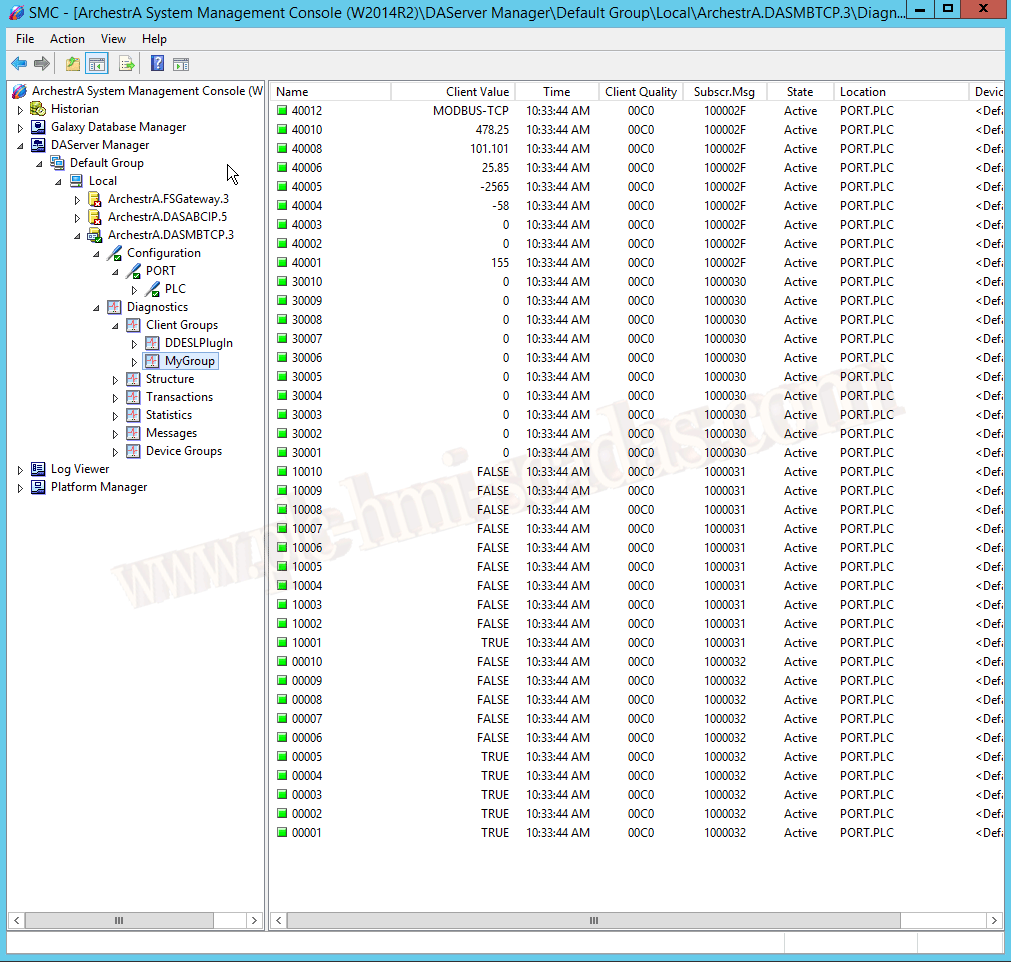
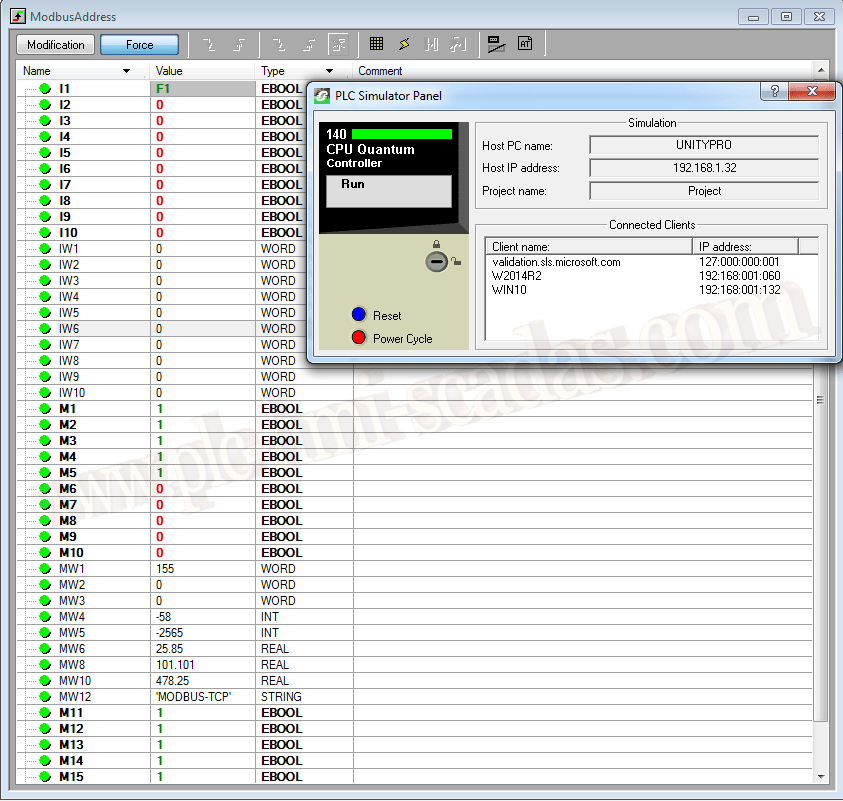
Once the DAServer is configured and functioning correctly, we would proceed to configure a new instance of the OPCClient Object, which we have already seen in another article.
Basically, we define the DA Server, the node where it is located, and create a new Group, in this case named UnityPro.
We perform a Deploy and can verify its operation with the ObjectViewer.
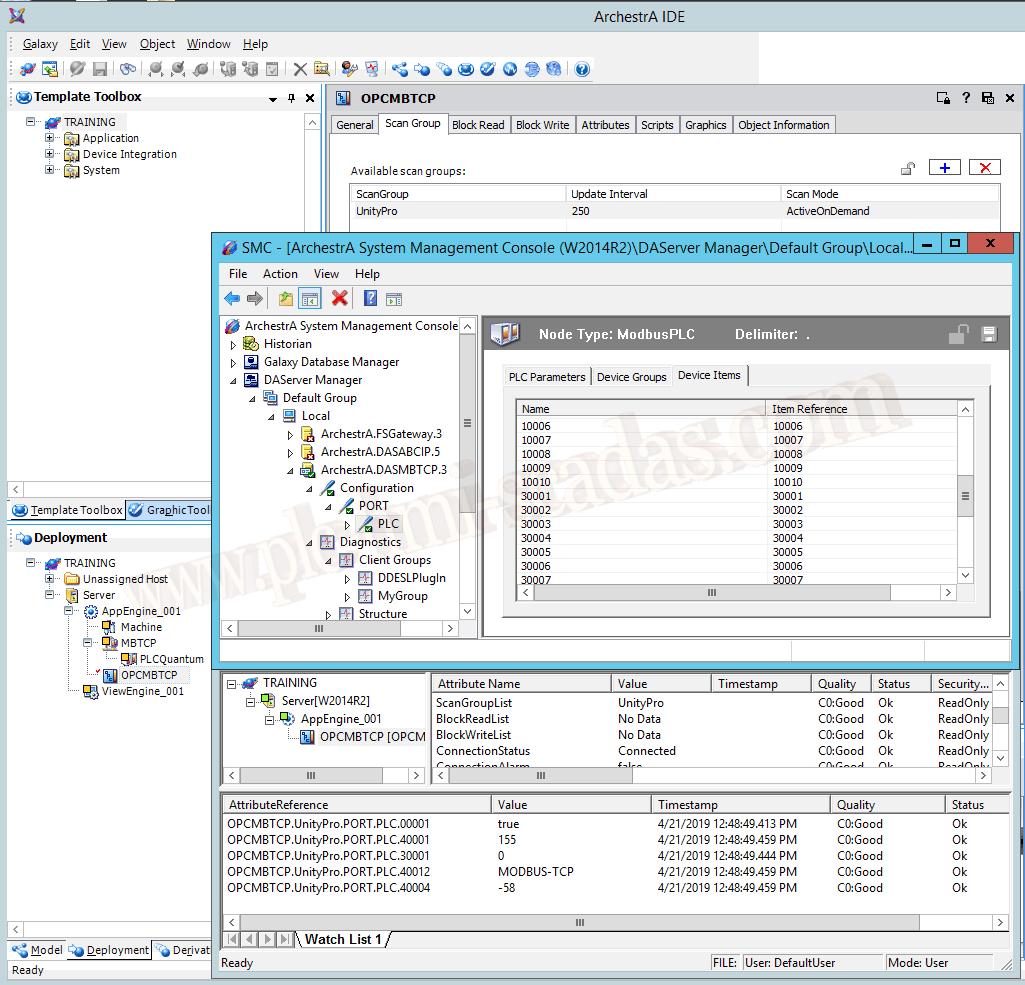
To add the attributes we are interested in the ObjectViewer, we follow these steps.
1.- The name of the Object we assigned to the OPCClient instance (OPCMBTCP)
2.- The name of the Group (UnityPro)
3.- The name of the Port object (Port)
4.- The name of the PLC type object (PLC)
5.- The name of the item.
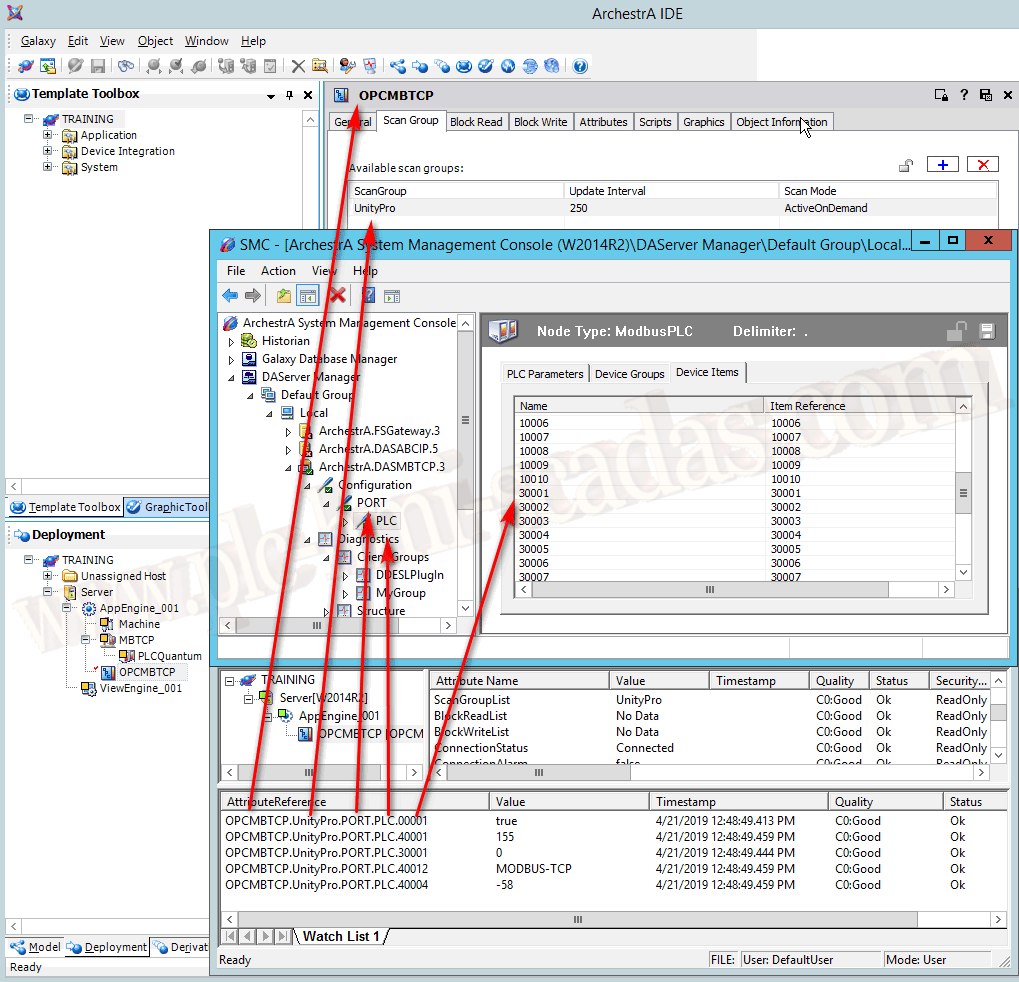
But, I take this opportunity to answer Ricardo's question; it is necessary to create the Items, the answer is no, if you do not create them, you have to reference directly to the PLC address, and this is applicable to other DAServers.
Example: The following variables are added directly; observe that the variables according to the type of data need to have their suffix as we mentioned earlier, otherwise we have different values, observe in this image.


Example if we have not defined any item in the DAServer.
21-04-2019