
WinCC MQTT Publish - Broker - Codesys Subscriber


We have just seen how we send data to our Broker with WinCC and with a client we subscribe to receive new messages. To make it a bit more dynamic and enjoyable, we are going to subscribe from our program in CodeSys.
I have downloaded the following library from Codesys that we can use in Demo mode.
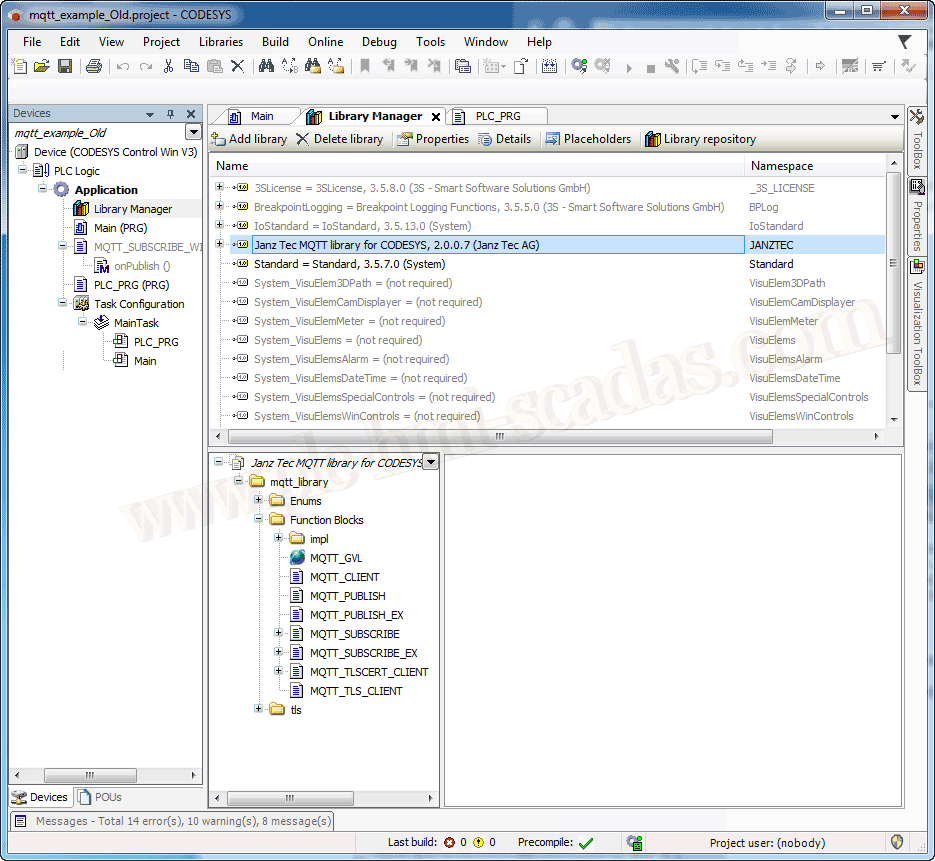
Once installed, we have already added it to our repository, and these are the available functions.
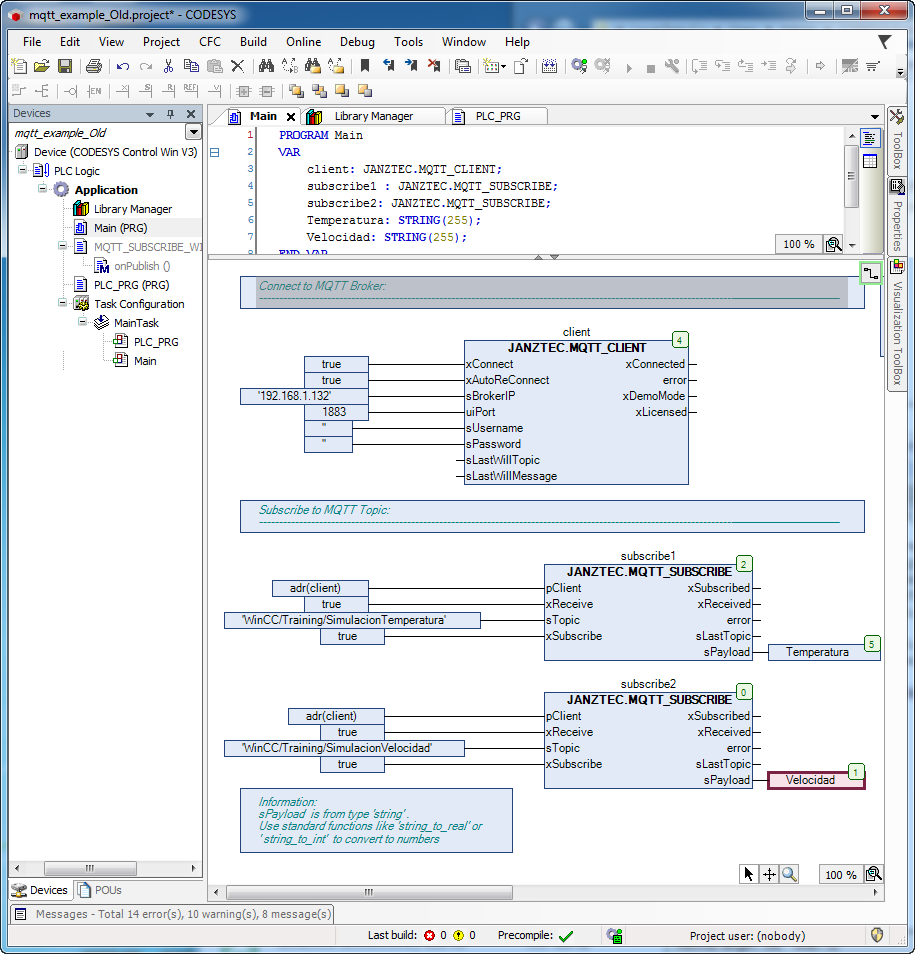
Using the same demonstration project, I have left only what is strictly necessary to test it.
One instance to connect to the Broker and two instances to subscribe to the two variables that we had configured.
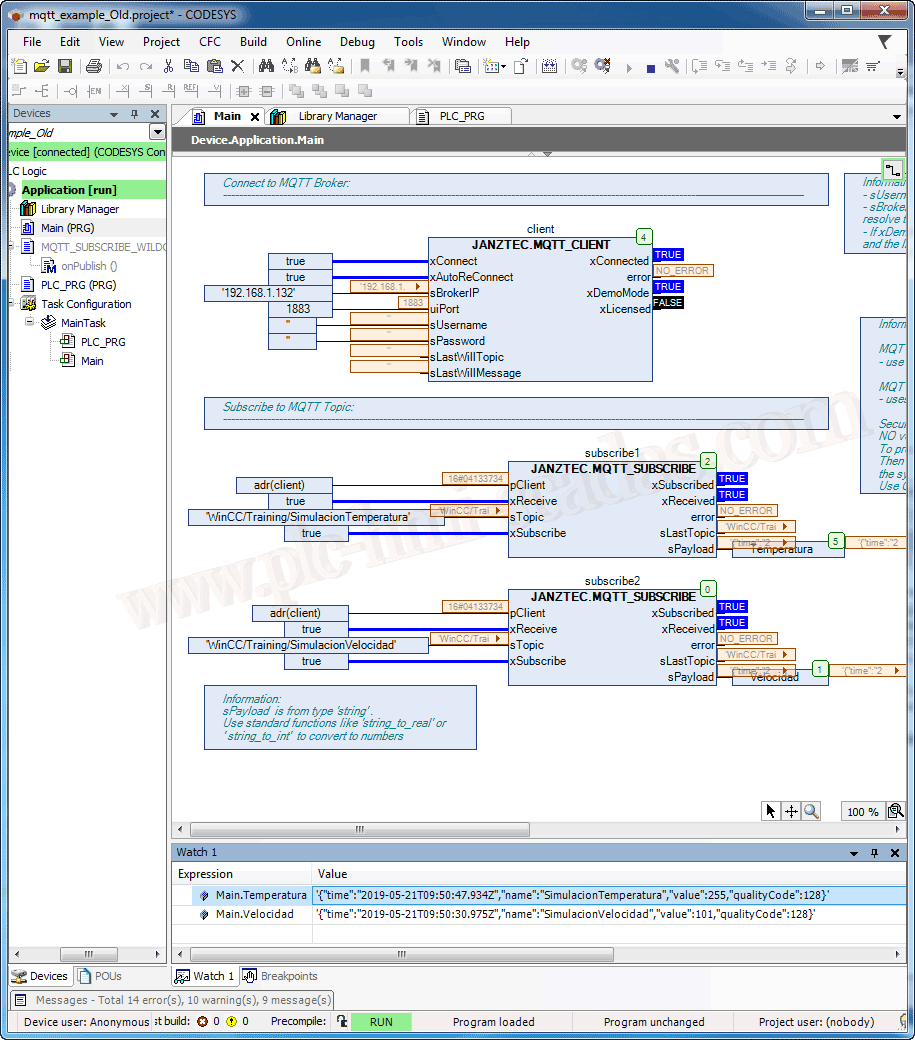
Once we put it in Runtime, we can check how we connect to the broker, and when we make a new publication in WinCC, changing the value of the variable, since we are subscribed to those topics, we receive the new value.
So let's keep learning...
21-05-2019