
OPC UA WinCC Channel Driver


It has been a few years since the first configuration that we did, and WinCC has updated and improved the driver configuration, so we will see another example.
As the OPC UA server, I have selected the Beckhoff Server to connect the PLC to WinCC.
We will carry out all the steps, starting from running the Variable Manager.
Add new driver -> OPC UA WinCC Channel
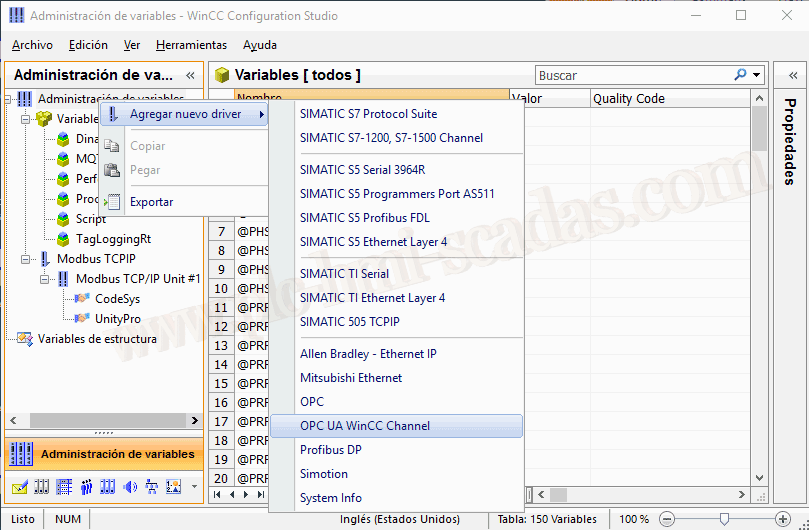
Once the driver is added, we will create a new connection.
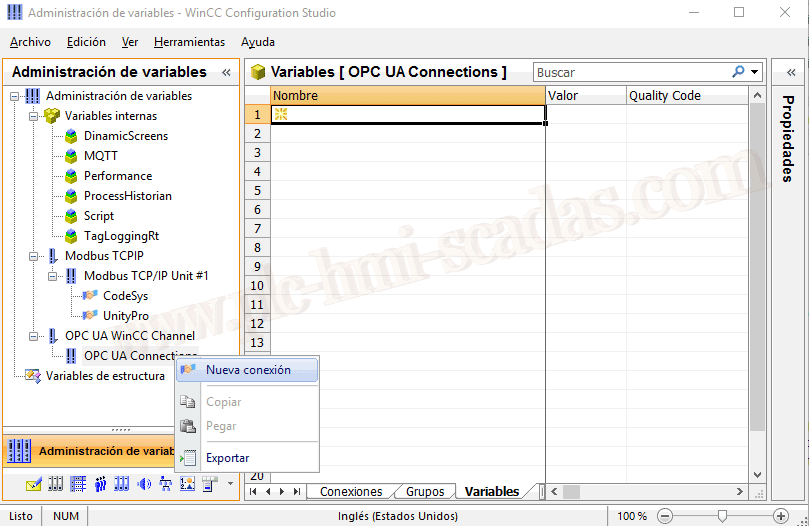
We have assigned the name we are interested in, in this case Beckhoff, the next step is to right-click on the created channel and link parameters.
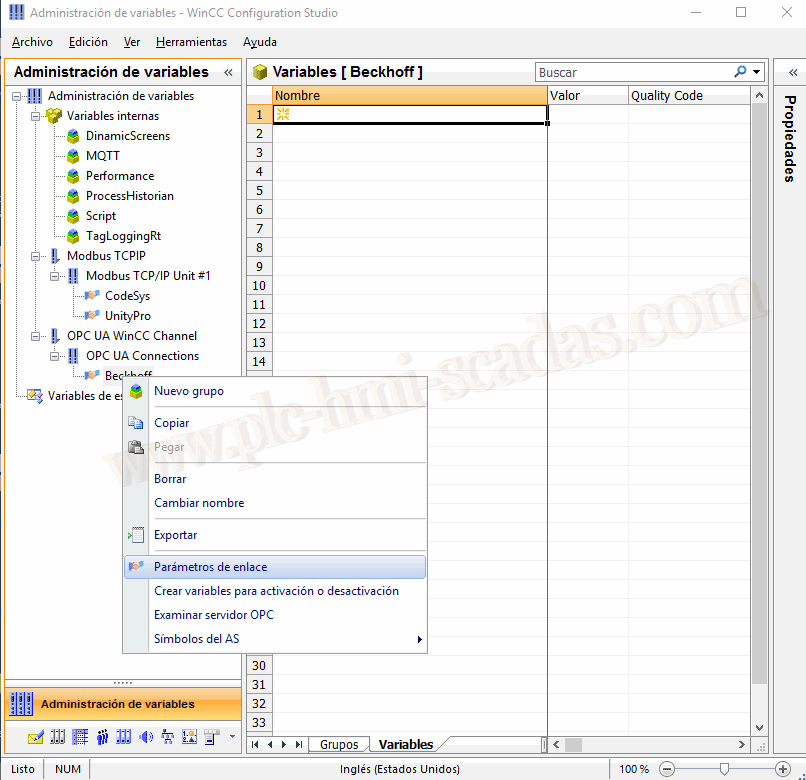
A new configuration pop-up window opens.
Since the server is not on the local machine, we double-click to add servers.
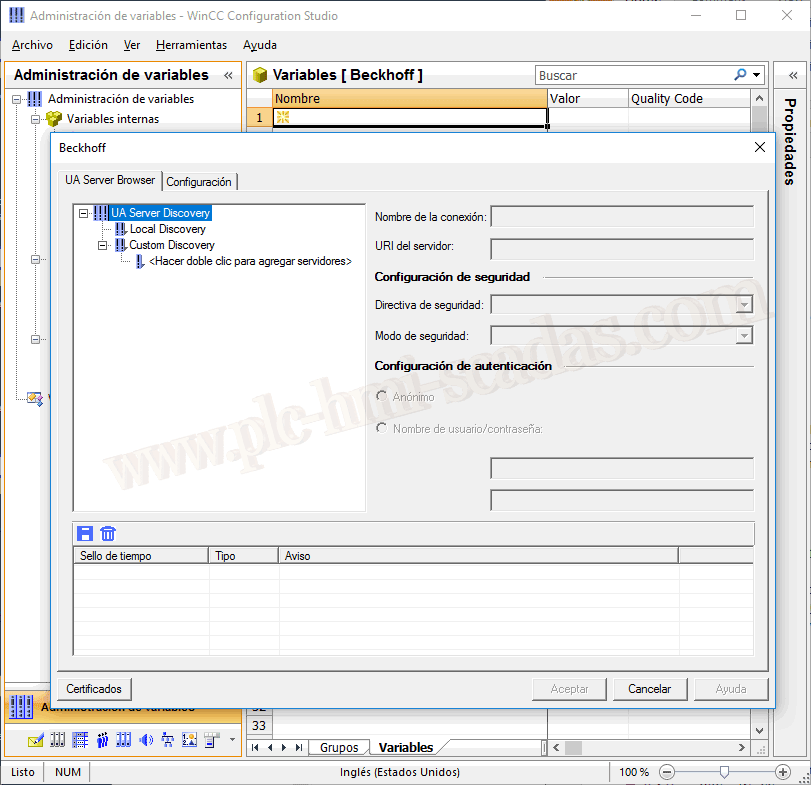
We enter the Server address and confirm.

If everything has been correct, we will have connected to the server.
A possible failure that we may encounter is not having a rule in the firewall for the desired port, to allow connections, which may reject the connection. If this happens initially, disable the firewall to check if it is the reason.
We accept and that's it.

Now we need to add the tags we are interested in, for this right-click on the connection and examine OPC Server.
Note that I have selected the most secure option in the security policy and automatically for security mode. By selecting this option, it will force the certificate error.


What we need to do is move the certificate from the folder C:\Program Files (x86)\Siemens\WinCC\opc\UAClient\PKI\Rejected\certs to the folder C:\Program Files (x86)\Siemens\WinCC\opc\UAClient\PKI\Trusted\Certs

However, upon re-examining the OPC Server, we encounter the following error again.
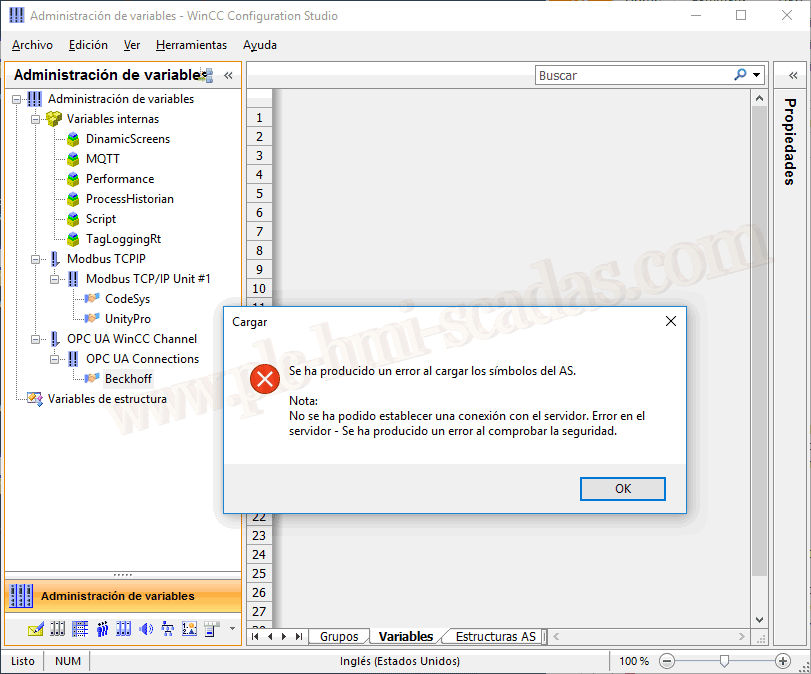
This time what we need to do is precisely the same, but this time on the OPC UA Server.
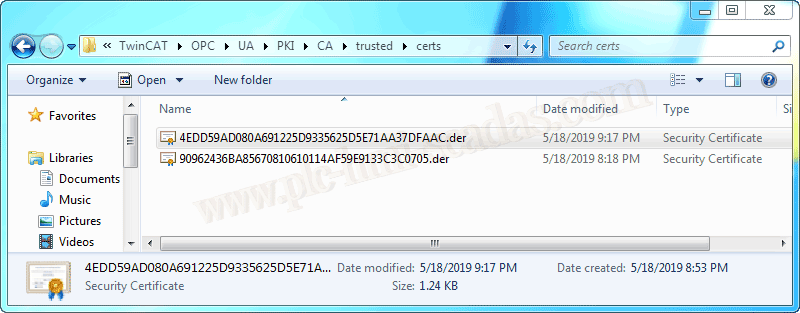
We have two certificates because they correspond to the following:
But right now we are talking about the Siemens OPC UA Tag Importer for WinCC certificate.

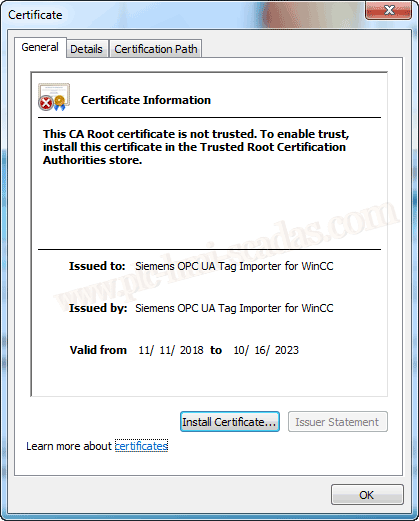
Once this is done, we can now access all Symbols, Tags, and Tag structures, programs, etc...
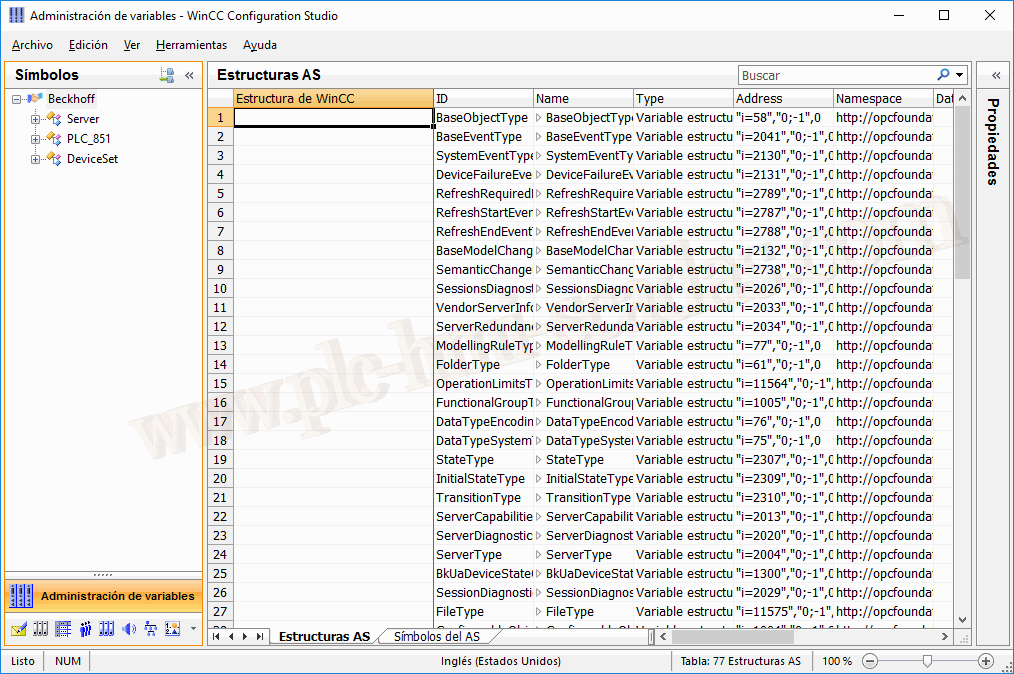
We add the variables we are interested in.
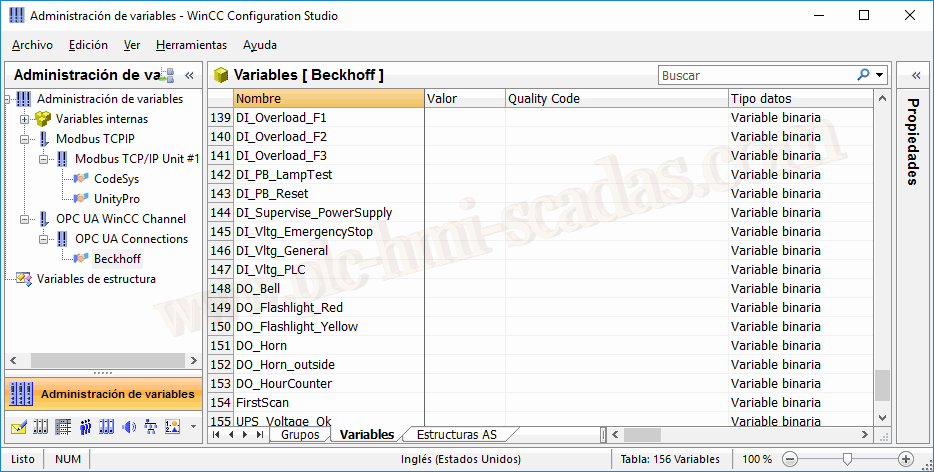
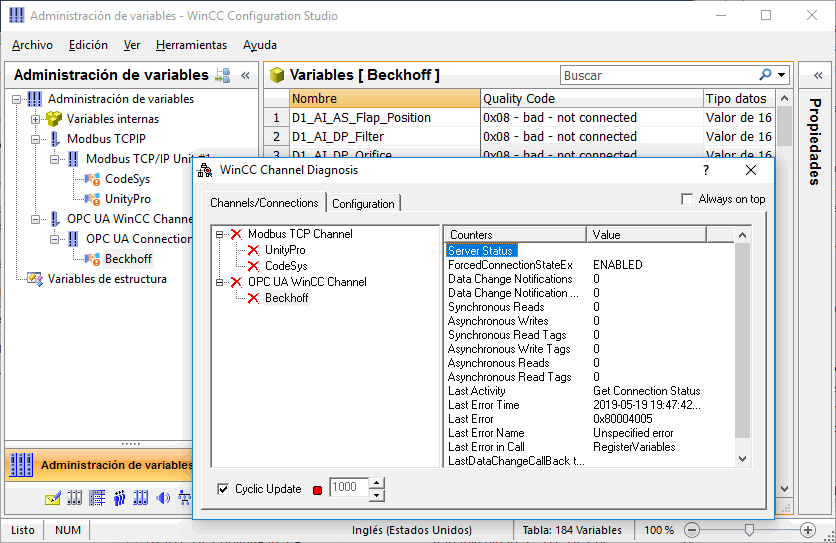
Finally, we run the Runtime, and the first time we run the Runtime we will have a communication error, this error is due to the second certificate we were talking about earlier.
Siemens OPC UA Client for WinCC Runtime
Therefore, we need to move it to the folder C:\TwinCAT\OPC\UA\PKI\CA\trusted\certs, but on the machine where the OPC UA Server is installed. If you have another OPC UA Server, check its installation directory.
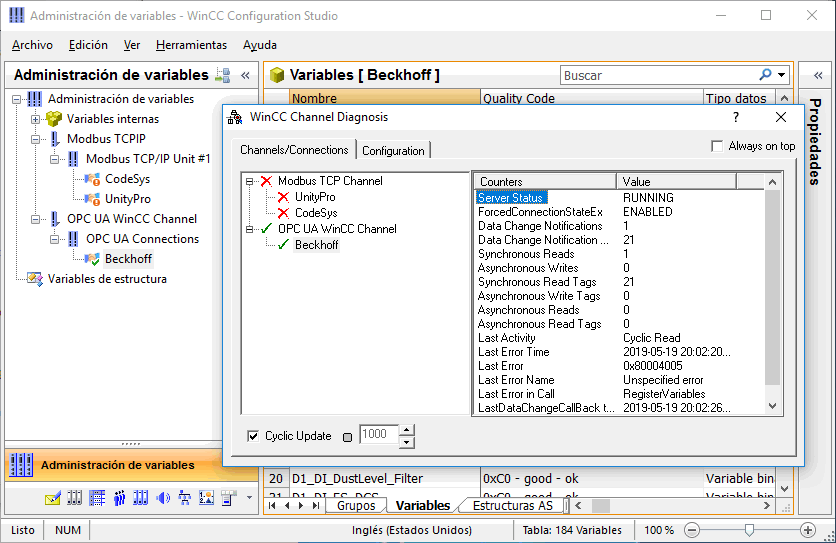
Once we have moved it, and restarted the runtime, we can check that the operation is perfect, we can now configure our screens and we have connected our Beckhoff PLC to WinCC.

05-25-2019