
WinCC Read / Write Tags (Ansi C - VBScript)
Recently I published how to Read / Write raw variables with VBScript, but let's see the explanation of the difference between the different functions we have whether we work with C or with VBScript.
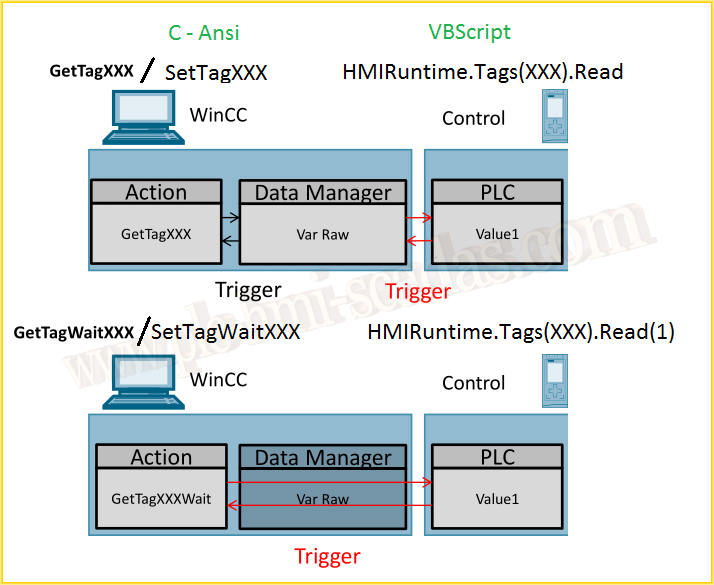
Here is an image extracted from a Siemens FAQ, where you can observe how WinCC operates when reading and writing variables.
The big difference is that when we use GetTagWaitXXX(TagName), we are reading directly from the PLC; if we extrapolate this to the VBScript language, the function we use is HMIRuntime.Tags(TagName).Read(1).
On the other hand, when we want to write, we use SetTagWaitXXX(TagName, Value) and HMIRuntime.Tags(TagName).Write Value, 1.
It is worth noting that in VBScript we have two options, the one we just mentioned and the following:
Dim MyTag
Set MyTag = HMIRuntime.Tags(TagName)
MyTag.Read
MyTag.Read(1)
MyTag.Write Value
MyTag.Write Value, 1
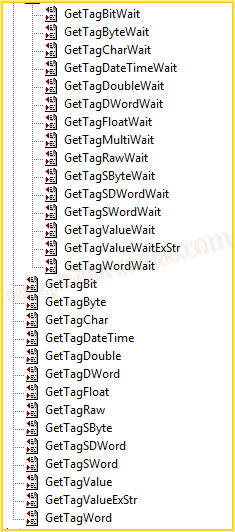
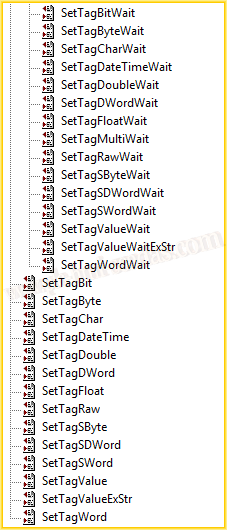
An image of all the functions available for Reading / Writing variables when we use C Code. In VBScript, there is no distinction between the type of data we are going to handle; we always use the same method.
January 28, 2018
"Gratitude in silence serves no one." Gladys Bronwyn Stern