Press ESC to close · Ctrl+K to open

AVEVA Intouch RDS - CMD

AVEVA Intouch RDS - CMD

Within the RDS environment, I believe it is necessary to have knowledge of some commands, or at least know where to find them and their description Microsoft remote desktop services command reference.
I will give an example of the ones I use the most.
Just like with the quser function, with query session we also obtain all the sessions; to close a session we use the logoff command followed by the session ID.
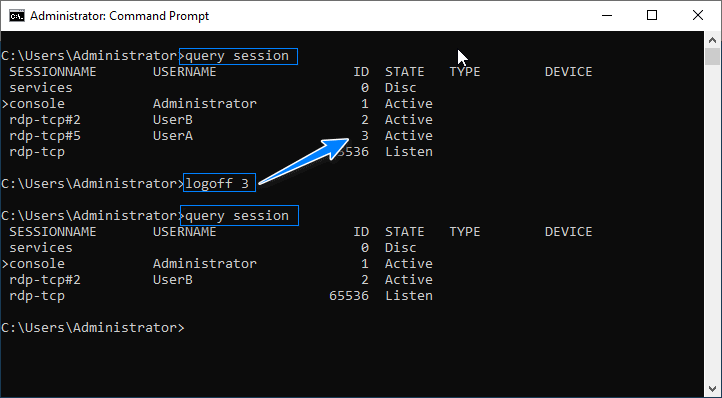
Example of query session / logoff
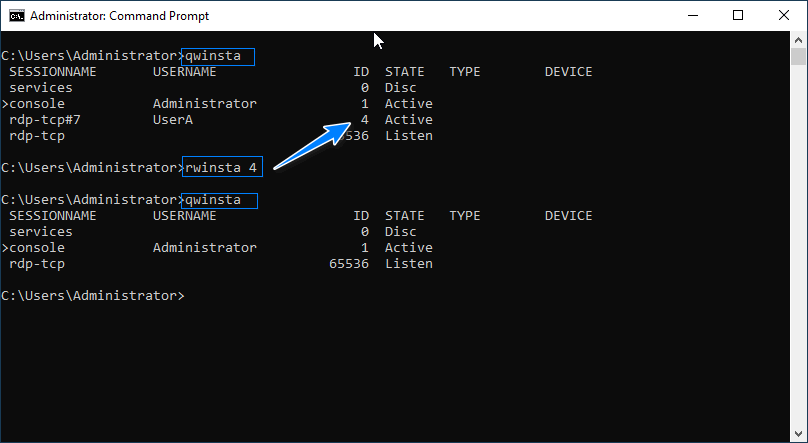
We can do the same with the following commands.

Example qwinsta / rwinsta

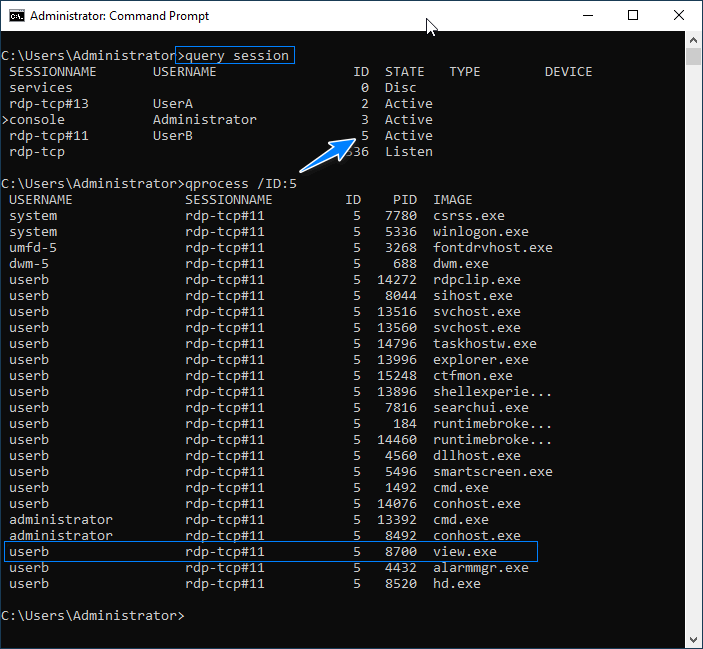
Now, if we need to know which processes are running in each session, we can use the command qprocess ID:x.

Example qprocess /ID:Number

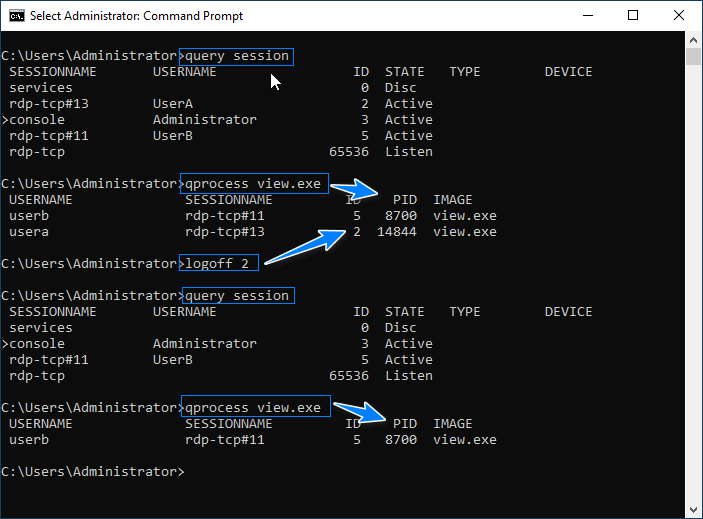
We can also check where a process is running by its name across all sessions.

Example qprocess name.exe

Example query session / logoff id / qprocess name.exe

Jose Manuel Luque

Industrial Automation Technician.