AVEVA Intouch RDS - Query Events and 21 CFR Part 11
Jose Manuel Luque
Feb 09, 2023
Aveva
AVEVA Intouch
Intouch
SCADA
SCADA
Starting from the following records as an example, we have 99 events, but since we are working in an RDP environment, we will have duplicated or triplicated values depending on all the sessions.
The first thing we need to know from all the records we have is how many of them have actually been executed by the different operators.
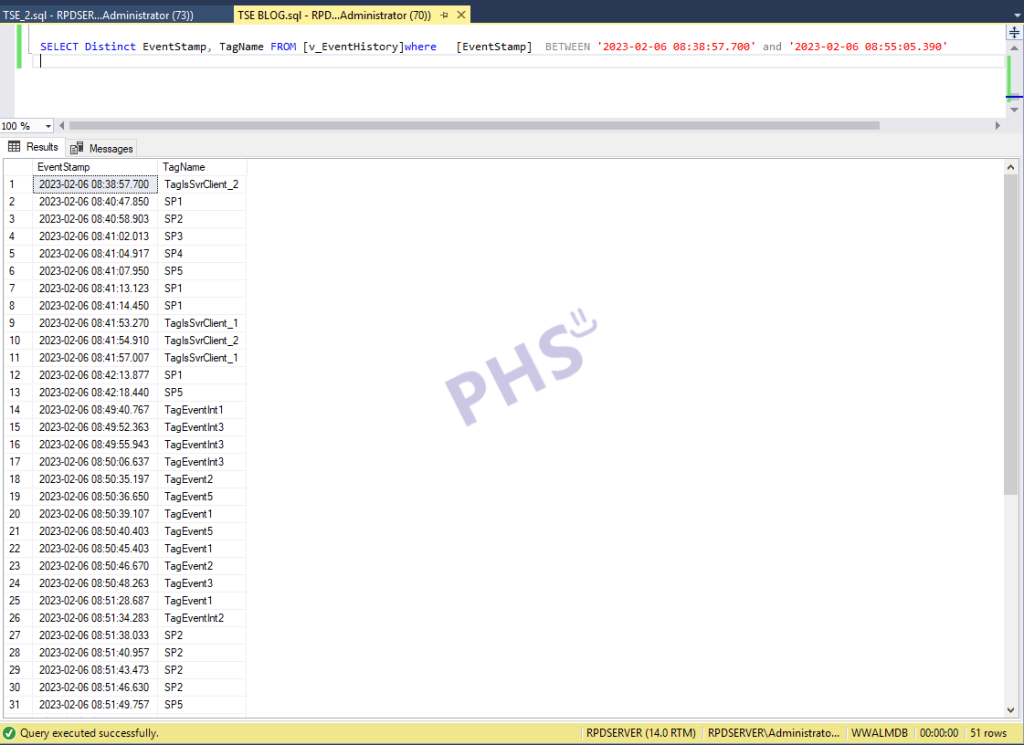
To get an idea with the following query, where we have a different timestamp and tagname, we will know the number of changes made; the rest are duplicate records from the different sessions that do not provide anything for tracking 'x' actions.
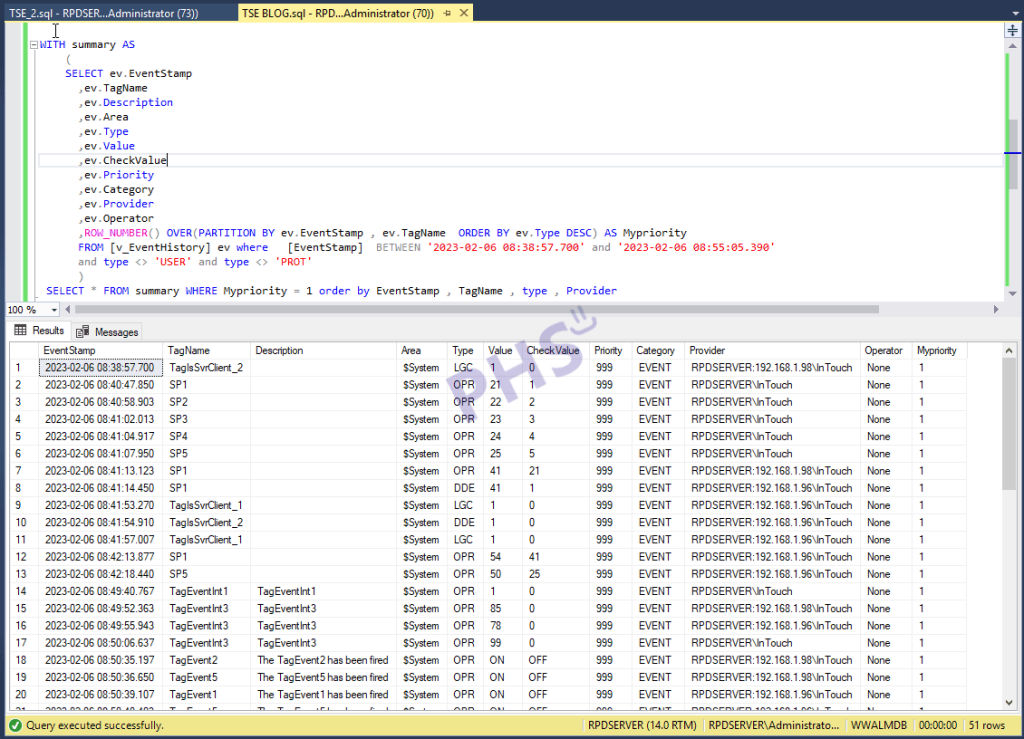
And now we need to discriminate by the priority of the type of event. That is, what we are interested in knowing from a duplicate event is who the operator was that changed a parameter or executed an action. With the following query or by making some changes according to needs, we can obtain what we are looking for.
WITH summary AS
(
SELECT ev.EventStamp
,ev.TagName
,ev.Description
,ev.Area
,ev.Type
,ev.Value
,ev.CheckValue
,ev.Priority
,ev.Category
,ev.Provider
,ev.Operator
,ROW_NUMBER() OVER(PARTITION BY ev.EventStamp , ev.TagName ORDER BY ev.Type DESC) AS Mypriority
FROM [v_EventHistory] ev where [EventStamp] BETWEEN '2023-02-06 08:38:57.700' and '2023-02-06 08:55:05.390'
and type <> 'USER' and type <> 'PROT'
)
SELECT * FROM summary WHERE Mypriority = 1 order by EventStamp , TagName , type , Provider
Therefore, in this post, we have seen how to apply the CFR 21 Part 11 standard, using the tools provided by AVEVA Intouch and utilizing SQL Server.