
DataGridView .Net in ArchestrA Graphics
In today's practice, we will see the use of the DataGridView Control in creating our custom Graphic to display data from a Database query. We have already seen an example of the SQLDataGrid, but in that case, we cannot add any new functionality.
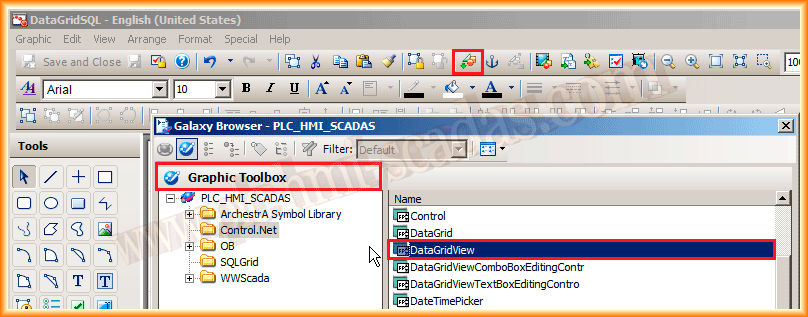
The first thing we do is create a new Symbol, and then we insert the DataGridView Control, along with the controls we have already imported from .net. If you have any questions on how to do this, click here.
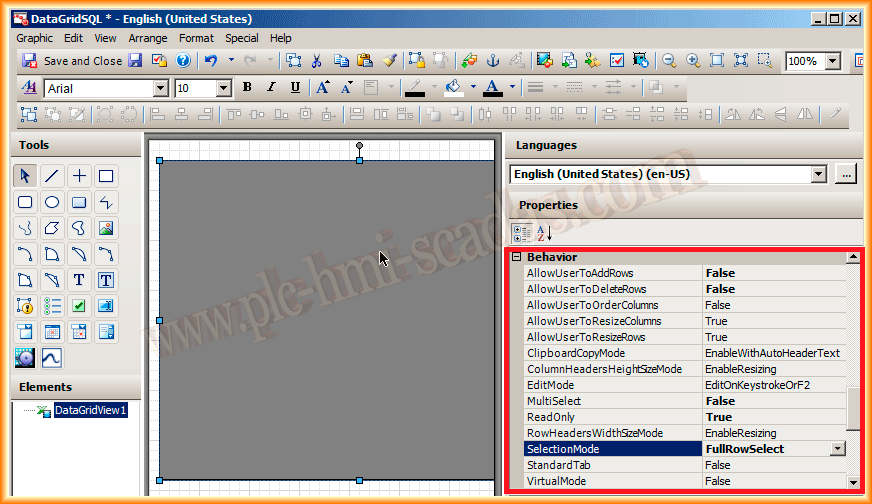
We have now inserted our Control and we will configure some properties. We will not allow permissions to add or delete rows, nor will multiple selection be permitted. The displayed data will be read-only, and finally, when the user makes a selection, the entire row will be selected. In the next practice, we will see the reason for this.
If necessary, adapt the properties according to our interests.
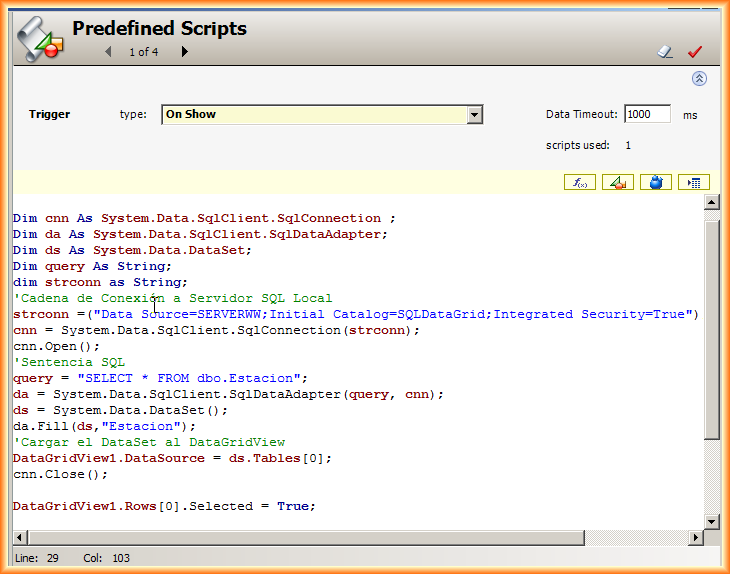
Within the Scripts, this time we will only define the predefined type On Show, so that when our symbol appears on our screen, it directly shows the data we are interested in.
The Script would be as follows:
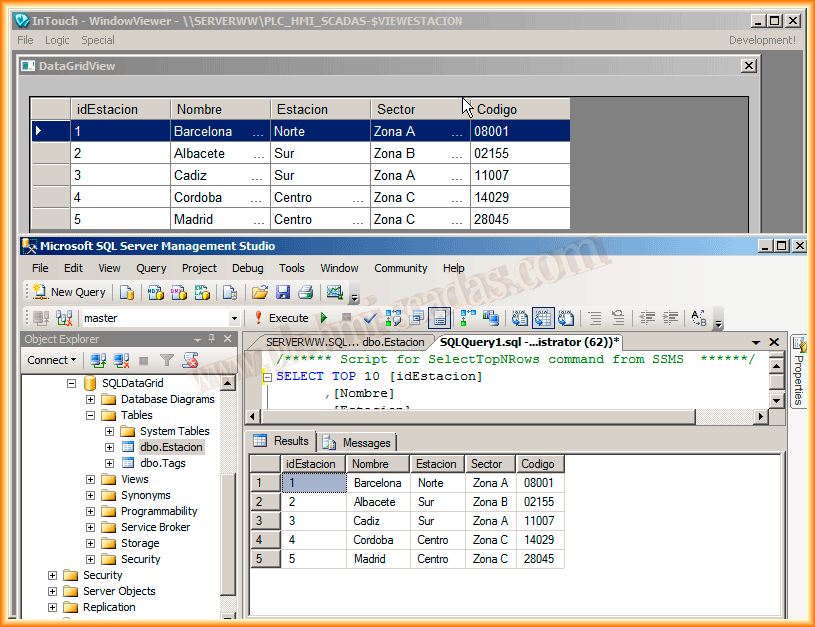
We can now insert our Symbol into our Intouch screen and test its functionality:
August 26, 2013