
PV550 Communication with PLC5-30 on DH+ Network
We have seen the different communication protocols available in PanelBuilder32 ( Communications Setup ) depending on the PanelView, we have also seen how to configure the Hardware in RSLogix5 for a PLC5-30, now we will see an example of communication between a PV550 and a PLC 5/30, for this we will follow Rockwell Automation's recommendations for the DH+ network in a Point-to-Point communication. At a network speed of 57.6Kb, the resistance corresponds to 150 Ohm.
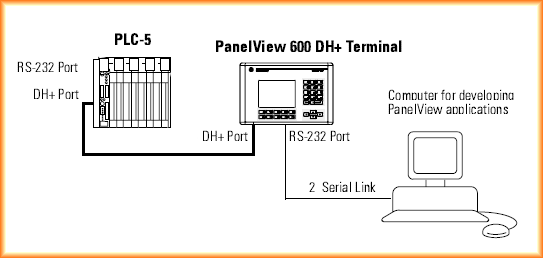
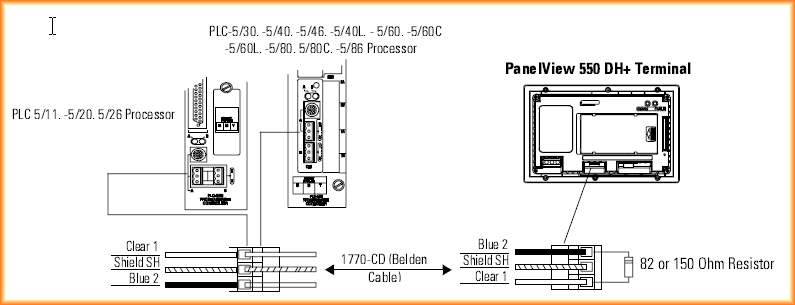
In RSLogix5, Channel 1B has been configured for DH+ communication, the default speed is 57.6 KBaud and the PLC is node 5 on the DH+ network, the Panel View has node 2 and the same speed.
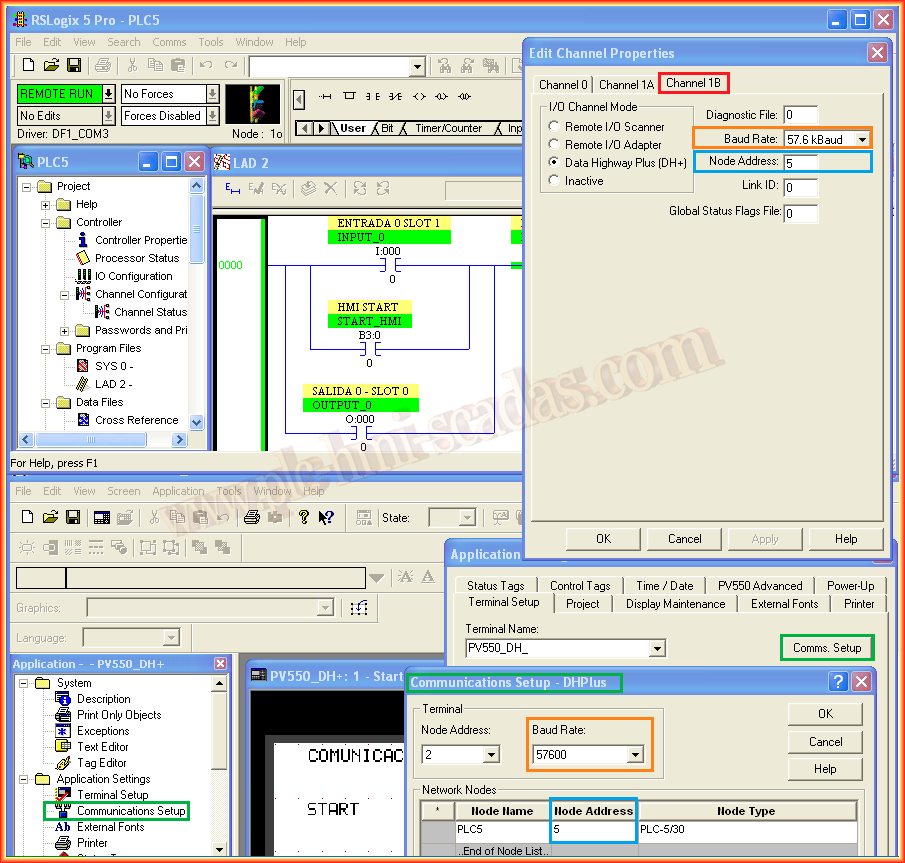
In PanelBuilder32, the communication has been configured as seen previously, the necessary tags for this test have been set up, and buttons have been inserted on the screen to perform the Start/Stop function, along with a Numeric Display object for the Motor value.
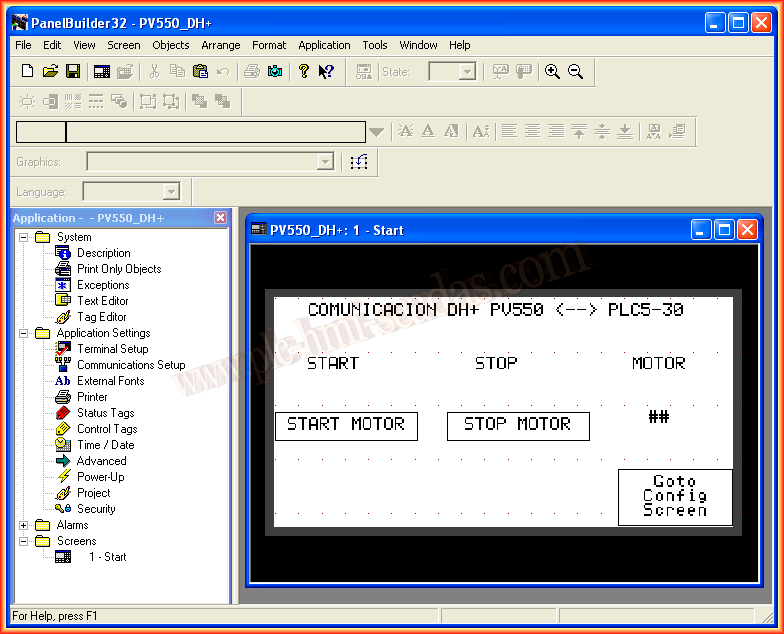
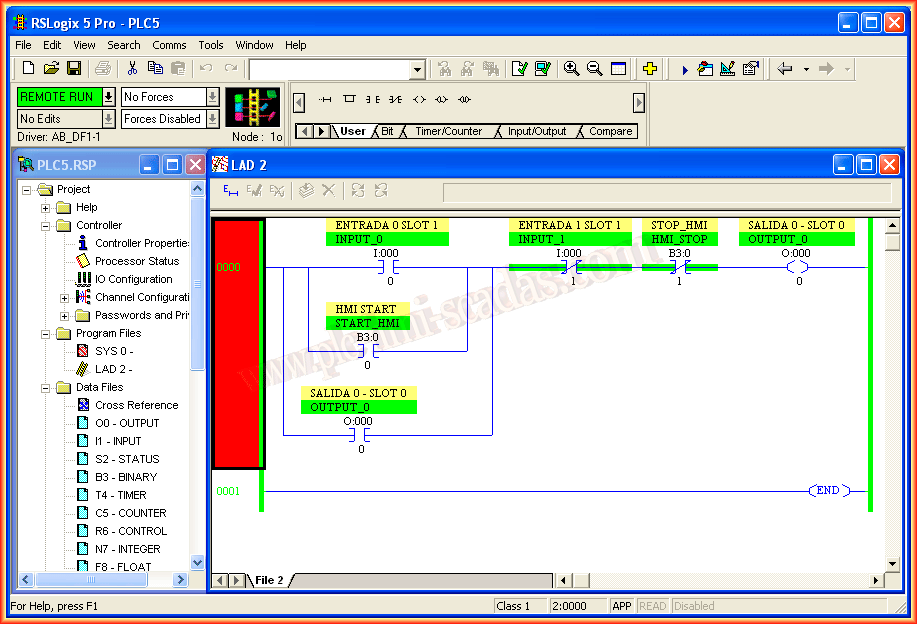
In RSLogix5, a Start/Stop program has been created, the tags configured in PanelBuilder32 are B3:0/0 for Start and B3:0/1 for Stop, the output O:000/0 is the value that will be displayed in the Numeric Display field. The program is already loaded into the PLC and I am Online.
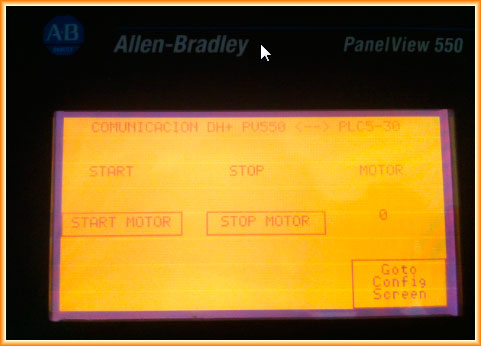
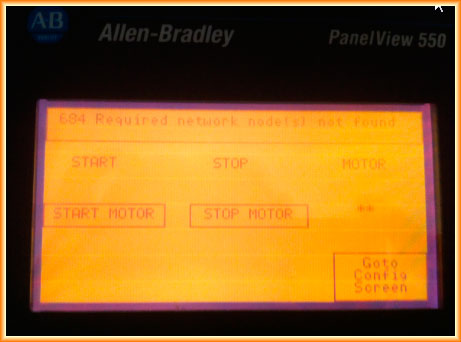
We load the program to the PanelView550 and we can now verify that there is communication and our program works. If we stop the PLC, we check the error that shows on the PanelView "684 Required network node not found"
August 5, 2013