
New Features of WinCC 7.5
It has been a while since the release of WinCC 7.5
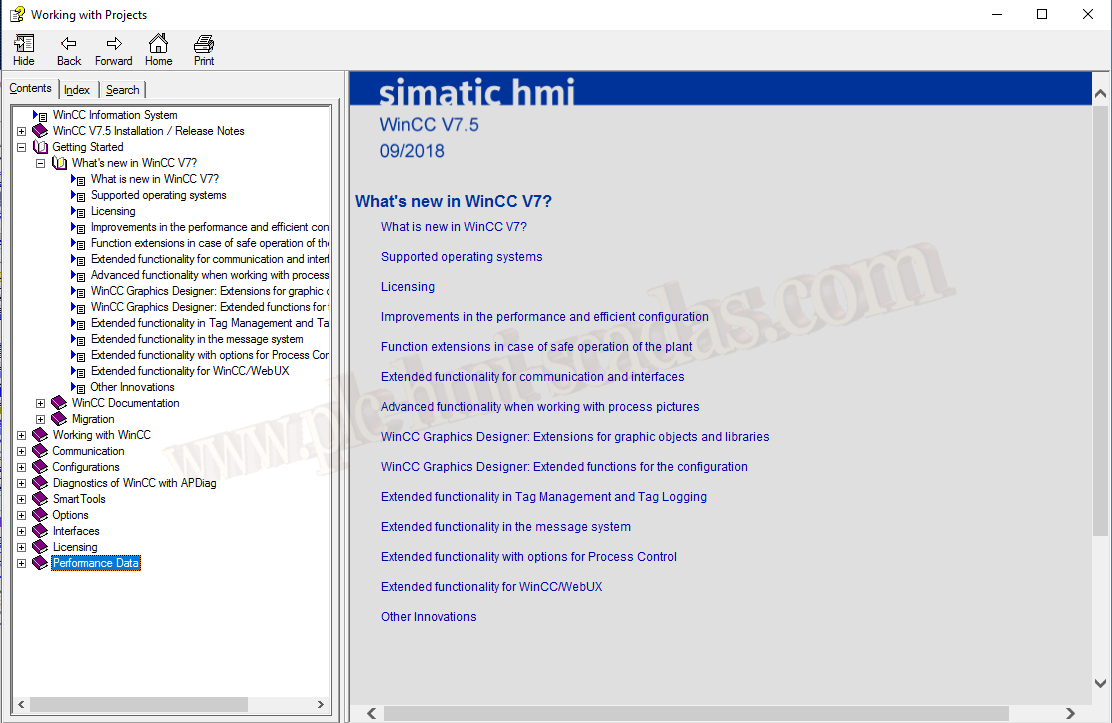
But let's explore some of the new features of this version. The best way to do this is to consult the manual. In each version, there is a section called Getting Started, and within it, there is a section dedicated to What’s new in WinCC V7.???
System diagnostics with performance tags
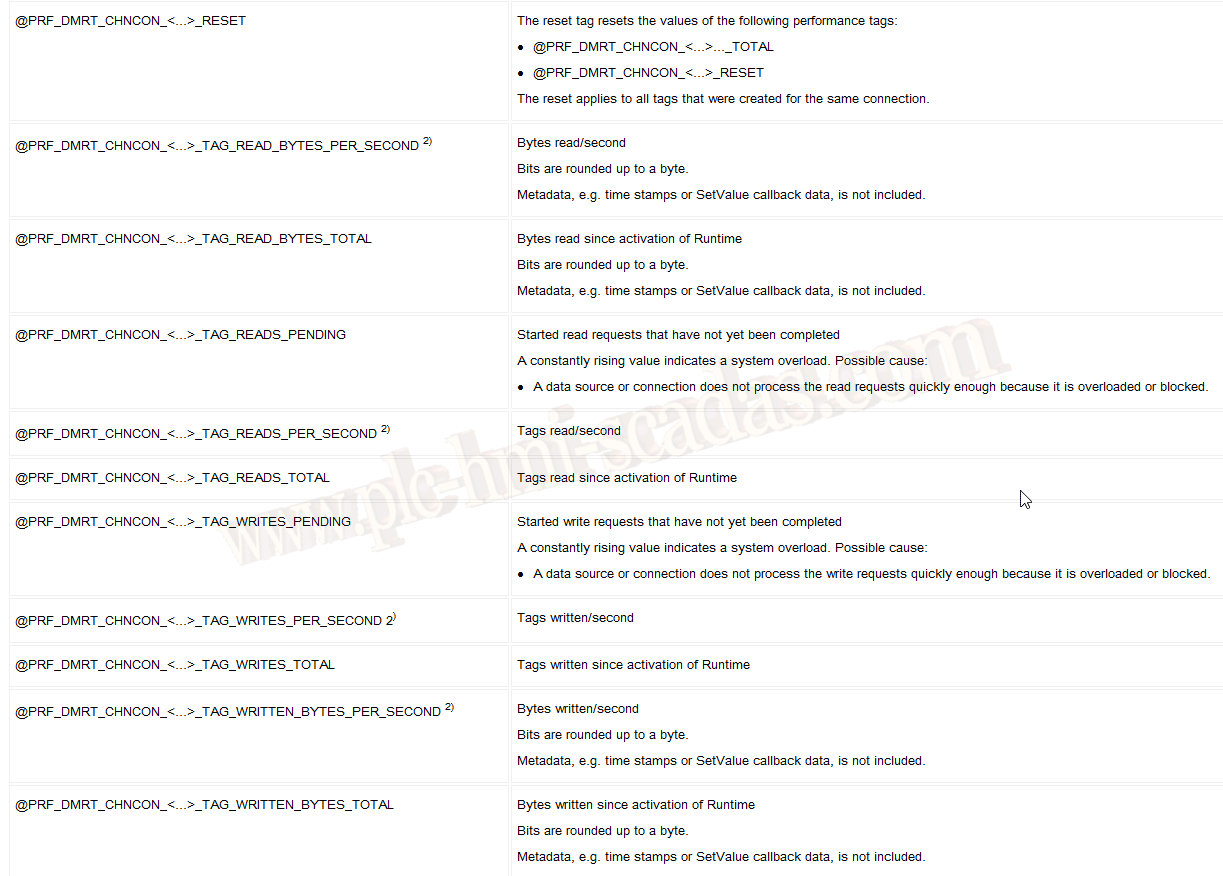
Each connection we create adds a series of variables within the internal group Performance that help us analyze performance. If we change the name of the connection, the variables are updated.

Within this group of variables, we have the concepts _PENDING, _SECOND, _TOTAL, and _RESET
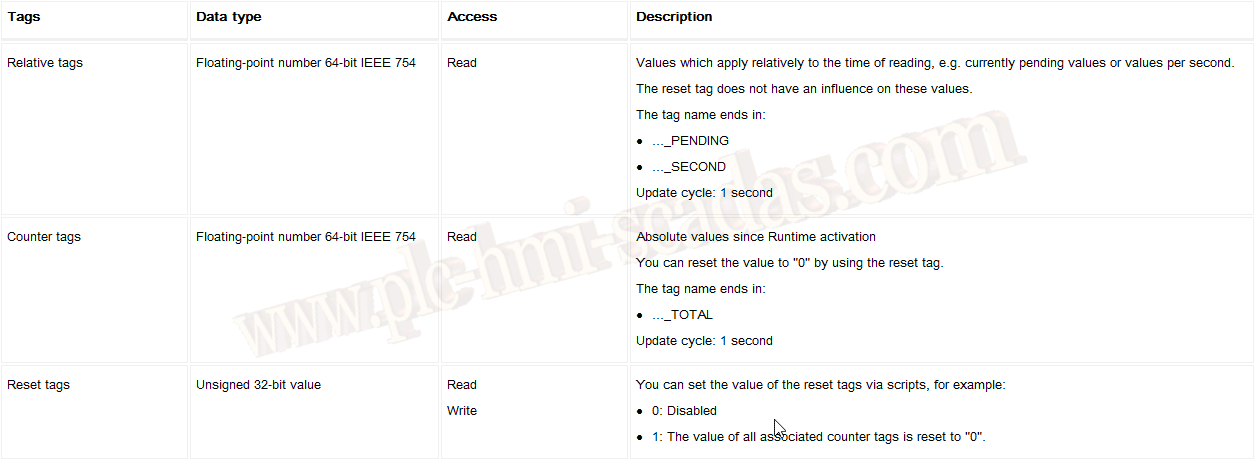
The description of each variable is as follows according to the manual.
We already know that the variable RESET will help us disable or reset the counters
Connection status in Runtime
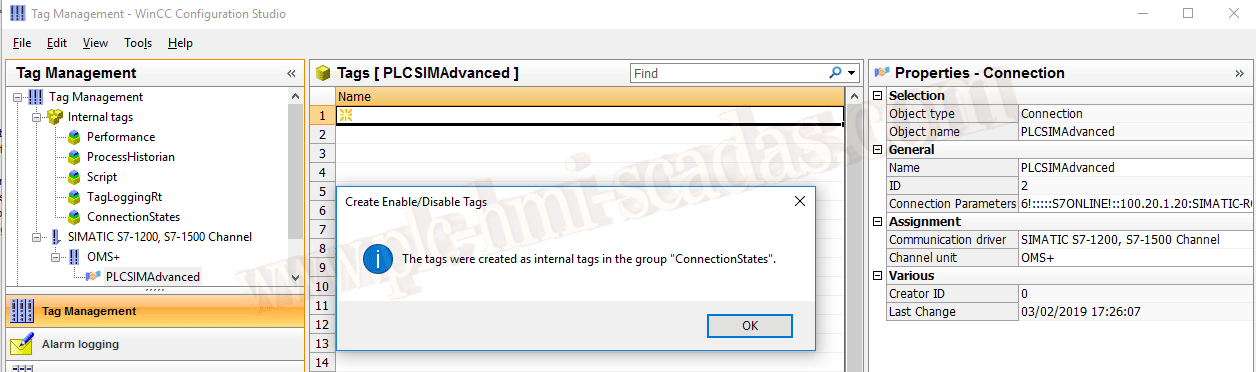
Another new feature is to create status variables for each connection; for this, we have the option Create Enable/Disable Tags over the connection
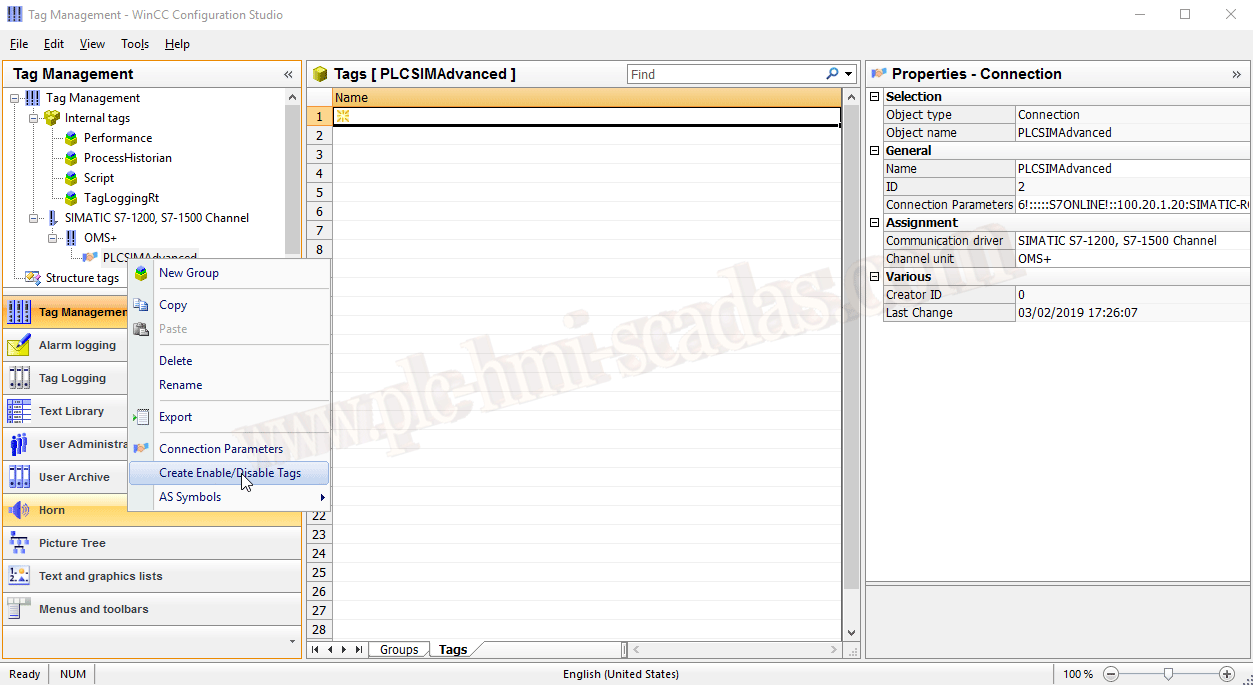
Once created, we have a MessageBox that informs us that a new group of internal variables "ConnectionStates" has been created where the variables are located.
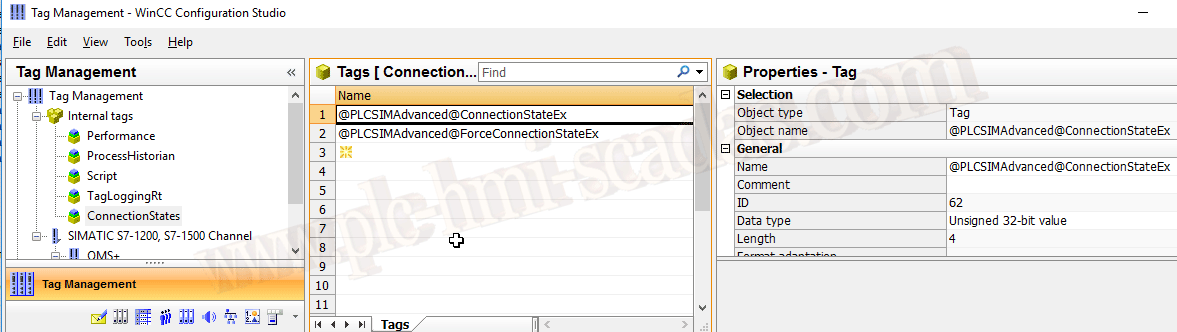
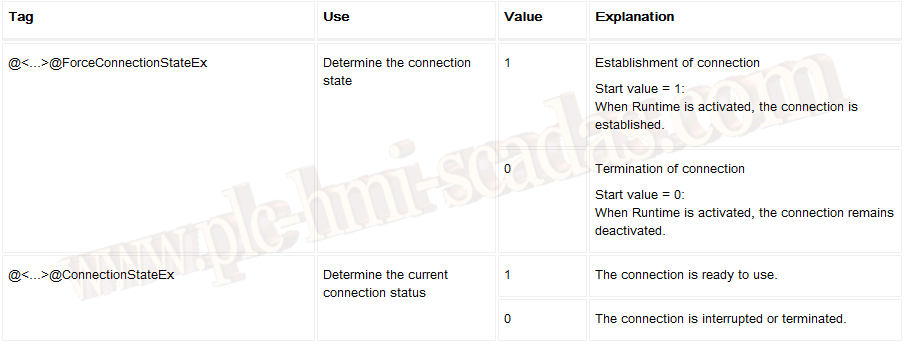
The description of these variables and their usage is as follows:
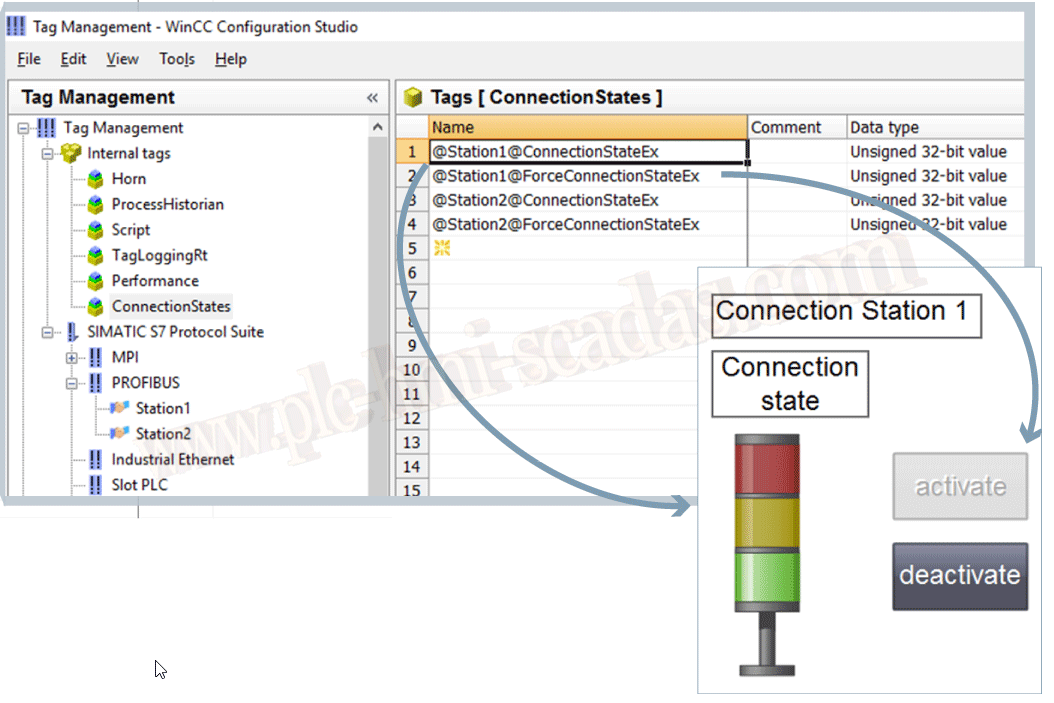
The documentation includes a very illustrative image like the following:
Configuration: WinCC Configuration Studio
Within the Configuration Studio editor, the following editors have been added or improved:
Menus and toolbars
Text and graphic lists
Picture Tree
WinCC Tag Simulator
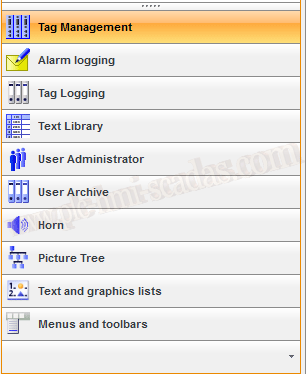
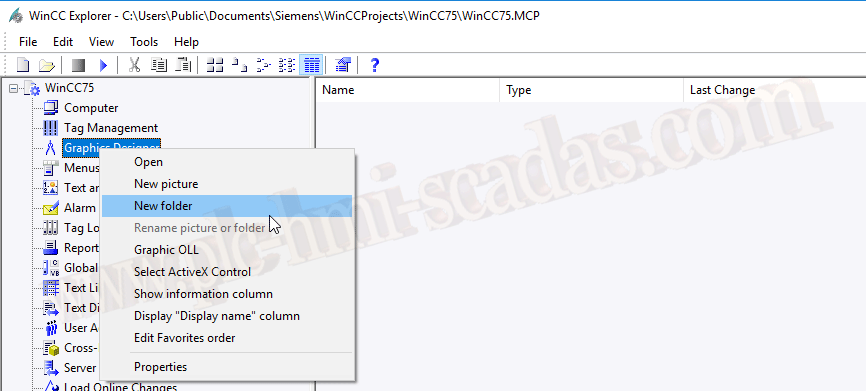
Folder structures for PDLs
New possibility to organize images within folders.
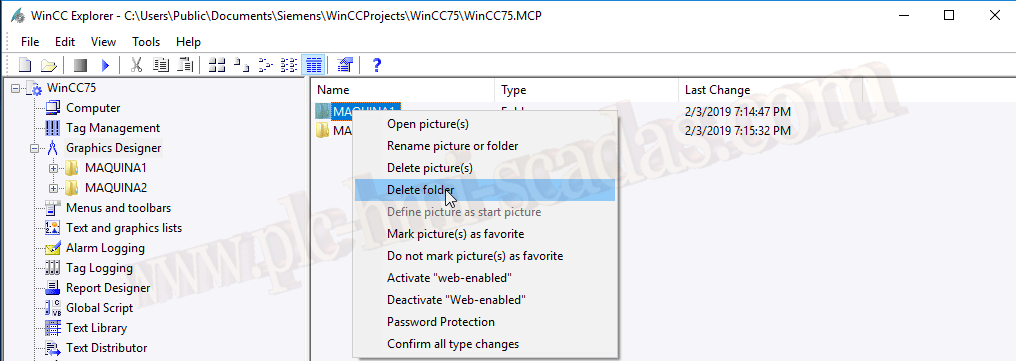
When deleting a directory, we do it from the right window; it is not enabled from the project tree.
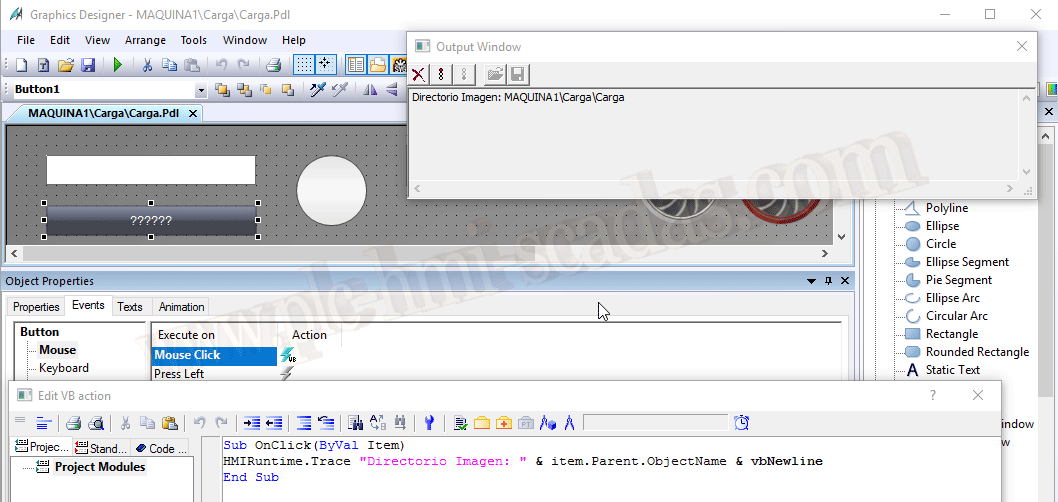
To reference an image within any directory, we must remember that we access with Directory\ImageName.
If you have any doubts, remember that item.Parent.ObjectName is your friend... Depending on the level of nesting, it will be item.Parent.Parent... ObjectName
Special characters and new fonts
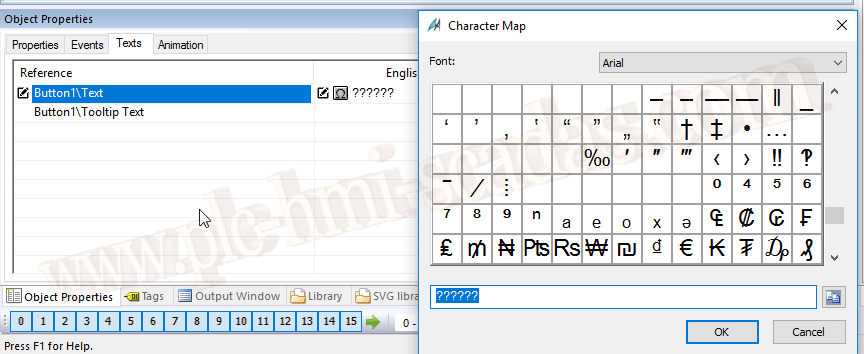
The option to use new fonts and symbols within a text has been added; when we go to write, the Omega icon is activated, and with it, a window where we can select the symbol we are interested in

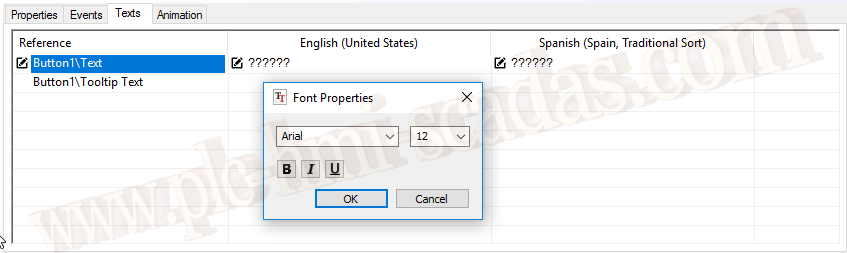
Possibility to change the font properties directly on the object of interest
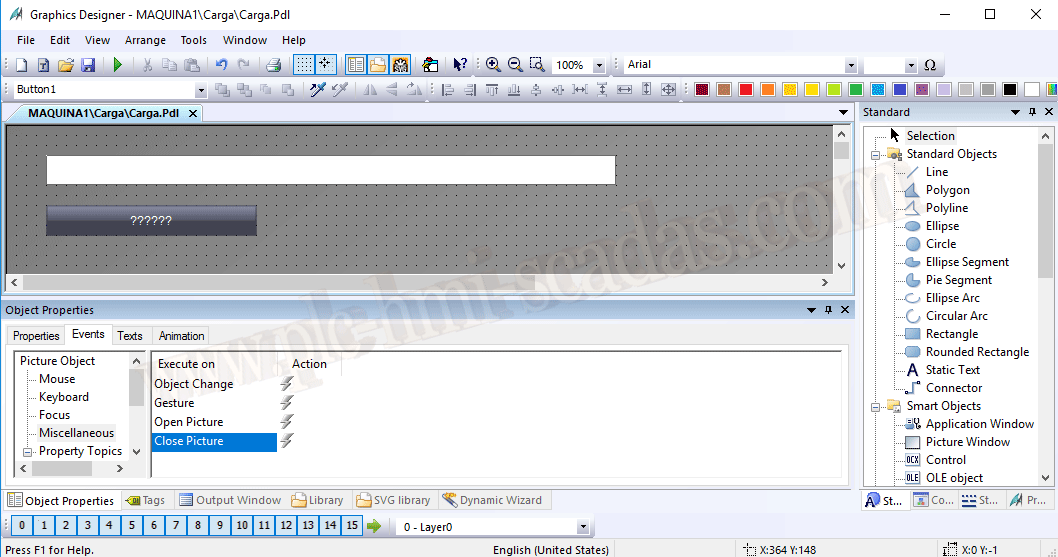
Actions for the "Close Picture" event
The Close Image event has been added; until now, we had the Open Image event, for the While Running event, we did it with an object within the image. Now we have covered all the most important events of an image.
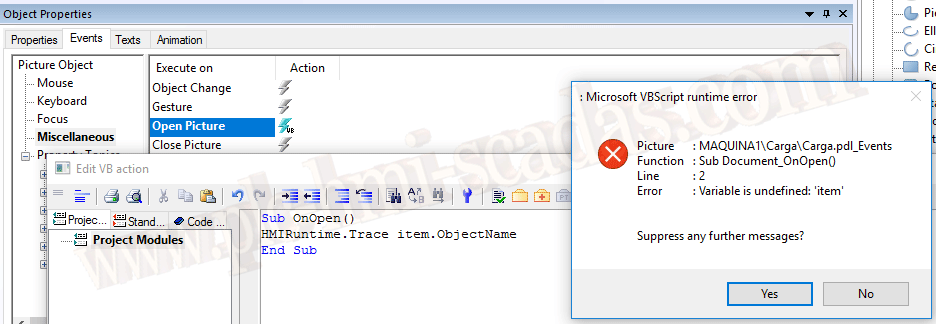
Example of how to implement While Running
to refer to the screen.
If we want to access the screen, we can use HMIRuntime.ActiveScreen...
Graphic object "I/O Field"
Date/Time and local Date/Time formats have been added to the input/output fields

New SVG library with extended functions
New version of SVG Graphics, which includes new properties for dynamization.
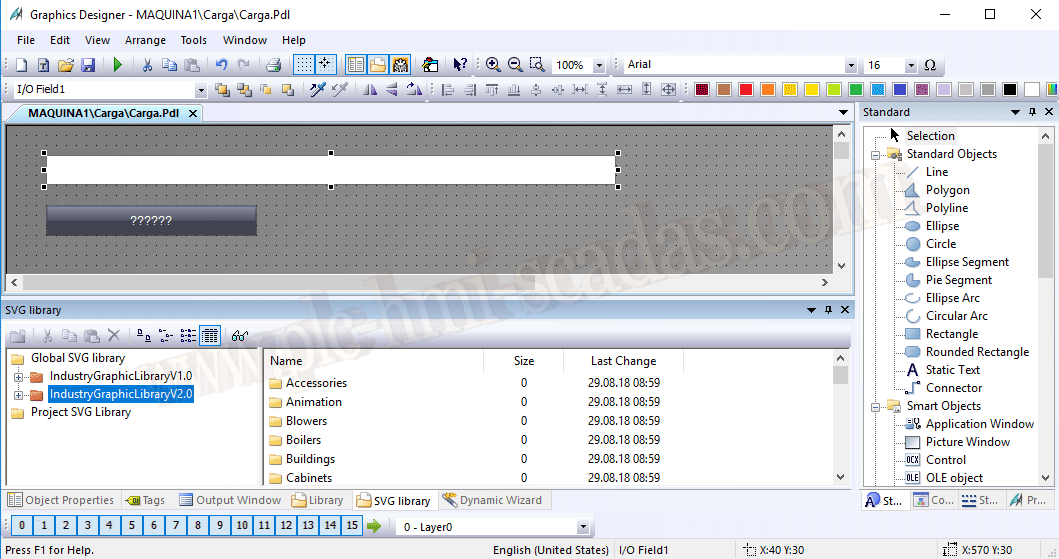
We insert an object from version 1, and within Symbol Properties, there is no property to dynamize
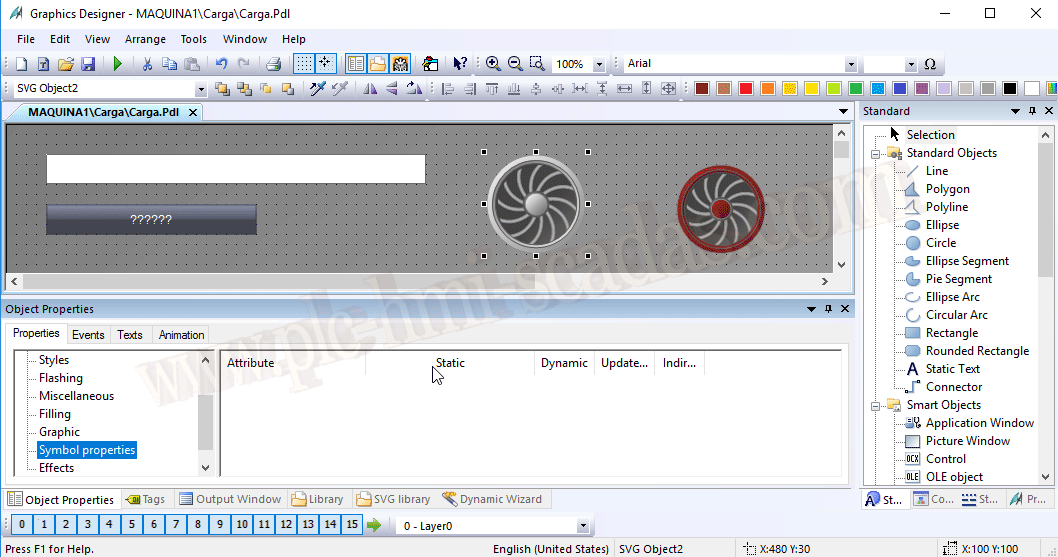
And with the new version, it depends on the graphic object for certain properties
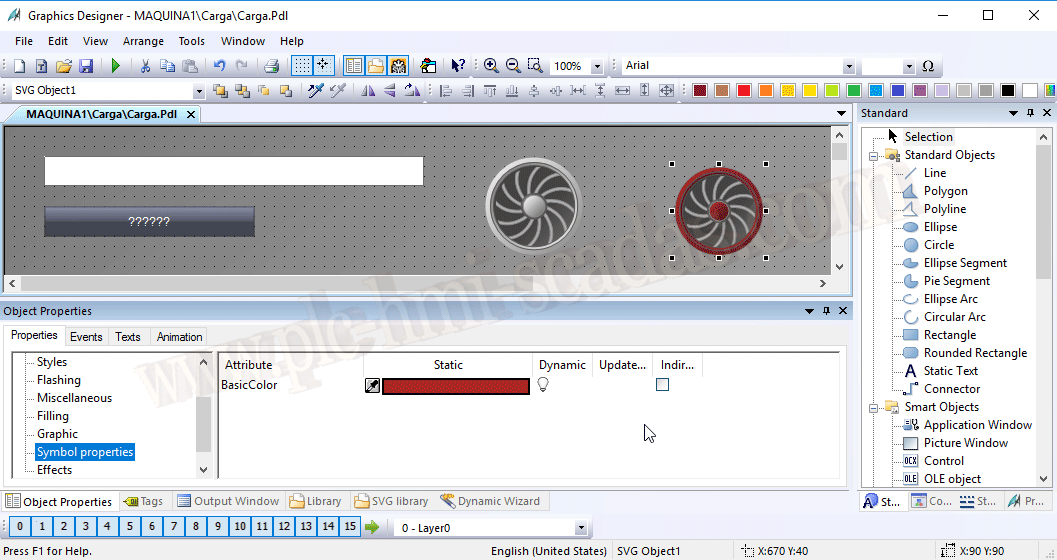
Pipette function for color selection
No more taking a screenshot, pasting it in paint, to get the RGB code of the color we are interested in; we can now select the color directly.
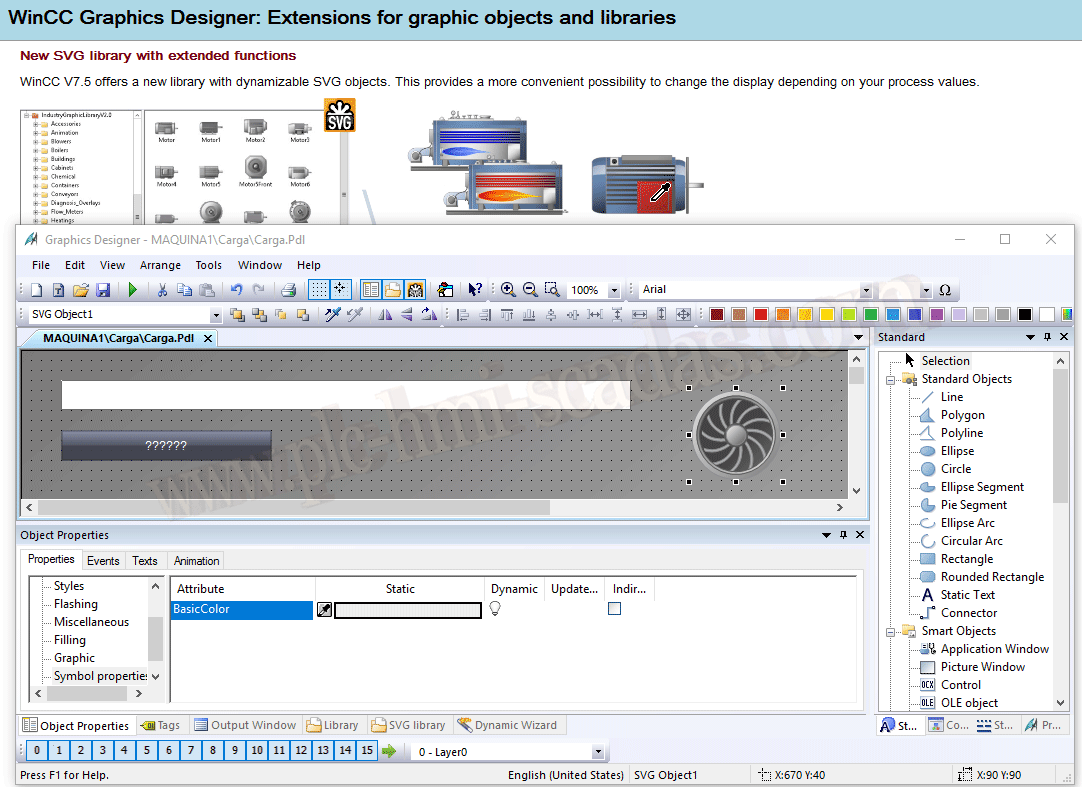
New "Animation" type of dynamics
New dynamization to improve the performance of our application.
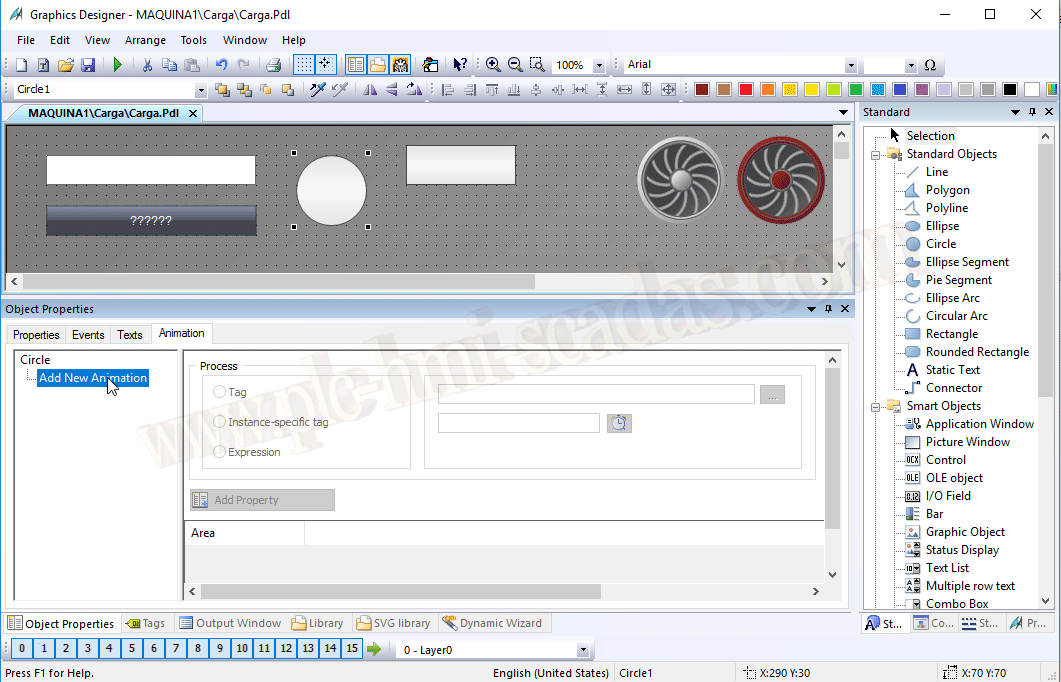
Example: We associate a variable or an expression, and with its result, we dynamize all the properties we have added
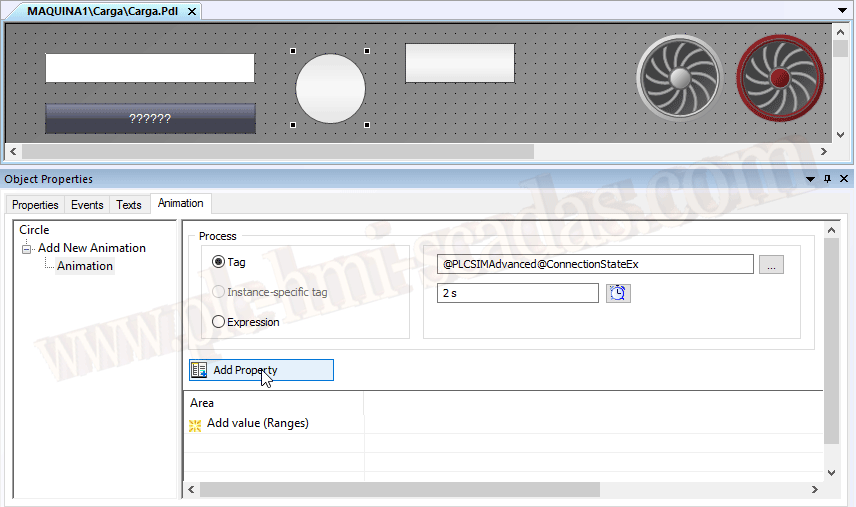
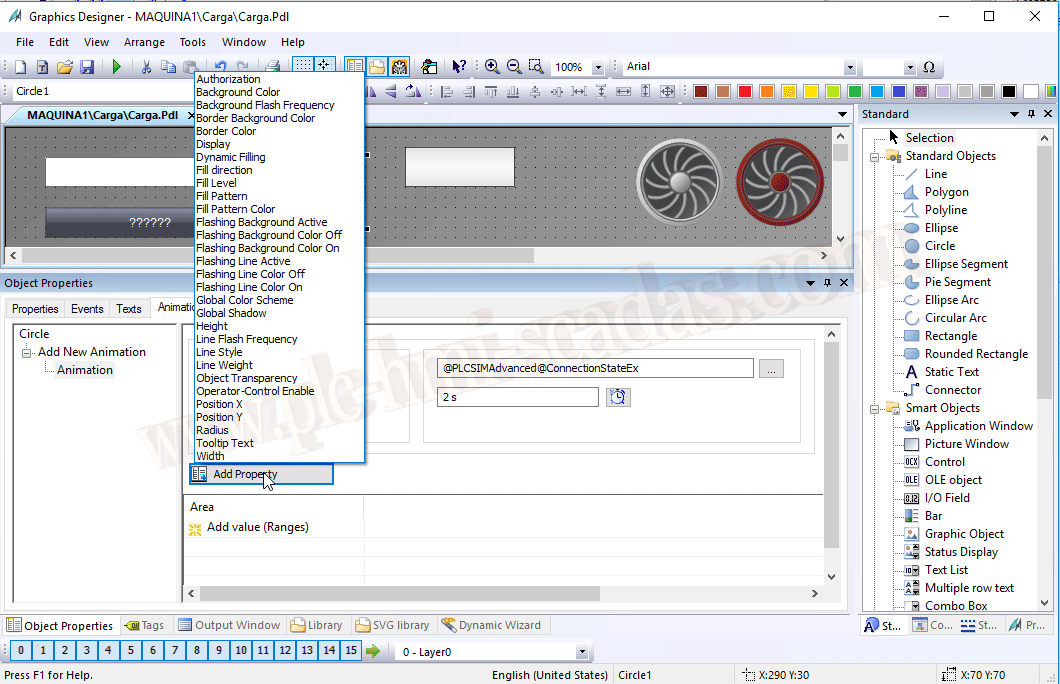
Depending on the object, we will have certain properties...
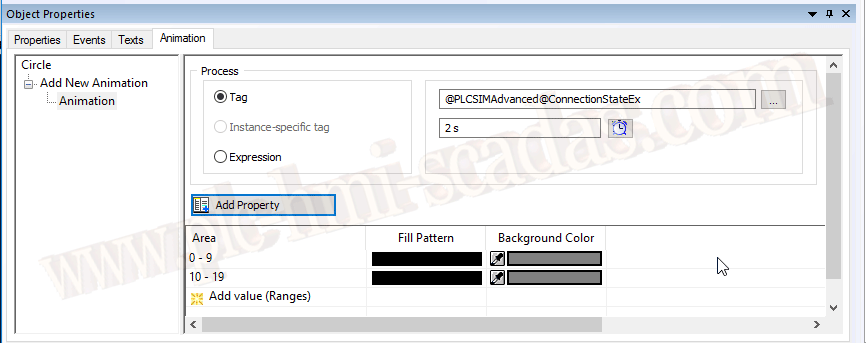
Each property we add is added in a new column, and depending on the value, we define according to our needs.
WinCC/Cloud Connector
Possibility to upload data directly to the cloud; you know we are in the Industrial Revolution 4.0
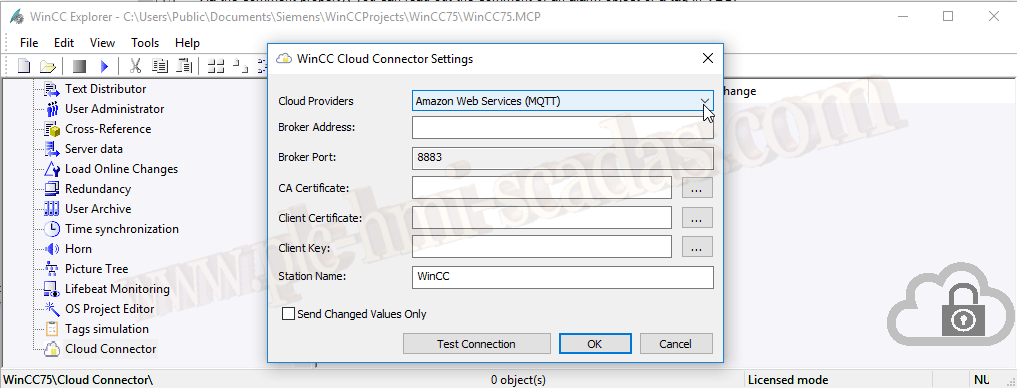
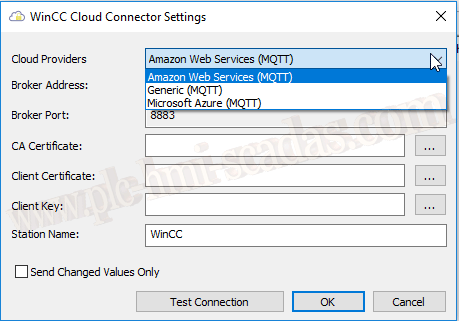
This service is available with Amazon Web Services, Microsoft Azure, and a Generic MQTT Server; here is an example
These have been some of the new functions, but I reiterate that the best thing is to read the manual
04-02-2019