Press ESC to close · Ctrl+K to open

AVEVA Intouch RDS - NAD

AVEVA Intouch RDS - NAD

Continuing with the configuration of an Intouch RDS, we have an important detail to see when working with retentive variables. According to the product documentation, it is supported in this type of architecture as long as NAD is used.

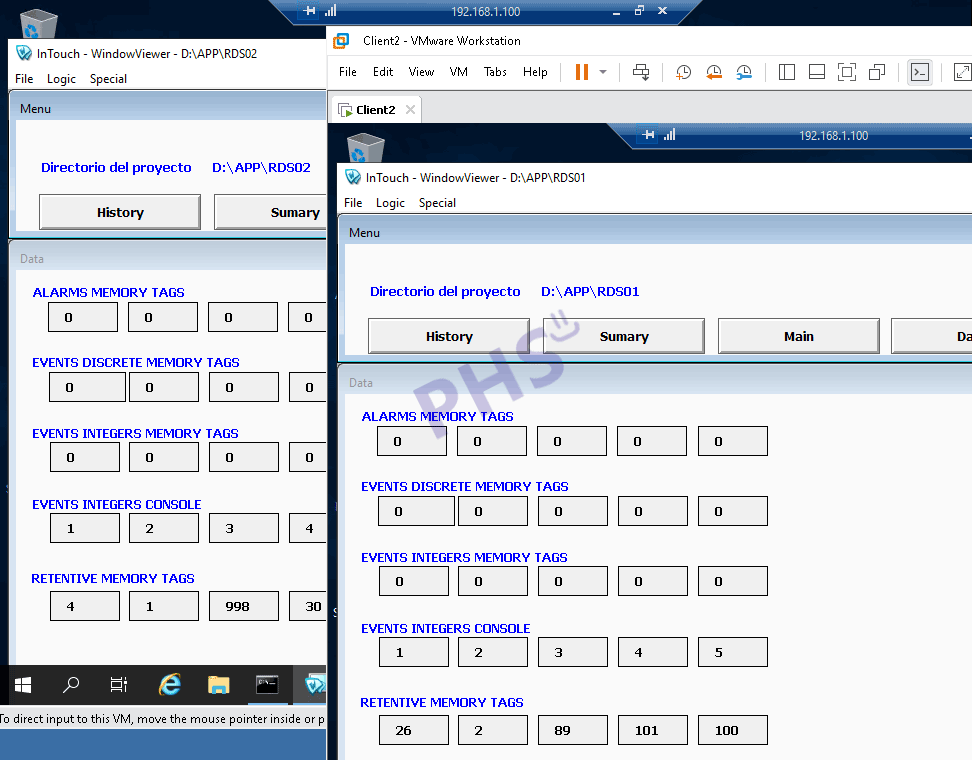
In our example, we saw that we had two clients plus the server session.

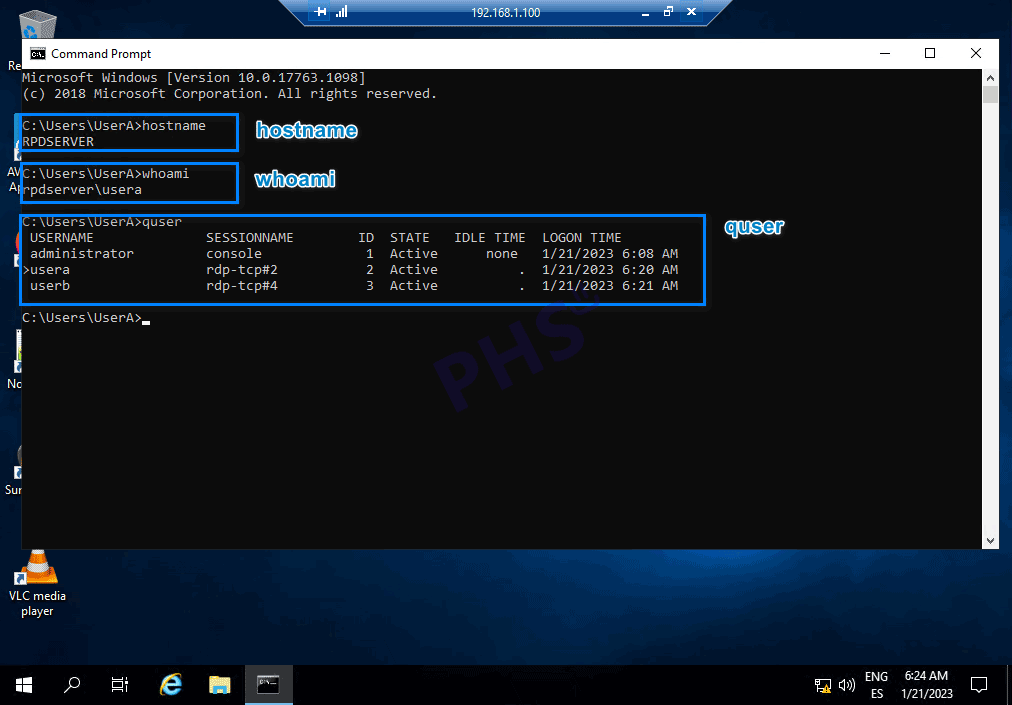
Once our remote session is started, we will see a couple of very useful CMD commands:

The first of them is hostname: It will return the name of the PC we are connected to.
The second is whoami: This command will return where we are and who we are.
Finally quser: Which will return all the sessions that are running and by whom.
Here are other examples so as not to extend this article too much.

We have already seen the importance of the console session when it comes to Alarms & Events, we will reserve a new post for some concepts that we need to be clear about.

From the server itself and with the necessary permissions, we will also see the users and processes that each session is executing

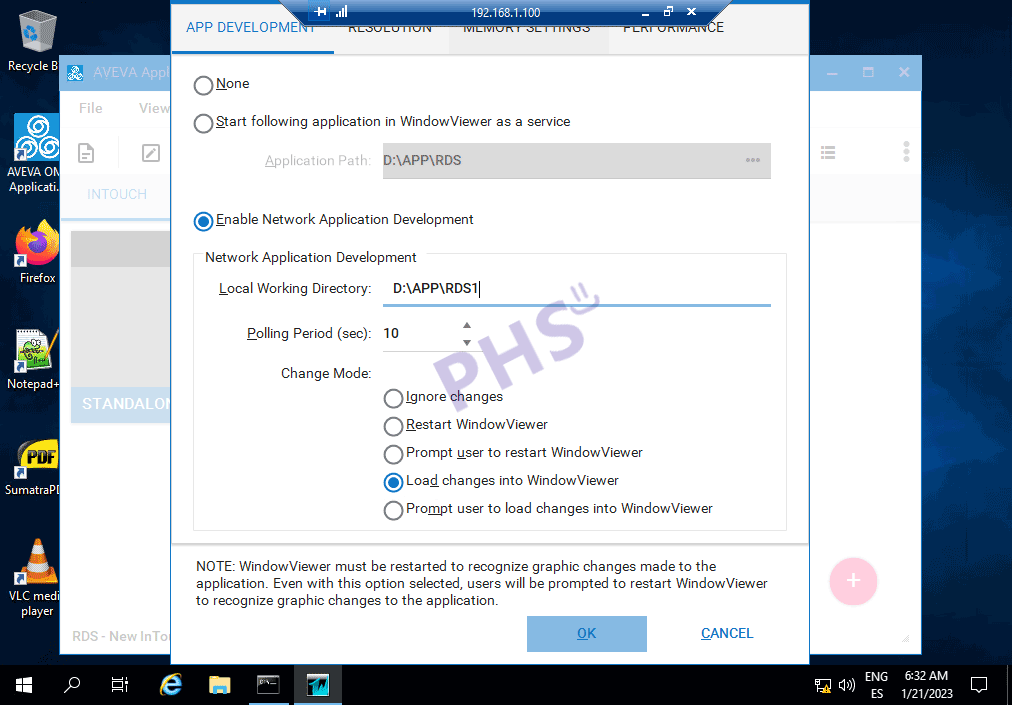
Configuration of the Intouch manager

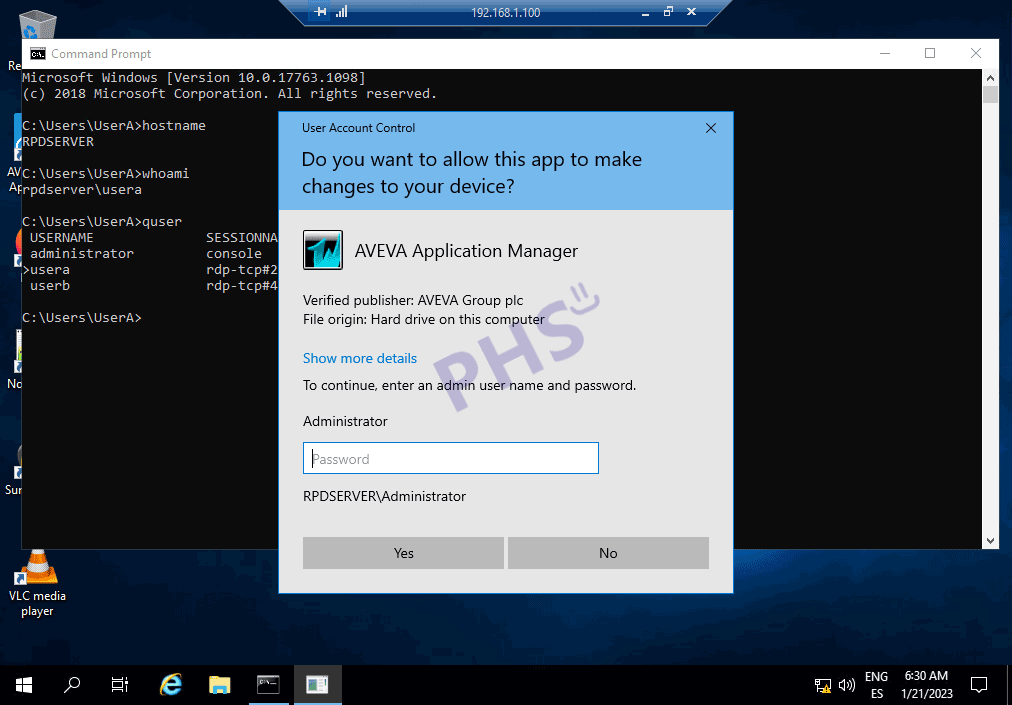
Now we will move on to the configuration of each of the clients. We run the Intouch manager, depending on the permissions and user groups we belong to, it may be disabled.

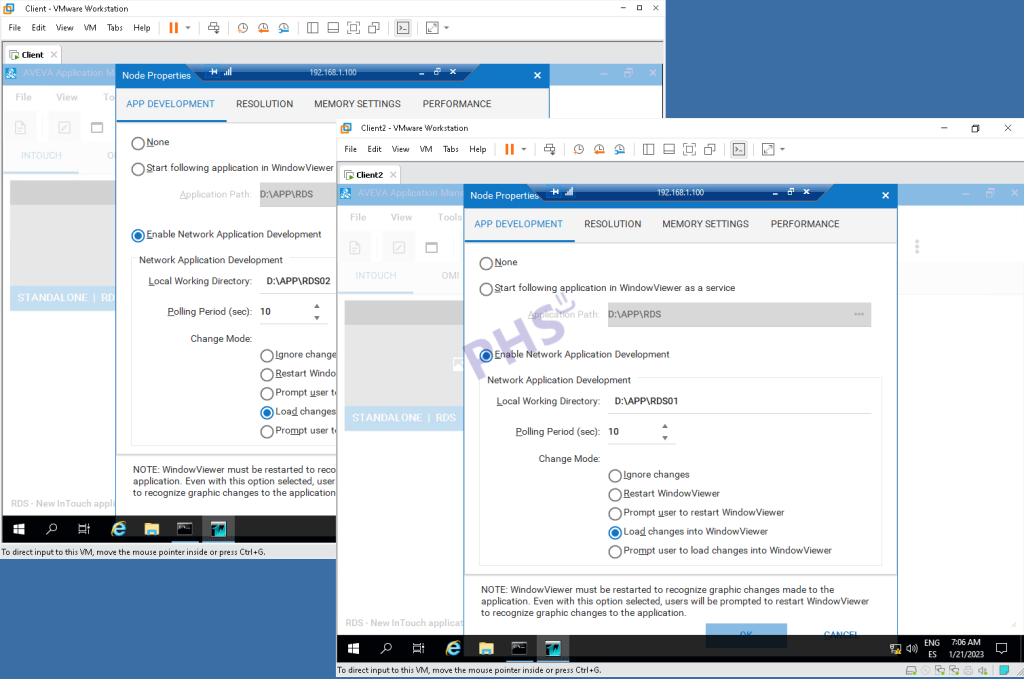
Configuration of Node properties

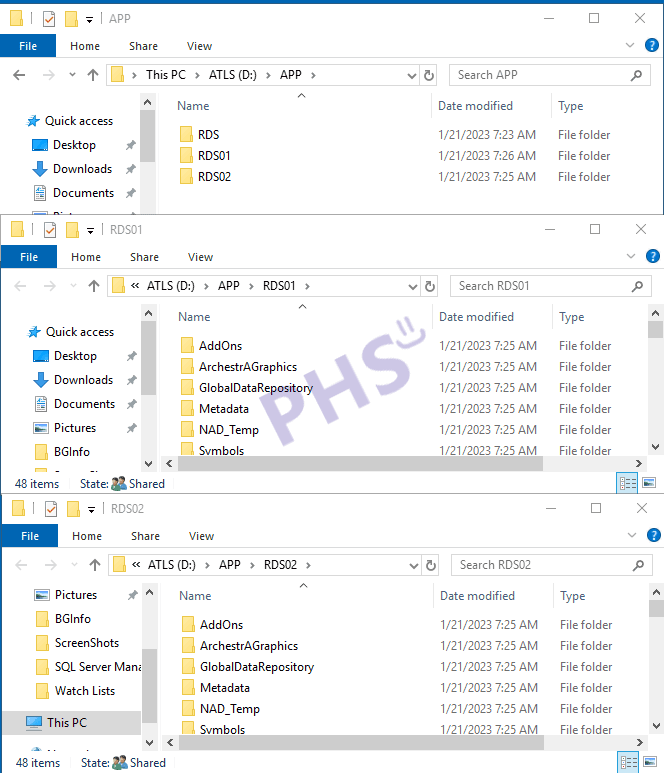
What we need to do in each of the sessions is to change to Enable Network Application Development and define a new directory for each one. I have previously created the directories for each session.

With this configuration, what we are going to do is make a copy of the project to this new directory, so the configuration files for retentive variables will be saved for each session.

Let’s remember that all memory variables are local variables, local scope variables of the application. And all I/O variables (PLC) are global variables, for all sessions.

Projects of all sessions

Runtime of our project

Files where retentive values are stored.

Jose Manuel Luque

Industrial Automation Technician.