

Objective
This practice is dedicated to the website readers who asked for an entry about FactoryTalk View. The first test is to communicate the SCADA with a PLC.
The PLC used here is RSLogix Emulate 5000, so screens, variables and commands can be tested without a physical controller.
Previous Requirements
Before starting, it is useful to have the simulator and the RSLinx OPC topic already configured:
- RSLogix Emulate 5000 prepared with the project loaded.
- A topic in RSLinx OPC Server pointing to the simulated controller.
- A project created in FactoryTalk View Site Edition.
Create the OPC Data Server
With the FactoryTalk View SE project open, the first step is to add the link to the PLC. Communication will be done through the RSLinx OPC Server.
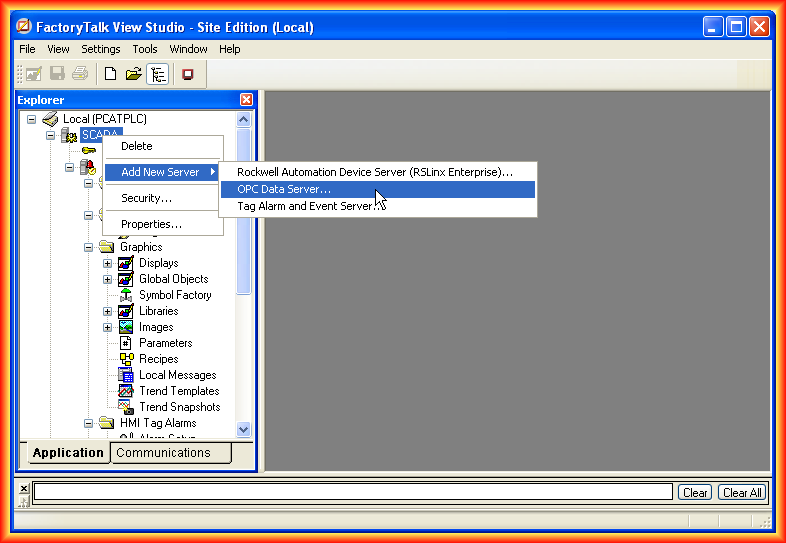
Right-click the project and add a new OPC Data Server.
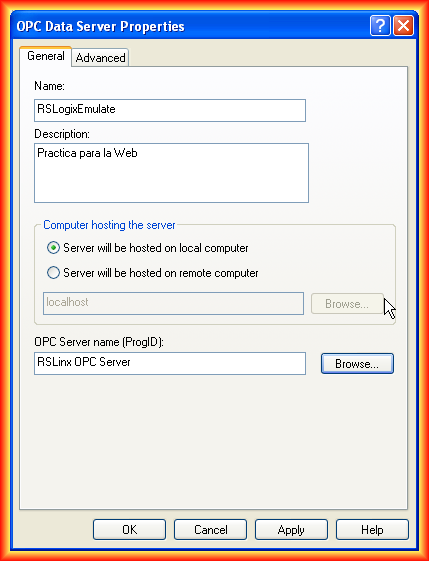
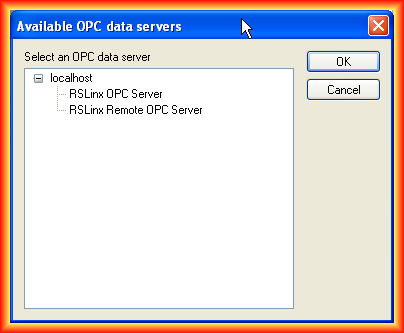
In the configuration window, assign a name to the link and select the corresponding OPC Server. This server will be the bridge between FactoryTalk View SE and the topic created in RSLinx.
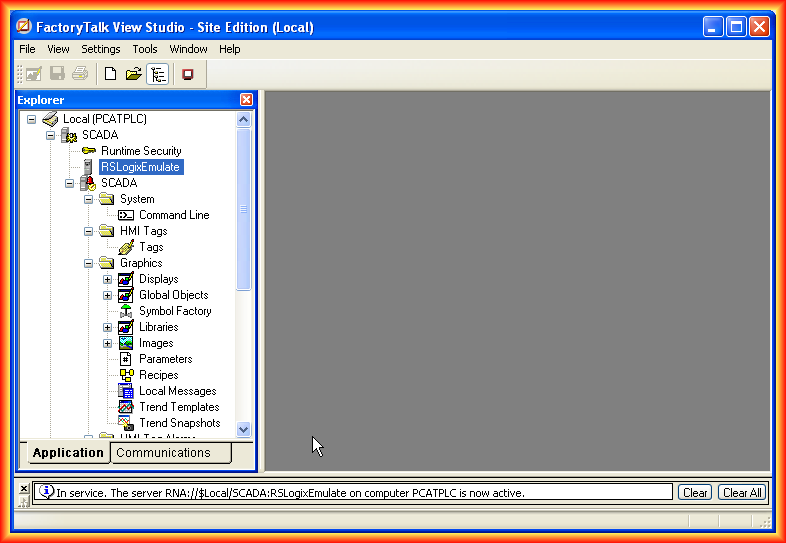
Once added, the new server appears inside the project. Since the RSLinx topic points to RSLogix Emulate 5000, the PLC project tags can now be accessed.
Browse PLC Tags
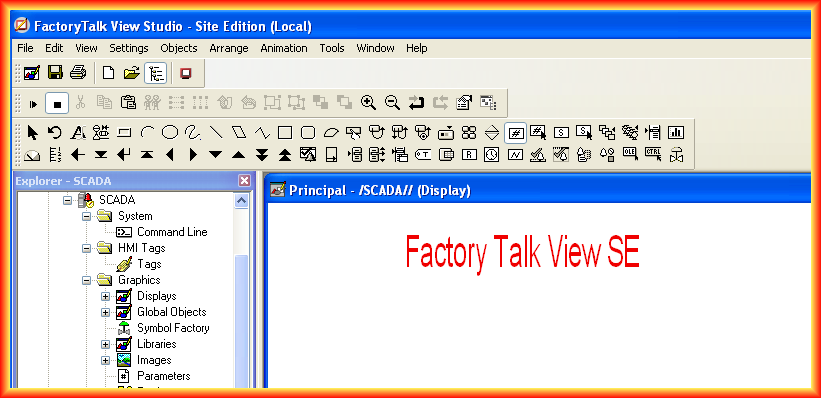
To check that the link works, insert several Numeric Display objects and associate them with PLC variables.
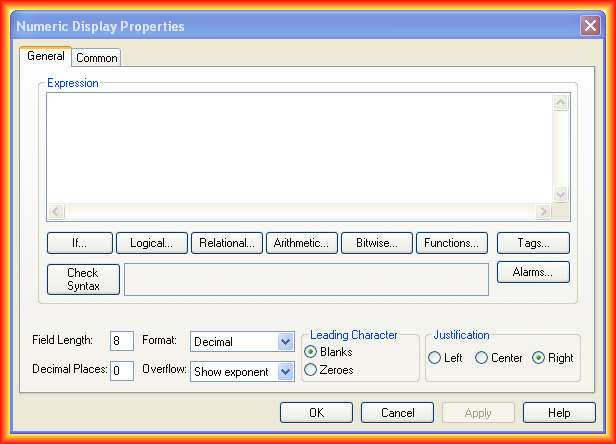
In the object properties, click Tags to configure the variable that should be displayed.
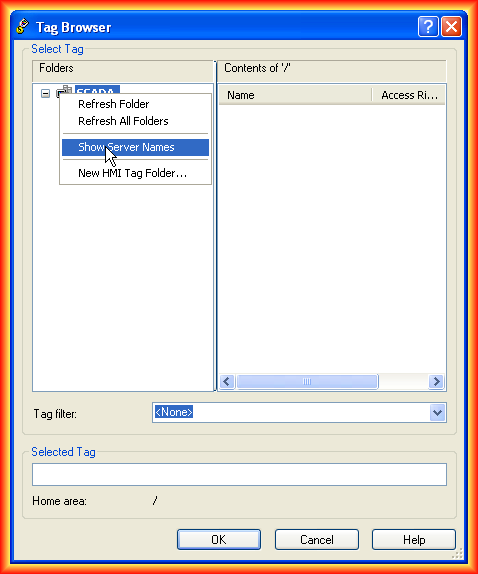
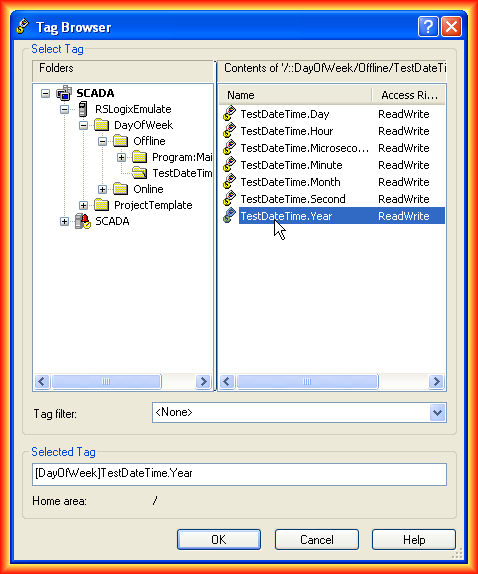
When the Tag Browser opens, the tags may not appear immediately. If there is more than one link, the clearest approach is to show the servers and browse the tags belonging to each one.
Test Communication
With a variable configured and a button using the Toggle function, the test can begin. Click the Play icon to run the display and observe the results.
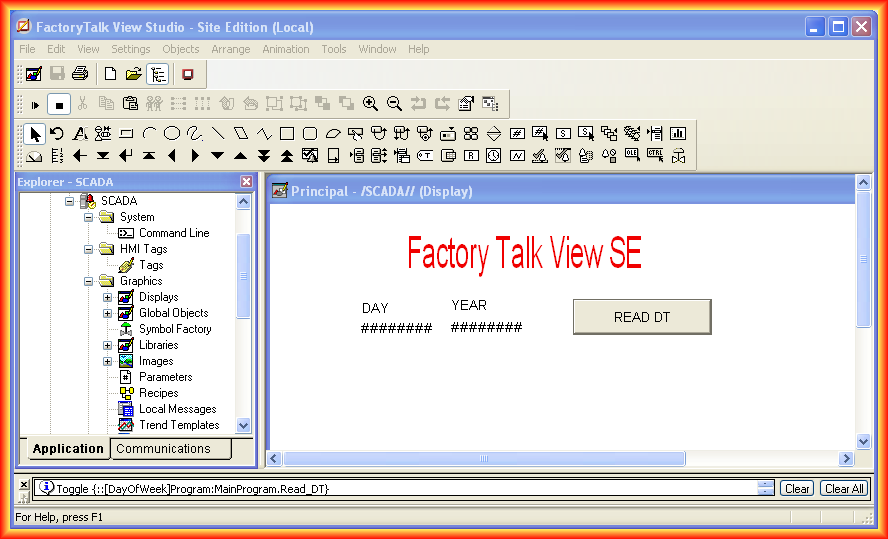
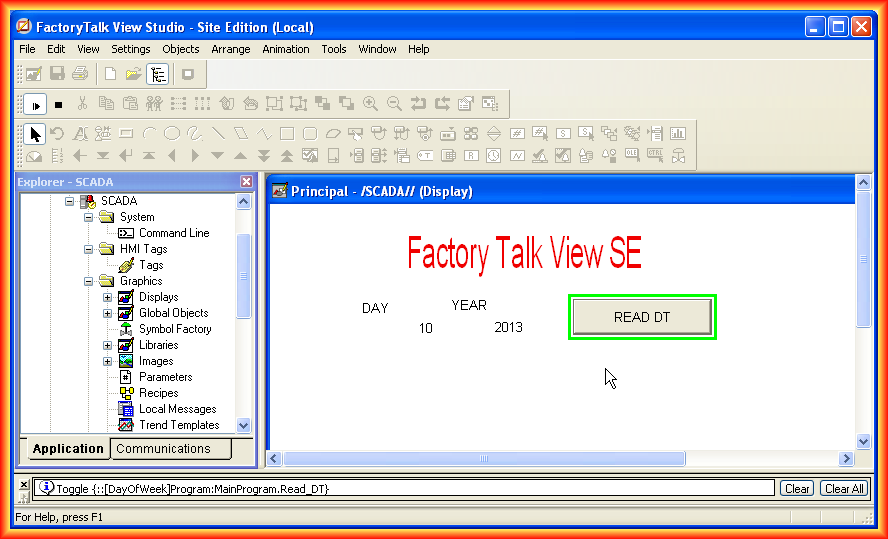
This validates the basic communication between FactoryTalk View SE, RSLinx OPC Server and RSLogix Emulate 5000.
Original article published on February 11, 2013.